
WhitelistVideo
Parent and child safely watching educational YouTube videos together on tablet
Parent Education

YouTube Safety for Kids: The Complete 2025 Parent's Guide to Every Option

Compare every YouTube control: YouTube Kids, Restricted Mode, Family Link, and whitelist controls. Learn which actually works and which is security theater.

Dr. Rachel Thornton

Dr. Rachel Thornton

Child Development Psychologist

December 15, 2025

12 min read

youtube safetyyoutube kidsrestricted modeparental controlsyoutube parental controls

TL;DR

The landscape of YouTube parental controls in 2025:

  1. YouTube Kids - Separate app, safer than main YouTube, but still algorithm-driven and prone to inappropriate content slipping through
  2. Restricted Mode - Easily bypassed, inconsistent filtering, provides false sense of security
  3. Family Link - Device controls, time limits, but no content whitelisting
  4. Third-Party Apps - Blacklist filtering (block bad content), can't keep up with YouTube's scale
  5. Whitelist Controls (WhitelistVideo) - ONLY allow pre-approved channels, gold standard for safety

Bottom line: Only whitelist controls provide adequate protection for YouTube. Everything else is partial protection at best.


Understanding the YouTube Safety Problem

Before diving into solutions, understand the challenge:

The Scale Challenge

  • 500 hours of video uploaded per minute
  • 30,000+ hours uploaded per hour
  • 720,000+ hours uploaded per day
  • No human review team can watch it all
  • No AI can catch everything before your kid sees it

The Algorithm Challenge

YouTube's recommendation algorithm optimizes for:

  • Watch time (not educational value)
  • Engagement (not age-appropriateness)
  • Click-through rate (not safety)

The algorithm has radicalized adults. It's exponentially more dangerous for kids with underdeveloped critical thinking.

The Content Challenge

Inappropriate content disguised as kid-friendly:

  • "Elsagate" videos (disturbing content with kid characters)
  • Toy review channels promoting consumerism
  • "Family vloggers" exploiting their children
  • Gaming videos with profanity and adult themes
  • "Educational" content with conspiracy theories

Now, let's examine every parental control option.


Option 1: YouTube Kids

What it is: A separate app designed for children under 13 with supposedly curated content.

How It Works

  • Content pool: Videos from kid-focused channels
  • Filtering: Mix of human review and AI filtering
  • Categories: Shows, Music, Learning, Gaming
  • Age ranges: Preschool (4 and under), Younger (5-8), Older (9-12)
  • Parental controls: Block videos/channels, timer limits, search on/off

Pros

Better than regular YouTube (lower baseline risk) ✅ No comments section (removes predator contact risk) ✅ Timer functionality (helps manage screen time) ✅ Can disable search (limits discovery of unwatched content)

Cons

Still algorithm-driven (engagement optimization, not education) ❌ Inappropriate content slips through regularly (documented elsagate incidents) ❌ Heavy advertising (often for junk food and toys) ❌ False sense of security (parents assume it's safe when it's not) ❌ Quality varies wildly (from Khan Academy to clickbait toy videos) ❌ No true whitelisting (can't limit to ONLY approved channels)

Real Parent Experiences

Sarah, mother of 5-year-old:

"I thought YouTube Kids was safe. Then my daughter started having nightmares. Turns out she'd been watching 'Peppa Pig' videos where the characters were in scary situations—blood, violence, stuff that looked like Peppa Pig but wasn't official. It was disguised as kids content. I deleted the app immediately."

Tech journalist investigations:

  • 2017: Mass elsagate discovery (disturbing Elsa/Spiderman content)
  • 2019: Paedophilia comments on innocuous kids videos
  • 2021: Conspiracy theory channels in Kids app
  • 2023: Crypto scam channels disguised as kids gaming
  • 2024: AI-generated fake educational content

Verdict: YouTube Kids is better than nothing but NOT truly safe. It's "YouTube Lite" with parental theater.

YouTube Kids Safety Rating: 4/10


Option 2: YouTube Restricted Mode

What it is: A setting in regular YouTube that attempts to filter out mature content.

How It Works

  • Toggle setting in YouTube account settings
  • AI filtering flags content with mature themes
  • Community flagging users report inappropriate content
  • Applies account-wide across devices when logged in
  • Optional browser lock prevents disabling (weak protection)

Pros

Easy to enable (one-click toggle) ✅ Free (built into YouTube) ✅ Blocks some mature content (explicit music, violence, sexual content) ✅ Works on same account across devices

Cons

Extremely easy to bypass (7 different bypass methods—see our dedicated article) ❌ Inconsistent filtering (blocks educational content, allows inappropriate content) ❌ False positives (blocks LGBTQ+ content, health education, legitimate history videos) ❌ False negatives (allows violent gaming, conspiracy theories, borderline content) ❌ No whitelist option (can't limit to approved channels only) ❌ Algorithm still runs (suggests unwatched content constantly)

The Bypass Problem

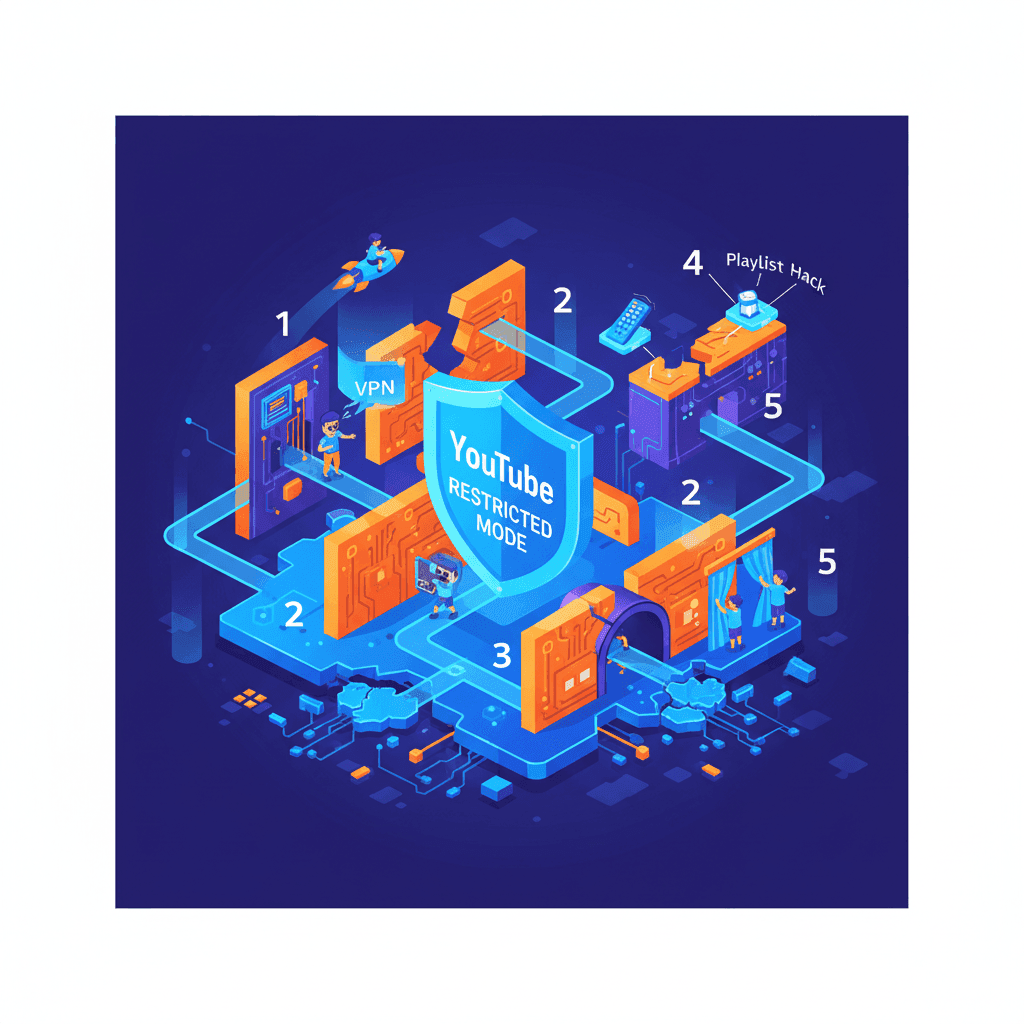
Kids can bypass Restricted Mode by:

  1. Signing out (Restricted Mode only works when logged in)
  2. Using incognito mode (private browsing ignores settings)
  3. Using different browser (Restricted Mode is browser-specific without account)
  4. Using VPN (routes around network-level restrictions)
  5. Watching on mobile app (separate settings)
  6. Using friend's device (different account)
  7. Watching embedded videos (on other websites, settings don't apply)

Average time for 12-year-old to discover bypass: 2-4 weeks

Real Parent Experiences

Michael, father of 13-year-old:

"I enabled Restricted Mode and thought I was done. Three months later, I discovered my son had been using incognito mode the entire time to watch whatever he wanted. I had a false sense of security while he had zero restrictions."

Filtering inconsistency examples:

  • Blocks: Legitimate sex education from healthcare providers
  • Allows: "Soft core" gaming videos with sexual innuendo
  • Blocks: LGBTQ+ coming-out stories
  • Allows: Conspiracy theories about vaccines

Verdict: Restricted Mode is security theater. It makes parents feel safer without actually providing meaningful protection.

Restricted Mode Safety Rating: 2/10


Option 3: Google Family Link

What it is: Google's device management tool for parents with some YouTube controls.

How It Works

  • Device-level controls for child's Android/Chromebook
  • YouTube settings: Can set content level (Explore, Explore More, Most of YouTube)
  • Time limits: Daily screen time caps
  • App blocking: Prevent YouTube app access entirely
  • Location tracking: See child's device location (privacy concerns)

Pros

Comprehensive device control (not just YouTube) ✅ Time management features (screen time limits) ✅ App approval system (parent approves new apps) ✅ Free (built into Google accounts) ✅ Works across Google ecosystem

Cons

No true whitelisting (can't limit to specific channels) ❌ Content levels too broad ("Most of YouTube" is still millions of videos) ❌ Bypass methods exist (incognito, different device, log out) ❌ Device-specific (doesn't protect if kid uses friend's device) ❌ Limited YouTube granularity (blunt instrument, not precise control)

Content Level Breakdown

"Explore" (ages 9+):

  • Supposedly educational content
  • Still includes clickbait, toy reviews, questionable "science"
  • Algorithm still suggests content
  • No parent curation

"Explore More" (ages 13+):

  • Includes music videos, gaming, vlogs
  • Massive content pool
  • Age-verification is honor system
  • Still allows algorithm radicalization paths

"Most of YouTube":

  • Basically unrestricted
  • Restricted Mode equivalent filtering
  • See Restricted Mode cons above

Verdict: Family Link is excellent for device management and screen time, mediocre for YouTube content safety. It's a blunt tool where YouTube needs precision.

Family Link Safety Rating: 5/10


Option 4: Third-Party Parental Control Apps

What they are: Bark, Qustodio, Net Nanny, Circle, Norton Family, Kaspersky Safe Kids

How They Work (Generally)

  • Blacklist filtering: Block content matching inappropriate criteria
  • Category blocking: Block entire categories (violence, sexual content, drugs)
  • AI analysis: Scan video titles, descriptions, metadata
  • Time limits: Control when and how long YouTube is accessible
  • Monitoring: Some apps monitor what child watches

Pros

More features than YouTube's built-in tools ✅ Cross-platform (work on multiple devices) ✅ Additional protections (web filtering, app blocking, time management) ✅ Monitoring alerts (notify parents of flagged content) ✅ Usage reports (see what child is watching)

Cons

No YouTube whitelisting (none of these apps offer channel-level whitelisting) ❌ Blacklist approach fails at YouTube scale (can't keep up with 500 hours/minute) ❌ High false positive rate (blocks educational content incorrectly) ❌ High false negative rate (allows inappropriate content that slips through) ❌ Bypassable (VPN, incognito, different device) ❌ Expensive ($80-150/year subscriptions) ❌ Privacy concerns (some apps monitor texts, social media, location)

App-by-App YouTube Capabilities

App YouTube Filtering Whitelist Option Bypass Protection Annual Cost
Bark AI scanning, alerts ❌ No Weak $99/year
Qustodio Category blocking ❌ No Weak $138/year
Net Nanny Blacklist filtering ❌ No Weak $90/year
Circle Time limits, pause ❌ No Moderate $130/year
Norton Family Basic filtering ❌ No Weak $50/year
Kaspersky Safe Kids Category blocking ❌ No Weak $60/year
WhitelistVideo Channel whitelist Yes Strong $48/year

Notice: WhitelistVideo is the only app offering true YouTube channel whitelisting.

Real Parent Experiences

Jennifer, mother of 11-year-old, former Bark user:

"Bark sent me 30 alerts per week about 'concerning content' my son watched. 90% were false alarms—Minecraft videos with the word 'kill' in the title, history documentaries about war, science videos about human anatomy. The 10% that mattered got lost in the noise. I was drowning in alerts and still not actually protecting him from the algorithm."

Verdict: Third-party apps add features but don't solve the core YouTube problem: algorithm-driven content discovery. Blacklist filtering cannot keep up with YouTube's scale.

Third-Party Apps Safety Rating: 6/10


Option 5: Channel Whitelisting (WhitelistVideo)

What it is: Parental controls that ONLY allow access to pre-approved YouTube channels. Everything else is blocked.

How It Works

  • Parent curates whitelist: Approve specific educational channels (CrashCourse, Khan Academy, etc.)
  • YouTube limited to whitelist: Child can ONLY watch whitelisted channels
  • Algorithm disabled: No suggestions, no related videos, no search outside whitelist
  • Request system: Child can request new channels; parent reviews and approves
  • Bypass protection: Blocks incognito mode, VPN usage, account switching

Pros

Complete content control (you choose every channel) ✅ Eliminates algorithm risk (no unwatched content suggested) ✅ Prevents rabbit holes (no journey from science to conspiracy theories) ✅ Age-appropriate curation (tailor whitelist to your child's maturity) ✅ Educational focus (prioritize learning over entertainment) ✅ Transparent boundaries (child knows what's allowed and why) ✅ Request system builds trust (collaborative process) ✅ Extremely difficult to bypass (comprehensive protection)

Cons

Requires curation effort (1-2 hours initial setup, 10 min/week maintenance) ❓ Feels restrictive initially (limited channel pool vs. infinite YouTube) ❓ Not set-and-forget (need to review channel requests)

How to Build Your Whitelist

Start with 10-20 channels in key categories:

Science & Math:

  • CrashCourse (comprehensive science series)
  • Khan Academy (math, science, humanities)
  • Veritasium (science experiments and concepts)
  • 3Blue1Brown (advanced math visualization)
  • SmarterEveryDay (engineering and physics)

History & Social Studies:

  • CrashCourse History (world and US history)
  • Oversimplified (history with humor)
  • History Matters (short history explanations)

Arts & Creativity:

  • Art for Kids Hub (drawing tutorials)
  • Draw with Jazza (art techniques)
  • ThePianoGuys (music)

Age-Appropriate Entertainment:

  • Mark Rober (engineering challenges)
  • Simone Giertz (invention and making)
  • Mumbo Jumbo (family-friendly Minecraft)

Expand over time based on child's interests and requests.

Real Parent Experiences

David, father of 9-year-old, WhitelistVideo user:

"The first week felt restrictive—my daughter complained she could only watch 15 channels. By week three, she'd requested 10 more channels, and we reviewed them together. Now she understands WHY I approve some and not others. She's learning media literacy, and I actually know she's safe. No more algorithm anxiety."

Amanda, software engineer and mother of 12-year-old:

"I work in tech, so I know how algorithms work. I would never let my kid use recommendation-driven YouTube. Whitelist is the only approach I trust. It's the same security model we use at work—least privilege access. Only allow what's needed; block everything else."

Verdict: Whitelist controls are the gold standard for YouTube safety. They require effort but provide unmatched protection. This is what serious parents choose.

Whitelist Controls Safety Rating: 9.5/10


Side-by-Side Comparison: All Options

Feature YouTube Kids Restricted Mode Family Link Third-Party Apps WhitelistVideo
Content Control Low (algorithm) Very Low (filtering) Low (broad categories) Medium (blacklist) Highest (whitelist)
Algorithm Risk High High High High Zero
Bypass Difficulty Medium Very Easy Easy Easy Very Hard
Setup Effort Minimal Minimal Low Low Moderate
Ongoing Effort Minimal Minimal Minimal Low Low-Moderate
False Positives Common Very Common Common Common Impossible
False Negatives Common Very Common Common Common Impossible
Educational Focus Low N/A Low N/A High
Teen Autonomy None None Limited Limited High (request system)
Trust Building None None None None High (collaborative)
Cost Free Free Free $50-150/year $48/year
Age Suitability Under 8 All ages All ages All ages All ages
Safety Rating 4/10 2/10 5/10 6/10 9.5/10

Decision Tree: Which Option is Right for You?

Is your child under 6?

YouTube Kids with search disabled and timer limits → Better: WhitelistVideo with 5-10 channels (Cocomelon, Blippi equivalents)

Is your child 6-12?

→ Skip YouTube Kids, Restricted Mode, Family Link → WhitelistVideo with curated educational channels → 20-50 channels tailored to interests

Is your child 13-15?

WhitelistVideo with larger whitelist (50-100 channels) + request system → Collaborative approach builds media literacy → Maintains safety while giving autonomy

Is your child 16-18 with proven judgment?

→ Consider Restricted Mode + third-party app → Or WhitelistVideo with extensive whitelist (100+ channels) + liberal approval policy → Focus on time management rather than content restriction

Have you tried other options and found them ineffective?

WhitelistVideo is the nuclear option → Total reset on YouTube relationship → Highest security available

Do you want set-and-forget with minimal effort?

Third-party app (Bark, Qustodio) for partial protection → Accept higher risk in exchange for convenience → Or accept that no perfect easy solution exists


The Harsh Truth About YouTube Safety

There is no perfect easy solution.

YouTube is designed to maximize watch time. The algorithm optimizes for engagement, not education. Inappropriate content is constantly uploaded. Human review can't keep up.

Your options:

  1. Minimal effort, minimal safety (YouTube Kids, Restricted Mode)
  2. Moderate effort, moderate safety (Third-party apps)
  3. Significant effort, maximum safety (Whitelist controls)

Choose your priority:

  • Convenience? Accept higher risk.
  • Maximum safety? Accept curation effort.

Most parents choose option 1, experience problems (inappropriate content, addiction, algorithm rabbit holes), then move to option 3.

Skip the middle and go straight to whitelist if YouTube safety is a priority.


Common Questions from Parents

"Won't my child fall behind if they can't access all of YouTube?"

No. Your child will actually learn MORE from 50 high-quality educational channels than from infinite algorithm-driven content.

Quality > Quantity. Focus beats distraction. Curation beats discovery.

"What if my child needs YouTube for homework?"

Request system solves this. Child requests channel for school assignment → Parent reviews → Approved within 24 hours.

Most school-assigned videos are from well-known educational channels already on curated whitelists.

"Isn't this helicopter parenting?"

No. Helicopter parenting is hovering over developmentally appropriate activities (playground, socializing with friends).

This is safeguarding against adult-designed engagement algorithms. Your 11-year-old's brain is not equipped to resist optimization designed by neuroscientists and engineers.

It's not helicopter parenting to childproof your house. It's not helicopter parenting to block YouTube's algorithm.

"Won't they just watch YouTube at friends' houses?"

Maybe. You control your house, not the world. But:

  • 90% of watching happens at home (where you have control)
  • You eliminate algorithm radicalization (the biggest long-term risk)
  • You establish normalized boundaries ("In our family, YouTube is limited")

Perfect control is impossible. Whitelist gives you maximum control where you have influence.


Take Action: Implement the Right Solution Today

Recommended Approach by Age

Ages 4-6:

  • Option 1: YouTube Kids with search disabled
  • Option 2: WhitelistVideo with 5-10 channels

Ages 7-12:

  • WhitelistVideo with 20-50 curated channels
  • Build initial whitelist together
  • Establish request review process

Ages 13-15:

  • WhitelistVideo with 50-100 channels + liberal request policy
  • Focus on collaboration and media literacy
  • Maintain safety without feeling restrictive

Ages 16-18:

  • WhitelistVideo with extensive whitelist OR
  • Third-party app with time limits OR
  • Negotiated honor system (if judgment proven)

Get Started with WhitelistVideo

The only consumer app offering true YouTube channel whitelisting:

Complete content control (you choose every channel) ✅ Algorithm eliminated (no unwatched content suggested) ✅ Request system (teen autonomy within boundaries) ✅ Bypass protection (incognito, VPN, account switching blocked) ✅ 14-day free trial (no credit card required)

Try WhitelistVideo freewhitelist.video

See why parents who've tried everything else choose whitelist controls.


The Bottom Line

YouTube is not designed for child safety. It's designed for engagement.

The algorithm radicalized adults during COVID. It creates body image issues in teens. It wastes hours of homework time daily. It's a slot machine for kids' attention.

Built-in tools (YouTube Kids, Restricted Mode) are security theater. They make parents feel safer without providing meaningful protection.

Third-party apps are better but still play defense. Blacklist filtering can't keep up with YouTube's scale.

Whitelist controls are the only true solution. Prevention over reaction. Curation over algorithm.

Is it more work? Yes.

Is your child's psychological safety worth 10 minutes per week? You decide.

Start your free trialwhitelist.video

Because the best YouTube parental control is the one that actually works.

Frequently Asked Questions

The safest method is channel whitelisting—only allowing access to pre-approved educational channels. WhitelistVideo is currently the only consumer app offering this. YouTube Kids and Restricted Mode both allow algorithm-driven content discovery, which introduces risk.

YouTube Kids is safer than regular YouTube but not truly safe. Inappropriate content still slips through (elsagate, fake kids videos, ads for junk food). The algorithm still drives engagement over education. For maximum safety, use a whitelist approach instead.

Yes. Kids can bypass Restricted Mode by: signing out, using incognito mode, using a different browser, using a VPN, watching on mobile apps, or watching embedded videos on other websites. It's extremely easy to circumvent.

YouTube Kids is a separate app with kid-focused content (but algorithm-driven). Restricted Mode is a toggle in regular YouTube that filters mature content (easily bypassed). Family Link is Google's device management tool (device-level controls, not YouTube-specific). None offer channel whitelisting.

Most third-party apps (Bark, Qustodio, Net Nanny) use blacklist filtering—they try to block bad content but can't keep up with YouTube's 500 hours per minute upload rate. Only WhitelistVideo offers true whitelist control limiting YouTube to pre-approved channels.

Share this article

Published: December 15, 2025 • Last Updated: December 15, 2025

Dr. Rachel Thornton

Dr. Rachel Thornton

Child Development Psychologist

Dr. Rachel Thornton is a licensed clinical psychologist specializing in child development and digital media impact. She holds a Ph.D. in Developmental Psychology from Stanford University and completed her postdoctoral fellowship at the Yale Child Study Center. Dr. Thornton spent eight years as a senior researcher at Common Sense Media, leading longitudinal studies on screen time effects in children ages 5-14. Her research has been published in JAMA Pediatrics and Developmental Psychology, with her 2022 meta-analysis on algorithmic content exposure cited over 300 times. She is a guest contributor at WhitelistVideo.

Child DevelopmentDigital Media ResearchScreen Time Effects

You Might Also Like

Summarize with