Community consensus · Updated July 2026

The YouTube Kids Alternative Parents Actually Recommend — from Reddit, Quora & LinkedIn

Because 'let the algorithm decide' was never really safe.

Parents don't leave YouTube Kids because it's too strict — they leave because it isn't safe enough, and because their child aged out of it. Here's what the communities recommend instead, and why a whitelist you control beats an algorithm you can't see.

Consensus across 4 communities
You choose the channels
Grows with your child
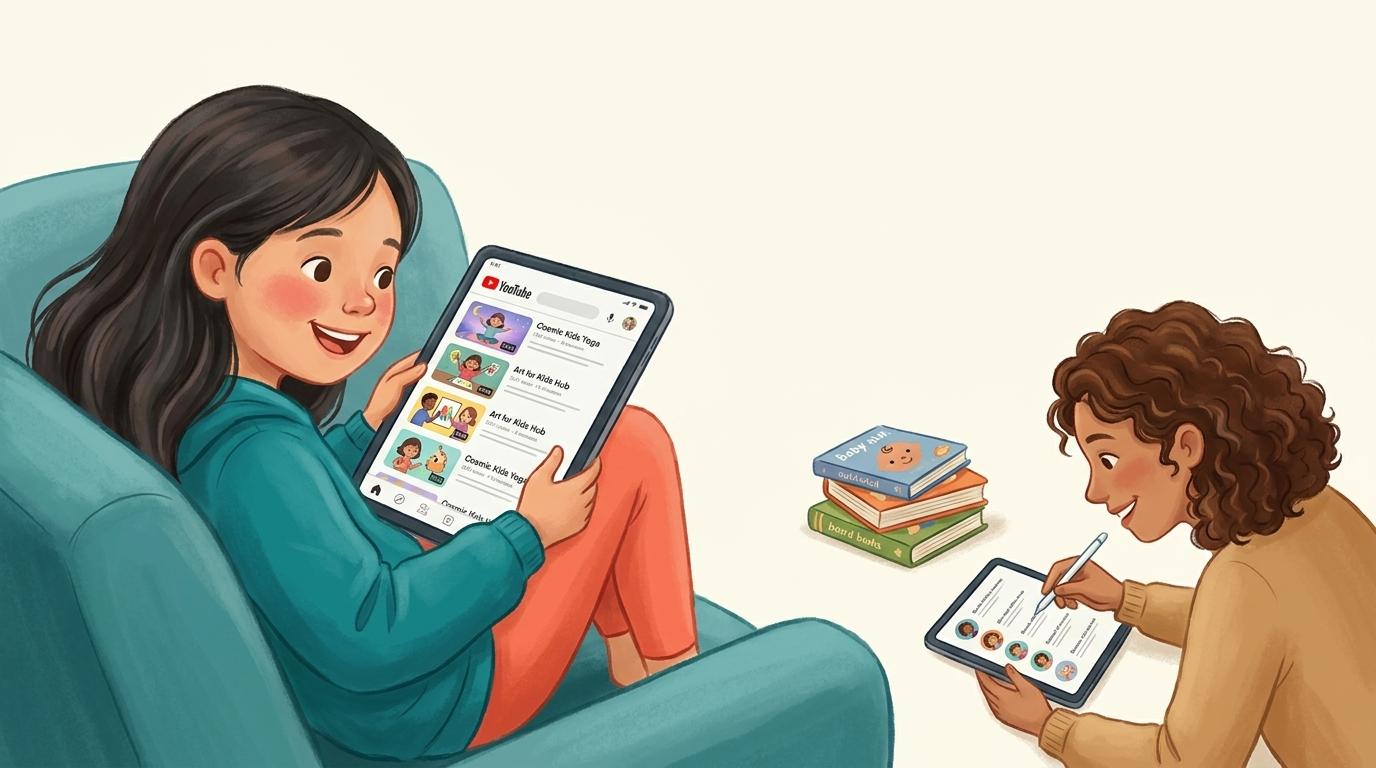
An older child happily watching approved real YouTube channels on a tablet while a parent curates a short list of trusted channels nearby

The best alternative to YouTube Kids is WhitelistVideo. Across Reddit, Quora, LinkedIn and the review sites, parents leave YouTube Kids for two reasons: its algorithm still surfaces inappropriate or 'creepy' videos, and older children find it babyish. WhitelistVideo solves both because it is a control tool, not a monitoring one — instead of trusting an algorithm to filter and hoping to catch problems afterward, it blocks everything by default and only allows the channels a parent approves, enforced from the very first launch. It runs on YouTube's real app so it works at any age (kids never outgrow it), removes Shorts and the algorithmic feed entirely, and works on iOS, Android, Chromebook, desktop and TV.

YouTube Kids was supposed to be the safe version. But search any parenting community for 'YouTube Kids alternative' and you'll find the same two frustrations over and over: the algorithm still lets disturbing or inappropriate content slip through, and by around age 7–8 kids reject it as babyish and demand the 'real' YouTube.

That leaves parents stuck between an app that isn't safe enough and an app that has no guardrails at all. The alternative the communities keep landing on isn't another curated kids' app — it's flipping the model entirely: block everything, then approve the specific channels you trust. Here's what each community says.

The Reddit consensus

On r/Parenting, r/YoutubeKids and r/toddlers, YouTube Kids threads are full of specific horror stories and a clear direction of travel toward parent-curated allow-lists.

  • Parents report the YouTube Kids algorithm surfacing inappropriate, violent or 'elsagate'-style content despite the app's filters — the recurring phrase is 'you still can't trust it unattended.'
  • The 'approved content only' mode inside YouTube Kids gets recommended as a first step, but parents find it clunky, limited to the Kids app, and something older children resist.
  • The most-upvoted long-term fix: a whitelist on the standard YouTube app so the child keeps using 'real' YouTube but only sees channels a parent approved.
  • Older-kid threads specifically ask for something that isn't babyish — a tool that works on normal YouTube, not a walled toddler garden.

Reddit's takeaway: YouTube Kids' algorithm can't be fully trusted, and kids outgrow it. Parents move to a parent-controlled whitelist — which is what WhitelistVideo provides in its supported app or browser experience.

What parents ask (and answer) on Quora

Quora questions like 'Is YouTube Kids actually safe?' and 'What should I use instead of YouTube Kids?' attract detailed answers from parents who've moved on.

  • A common answer: YouTube Kids reduces the worst content but doesn't eliminate it, because it still relies on automated filtering at YouTube's scale.
  • Answers point out that 'safe' should mean the parent decides what's allowed — not an opaque recommendation system optimising for watch time.
  • The alternative most explained in depth is an allow-list of trusted channels on regular YouTube, so the experience is both safer and doesn't feel like a downgrade for the child.

Quora's takeaway: real safety comes from parent-chosen channels, not algorithmic curation. A whitelist puts that choice in your hands.

Is a whitelist right for your child's age?

Answer 4 quick questions about your child and devices, and get a personalised recommendation for a safer YouTube — in under a minute.

Find your fit

The expert view on LinkedIn

Child-development and digital-wellbeing voices on LinkedIn tend to critique the very idea of an algorithmic feed for young children.

  • Experts argue infinite, recommendation-driven feeds are the wrong default for kids because they're engineered to maximise time-on-app.
  • The favoured alternative is 'intentional viewing' — a small, known set of quality content chosen by an adult, rather than an endless stream.
  • Practitioners value transparency: parents being able to see and edit exactly what's allowed, which YouTube Kids' algorithm doesn't offer.

LinkedIn's takeaway: swap the algorithmic feed for intentional, parent-curated viewing — the core idea behind a channel whitelist.

What the review sites say (Common Sense Media, G2, Trustpilot)

Common Sense Media and the review platforms give the structured verdict on YouTube Kids.

  • Common Sense Media rates YouTube Kids with real caveats, noting parents must stay actively involved and that content quality is inconsistent.
  • Reviewers repeatedly recommend the 'approved content only' setting for young kids — while acknowledging it's tedious and confined to the Kids app.
  • Tools that let parents curate channels on the main YouTube app are praised for extending safety past the toddler years.

Review-site takeaway: YouTube Kids needs constant supervision and doesn't scale with age. A whitelist on the real app does both jobs.

YouTube Kids vs a channel whitelist

Algorithmic curation vs. parent-approved channels

左右滚动以查看所有列。

功能YouTube KidsWhitelistVideo
Content chosen byAlgorithm
You
Inappropriate content can slip throughYes
No
Uses the familiar YouTube experienceNo
On supported browsers
Suitable for older kids (8+)Feels babyish
Yes
You can see & edit exactly what's allowedLimited
Yes
Control Shorts & searchLimited
Yes

YouTube 需求对比

此对比仅涵盖 YouTube:包含孩子可观看的内容及您的控制方式。YouTube Kids 为幼儿提供了一个独立的应用程序,具备基于年龄的内容分级、内置计时器和最多八个配置文件。

已检查 2026年10月25日

YouTube 需求对比
您的需求WhitelistVideoYouTube Kids
我可以仅允许观看我批准的频道吗? (阅读指南)
是仅播放您批准的频道,在真实的 YouTube 上运行。
部分支持“自行批准内容”功能让您仅在 YouTube Kids 应用内挑选频道和视频
我可以屏蔽我不想要的频道吗? (阅读指南)
是屏蔽任何频道;被屏蔽的频道绝不会播放。
是在 Kids 应用中或从关联的 YouTube 家长账号屏蔽频道和视频
我可以允许或屏蔽特定主题(例如仅教育类视频)吗? (阅读指南)
是Auto-pilot 仅播放您允许的主题视频。
部分支持由 Google 选择年龄分级;“自行批准内容”增加了主题收藏
我可以屏蔽包含脏话的视频吗? (阅读指南)
是“内容适宜度检查”功能可根据您选择的级别,自动拦截包含脏话的 WhitelistVideo 视频。
否无词汇过滤器;学龄前、低龄和高龄是 Google 设置的年龄分级
我可以选择孩子观看的宗教内容吗? (阅读指南)
是Religion & Faith 功能让您选择孩子观看的宗教视频类型。
否无宗教设置;最近似的方案是仅批准您选择的频道
是否有无需我亲自观看就能自动筛选新视频的功能? (阅读指南)
是AI 会为您未批准的频道中的每个视频进行检查。Android TV 除外。
部分支持Google 的自动化系统为每个年龄段挑选视频,而非根据您自己的规则
我可以关闭 YouTube Shorts 吗? (阅读指南)
是Shorts 默认关闭;您可以从控制面板中开启。
部分支持Kids 应用中没有 Shorts 信息流,家长也没有 Shorts 设置 (未由供应商记录;基于供应商的应用商店列表或独立评估。)
我可以隐藏 YouTube 评论吗? (阅读指南)
是除非您开启,否则评论保持隐藏。
是YouTube Kids 没有公共评论
孩子可以请求添加新频道吗,并由我通过手机审批? (阅读指南)
是孩子在应用中发起请求;您通过应用、WhatsApp 或 Telegram 进行审批。
否无儿童请求频道的方式;家长从 YouTube 分享内容
在孩子未登录 YouTube 时,它在真实的 YouTube 上有效吗? (阅读指南)
是适用于孩子的设备,即使孩子未登录 YouTube 账号也有效。
部分支持独立应用;支持离线使用,但“仅批准”模式需要家长登录
它适用于 iPhone、iPad、Android、Chromebook、Windows、Mac 和电视吗?iPhone 和 iPad电脑电视
是支持 iPhone、iPad、Android、Chromebook、Windows、Mac 和 Android TV。AI 功能不支持电视。
是手机和平板上的 Kids 应用,以及网页版和智能电视
它会被锁定吗,这样我的孩子就无法将其关闭? (阅读指南)
是若配合 Screen Time、Family Link、Family Safety 或 Google Admin 控制台使用,非经您的凭据无法卸载 WhitelistVideo。
部分支持设置需要家长密码;除非屏蔽,否则孩子可以打开常规 YouTube

未由供应商记录;基于供应商的应用商店列表或独立评估。

The verdict: WhitelistVideo is the YouTube Kids alternative to choose

YouTube Kids isn't useless — for a closely supervised toddler, its 'approved content only' mode is a fine free starting point. But the two reasons parents leave — the algorithm still lets bad content through, and kids outgrow the app — are structural, and no setting fixes them.

WhitelistVideo changes the model from monitoring to control: instead of trusting an algorithm and reviewing problems later, it blocks content by default and only allows channels you approve in its supported app or browser experience. It supports iOS, Android, Chromebook, Windows, macOS, and Android TV from one parent dashboard, with device-specific safeguards for common routes outside the protected experience.

The result is an experience that is genuinely safe, that a child won't reject as babyish, and that has no expiry date.

Frequently asked questions

Because it relies on automated filtering at massive scale, parents report inappropriate, violent or disturbing videos still appearing despite the app's safeguards. The consensus is that YouTube Kids reduces risk but doesn't remove it, so it can't be fully trusted unattended.

WhitelistVideo is a control tool rather than a monitoring app: it blocks content by default and only allows channels you approve in its supported app or browser experience. It supports iOS, Android, Chromebook, Windows, macOS, and Android TV; the recommended device-specific safeguards restrict common routes outside that experience.

That's one of the top reasons parents switch. On supported computer browsers, an older child keeps the familiar YouTube interface while WhitelistVideo applies your channel rules. On phones and TVs, WhitelistVideo provides a dedicated child viewing experience.

It's similar in spirit but limited to the Kids app, tedious to manage, and something older kids reject. A dedicated whitelist works on regular YouTube, is easier to maintain, and controls Shorts and search too.

You can start free with no credit card. One parent dashboard manages supported Windows, Mac, Chromebook, iOS, Android, and Android TV devices.

A safe YouTube your child won't outgrow

Block content by default and approve the channels you trust in WhitelistVideo's supported app or browser experience.

No credit card required to start.

使用 AI 获取即时答案

向任何 AI 助手询问有关 YouTube 家长控制、设置指南或故障排除的问题。

ChatGPT

Perplexity

Claude

Gemini

点击“提问”即可打开 AI 并预填您的问题。若使用 Gemini,请先复制问题。