
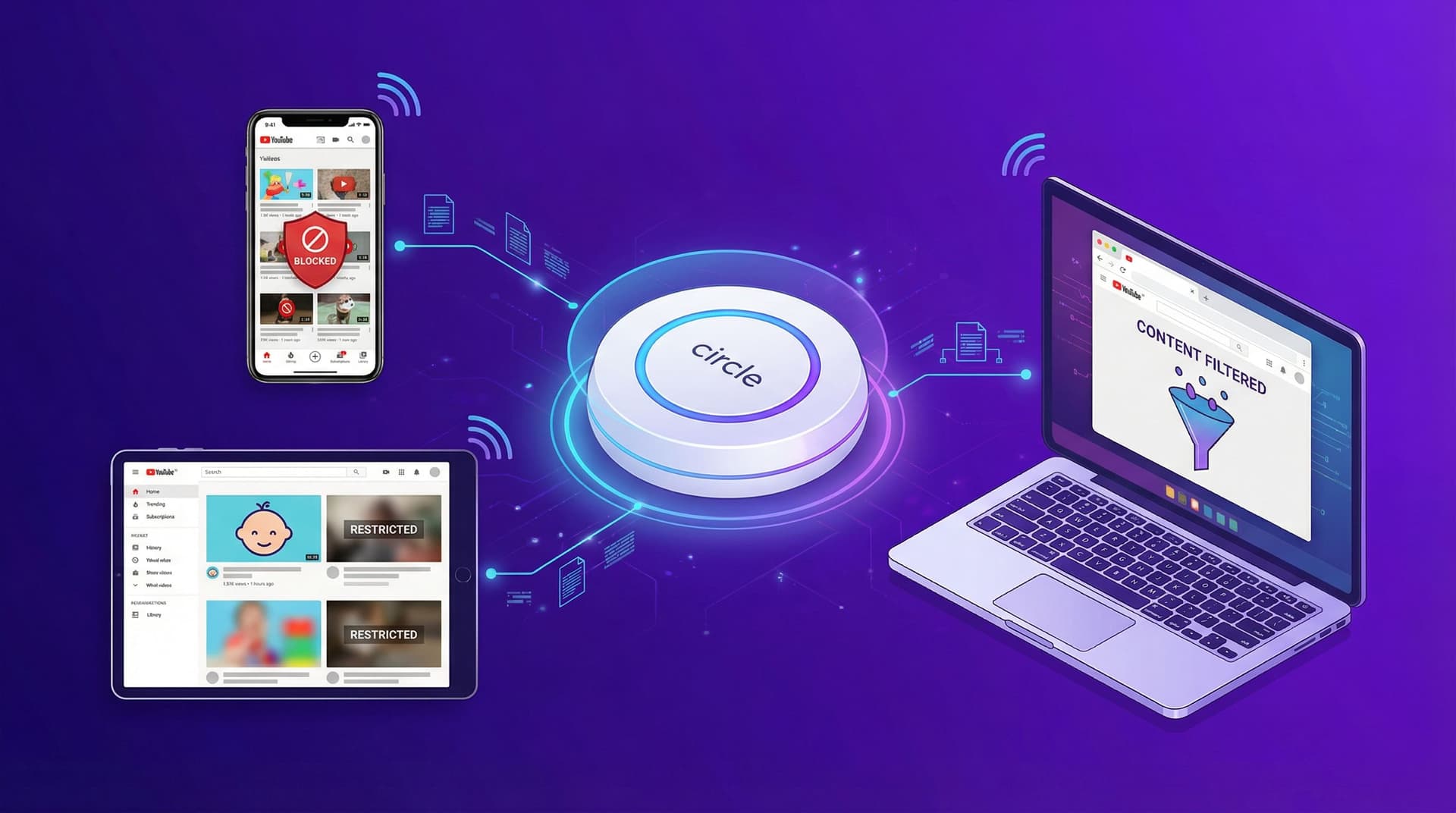

Resumen rápido: Circle es una pieza de hardware sólida para gestionar toda tu casa a la vez. Se encarga de los límites de tiempo, las horas de dormir y el bloqueo de aplicaciones en todos los dispositivos de tu WiFi. Pero tiene un punto ciego masivo: YouTube. Circle solo puede bloquear YouTube por completo o dejar que funcione sin restricciones. No puede ver qué sucede dentro de la aplicación. Si quieres poner en lista blanca canales específicos o bloquear el algoritmo, necesitarás una herramienta como WhitelistVideo que realmente funcione dentro del navegador.
Circle Parental Control: Una visión honesta
Circle (ahora propiedad de Aura) es un peso pesado en el mundo del hardware. Se conecta a tu router y actúa como un guardián para todo: teléfonos, tablets e incluso esas consolas de videojuegos difíciles de controlar. Si quieres un "interruptor maestro" para toda la casa, es una opción sólida.
Para los padres que buscan un único dispositivo para gestionar toda la red doméstica, Circle es impresionante. Resuelve problemas con los que las herramientas que solo son software tienen dificultades, como gestionar dispositivos que no admiten la instalación de aplicaciones (como televisores inteligentes o la Xbox familiar).
Pero Circle tiene un punto ciego. Uno muy grande. Y si tu principal preocupación es lo que tu hijo mira en YouTube, ese punto ciego va a ser un problema.
¿Funcionará WhitelistVideo para tu hijo?
Responde 4 preguntas rápidas sobre los dispositivos y la edad de tu hijo y obtén una recomendación de configuración personalizada.
Más de 10.000 familias · GratisLo que Circle hace bien
Seamos justos: Circle es bueno en lo que fue diseñado para hacer. No es un mal producto; simplemente tiene una forma específica de trabajar que conlleva ciertas concesiones.
Control de red para todo el hogar
La mayor victoria de Circle es su enfoque a nivel de red. Un solo dispositivo cubre todo lo que esté conectado a tu WiFi:
- Consolas de videojuegos: PlayStation, Xbox, Nintendo Switch
- Televisores inteligentes: Roku, Apple TV, Fire Stick, Samsung
- Tablets y teléfonos: Dispositivos iOS y Android
- Computadoras: Windows, Mac, Chromebook
- Dispositivos IoT: Altavoces inteligentes y juguetes conectados
No tienes que instalar software en cada dispositivo solo para obtener un filtrado básico de WiFi. Eso es un gran alivio para las familias con una docena de dispositivos diferentes.
Funciones de gestión de tiempo
Circle es excelente para el lado de las "tareas digitales" de la paternidad:
- Pausar el Internet: El botón definitivo para decir "vengan a cenar".
- Horarios de dormir: Corta automáticamente la señal cuando es hora de dormir.
- Límites de tiempo diarios: Establece un tope de cuánto tiempo pasan en aplicaciones específicas.
- Tiempo de enfoque (Focus Time): Bloquea distracciones durante las horas de tarea.
- Recompensas: Dales 30 minutos extra por terminar sus quehaceres.
Filtrado web basado en categorías
Circle agrupa los sitios web en categorías, por lo que puedes bloquear "Contenido para adultos" o "Apuestas" con un solo clic. Dado que esto sucede a nivel de DNS, es mucho más difícil para un niño saltárselo simplemente descargando un navegador diferente.
Dispositivos ilimitados
Todos los planes de Circle cubren dispositivos ilimitados. Si tienes cinco hijos y quince dispositivos, esto es un salvavidas. La mayoría de los controles basados en software te cobran más a medida que agregas más pantallas.
El problema de filtrado de YouTube de Circle
Aquí es donde las cosas se complican. Los propios documentos de ayuda de Circle admiten la limitación:
"Circle es excelente para filtrar Aplicaciones, Sitios Web y Categorías, pero no puede filtrar el contenido dentro de un sitio web o aplicación específica".
Para YouTube, eso significa que Circle solo puede hacer tres cosas:
- Bloquear YouTube por completo: La aplicación y el sitio simplemente no cargarán.
- Permitir YouTube por completo: Sin ningún tipo de filtrado.
- Aplicar el Modo Restringido de YouTube: Esto solo activa el propio filtro de YouTube, que es famoso por ser fácil de evadir y por dejar pasar mucho contenido basura.
Eso es todo. No puedes decir "mi hijo puede ver a Mark Rober pero no a MrBeast". Es todo o nada.
Lo que Circle NO puede hacer en YouTube
- Sin lista blanca de canales: No puedes aprobar creadores específicos.
- Sin bloqueo de canales específicos: No puedes fijar como objetivo un solo canal molesto.
- Sin visibilidad: El tráfico de YouTube está cifrado. Circle sabe que están *en* YouTube, pero no tiene idea de qué están viendo.
- Sin historial de búsqueda: No puede ver lo que escribieron en la barra de búsqueda de YouTube.
- Sin filtrado de YouTube Shorts: Los Shorts son una pesadilla para el Modo Restringido, y Circle no tiene forma de detenerlos.
El conflicto con YouTube Kids
Este es un punto extraño: a menudo no puedes bloquear YouTube mientras permites YouTube Kids. Debido a que comparten la misma infraestructura de fondo, bloquear el sitio principal a menudo rompe también la versión "segura". Es un obstáculo técnico frustrante.
El contenido almacenado en búfer sigue reproduciéndose
Incluso si presionas el botón "Pausa", un video que ya comenzó a menudo seguirá reproduciéndose. Circle detiene la entrada de *nuevos* datos, pero no puede detener que un dispositivo reproduzca lo que ya descargó en su memoria caché. Un niño puede cargar un video de 20 minutos justo antes de la hora de dormir y seguir viéndolo mucho después de que el internet esté "apagado".
¿Qué dispositivos usa tu hijo para ver YouTube?
Por qué el filtrado a nivel de red falla con YouTube
Esto no es un error en el software de Circle. Es simplemente cómo funciona el internet moderno.
El problema del cifrado
Casi todo está cifrado ahora (HTTPS). Cuando tu hijo abre YouTube, Circle ve el destino (youtube.com) pero no puede ver la "carta" dentro del "sobre". Para el router, una conferencia de Harvard y una compilación de videojuegos violentos se ven exactamente iguales.
El problema de la arquitectura de las aplicaciones
YouTube es un cubo masivo que contiene todo. En los viejos tiempos, podías bloquear un sitio de "juegos" o un sitio de "noticias". Pero YouTube es todas esas cosas a la vez. Dado que Circle funciona a nivel de dominio, no puede entrar en ese cubo para separar lo bueno de lo malo.
El problema de los datos móviles
Circle Home Plus vive en tu router. Si tu hijo sale de casa o apaga el WiFi para usar datos móviles, el hardware deja de funcionar. Circle intenta solucionar esto con una aplicación móvil y una VPN, pero eso viene con sus propios dolores de cabeza:
- Drenaje de batería: El uso constante de la VPN agota las baterías de los teléfonos.
- Caídas de conexión: Si la VPN falla, la protección desaparece.
- WiFi escolar: Muchas escuelas bloquean las VPN, lo que puede romper la aplicación de Circle por completo.
- Laptops: Circle no gestiona realmente las laptops una vez que salen de la red de tu hogar.
La alternativa de lista blanca: Filtrado dentro de YouTube
Para controlar realmente YouTube, necesitas una herramienta que viva *dentro* del navegador. En lugar de intentar filtrar el tráfico desde el exterior, WhitelistVideo invierte la lógica.
La diferencia es simple:
- Circle: Intenta bloquear lo malo (y falla porque está cifrado).
- WhitelistVideo: Bloquea todo por defecto y luego te deja elegir lo bueno.
Cómo funciona WhitelistVideo
- Denegación por defecto: Todos los canales de YouTube están bloqueados desde el principio.
- Tú eliges los canales: Creas una lista de creadores de confianza (como Mark Rober o National Geographic).
- Navegación segura: Tu hijo solo puede ver esos canales aprobados. Todo lo demás —incluidas las recomendaciones de la barra lateral— desaparece.
- Sistema de solicitudes: Si encuentran algo nuevo, pueden enviarte una solicitud. Tú lo revisas y decides si está bien.
Por qué esto funciona mejor
Debido a que WhitelistVideo funciona como una extensión del navegador, el cifrado no lo detiene. Ve lo que el usuario ve. Funciona en cualquier red (casa, escuela o casa de un amigo) y no requiere una VPN voluminosa ni hardware costoso.
Comparativa de funciones: Circle vs. WhitelistVideo
Desliza horizontalmente para ver todas las columnas.
| Función | Circle | WhitelistVideo |
|---|---|---|
| Lista blanca de canales de YouTube | ❌ No | ✅ Sí |
| Método de filtrado de YouTube | Todo o nada | Canal por canal |
| Ver qué mira el niño | ❌ No (Cifrado) | ✅ Sí (Historial completo) |
| Funciona con datos móviles | ⚠️ Solo con app VPN | ✅ Sí |
| Funciona fuera de casa | ⚠️ Solo móvil | ✅ Cualquier laptop/PC |
| Filtrado de YouTube Shorts | ❌ No | ✅ Sí |
| Filtrado para todo el hogar | ✅ Sí | ❌ Solo YouTube |
| Límites de tiempo de pantalla | ✅ Sí | ❌ No |
| Hardware requerido | ✅ Dispositivo de $129 | ❌ No |
| Costo mensual | $9.99/mes | Desde $6.99/mes por niño (EE. UU.) |
La conclusión: Circle es la herramienta para la "visión general". Cubre la mayoría de los dispositivos. Pero WhitelistVideo es la herramienta "quirúrgica". Es la única forma de gestionar realmente YouTube a nivel de canal.
Desglose de precios de Circle
Circle no es barato. Así es como salen las cuentas:
- Dispositivo Circle Home Plus: $129 por adelantado.
- Suscripción Premium: $9.99/mes o $89.99/año.
- Total del primer año: $218.99.
Compara eso con WhitelistVideo a $69.99/año por niño (precio en EE. UU.). Si tu objetivo principal es simplemente hacer que YouTube sea seguro, Circle es una forma muy cara de *no* resolver ese problema específico.
¿Deberías usar Circle Y WhitelistVideo juntos?
¿Honestamente? Sí. Esta es la configuración ideal.
Realmente no son competidores; hacen trabajos diferentes. Piensa en Circle como la cerradura de tu puerta principal y en WhitelistVideo como los controles parentales de la televisión. Uno mantiene la casa segura; el otro controla lo que realmente se está viendo.
La configuración "Pro"
- Usa Circle para gestionar lo "macro": horas de dormir, pausar el internet para cenar y bloquear sitios para adultos en la Xbox.
- Usa WhitelistVideo para gestionar lo "micro": elegir exactamente qué canales de YouTube están permitidos en sus laptops y Chromebooks.
- En los ajustes de Circle, configura YouTube como "Permitido". Esto deja que WhitelistVideo se encargue del filtrado para que no tengas el dolor de cabeza del "todo o nada".
Por unos $15 al mes, obtienes un control total. Eso es menos que una suscripción a Netflix para asegurar que tus hijos no estén siendo alimentados con basura por un algoritmo.
Conclusión
Circle es una gran herramienta para gestionar tu red doméstica. Si quieres apagar el internet a las 9:00 PM o bloquear sitios de apuestas en todos los dispositivos de la casa, es fantástico.
Pero no esperes que arregle YouTube. No puede distinguir entre un documental de ciencia y un video de bromas que pudre el cerebro. Simplemente no está construido para eso. Para un control real de YouTube, necesitas algo que funcione a nivel de aplicación.
Usa Circle para los trazos generales. Usa WhitelistVideo para los detalles.
Prueba WhitelistVideo gratis -- No se requiere tarjeta de crédito
Lecturas relacionadas:
¿Necesitas control sobre los canales de YouTube?
Circle bloquea aplicaciones. WhitelistVideo filtra dentro de YouTube.
Preguntas Frecuentes
No. Circle puede bloquear YouTube por completo o permitirlo totalmente, pero no puede filtrar dentro de YouTube. Circle funciona a nivel de red/DNS, lo que significa que puede ver qué aplicaciones y sitios web se visitan, pero no puede ver ni controlar canales o videos específicos de YouTube.
La funcionalidad básica de Circle solo funciona en WiFi a través de la red de tu hogar. Circle Go (basado en VPN) extiende parte del filtrado a los datos móviles, pero tiene limitaciones que incluyen el drenaje de la batería, caídas de conexión y sigue sin ofrecer filtrado a nivel de canal de YouTube.
Sí, y de hecho es una gran combinación. Circle se encarga del filtrado de la red de todo el hogar, los límites de tiempo y los controles de la hora de dormir. WhitelistVideo se encarga de la lista blanca de canales específicos de YouTube. Circle controla el nivel macro; WhitelistVideo controla YouTube a nivel micro.
Circle requiere la compra de un hardware de $129 más una suscripción de $9.99/mes para todas sus funciones. El nivel gratuito de Circle tiene una funcionalidad muy limitada. WhitelistVideo cuesta desde $6.99/mes por niño (precio en EE. UU.) y no requiere hardware.








Publicado el 6 de febrero de 2026 · Actualizado el 6 de septiembre de 2026

Acerca de WhitelistVideo Editorial Team
Editorial & Testing Team
The WhitelistVideo Editorial Team tests parental controls on real devices — iPhone, iPad, Android, Windows, Mac, Chromebook and Android TV — and writes up what we find, including where our own product falls short. Where a claim comes from a vendor's own documentation or from third-party testing, we cite it. Articles are reviewed by Arul Prakash, the founder of WhitelistVideo.
También Te Puede Interesar

Bark vs Qustodio vs WhitelistVideo: Comparativa 2026
Compara Bark, Qustodio y WhitelistVideo. Descubre qué control parental protege a los niños en YouTube, cuál se puede saltar y cuál ofrece la mejor relación calidad-precio.

Control parental en Chromebook vs. dispositivo personal (2026)
El Chromebook escolar tiene controles empresariales; el móvil o tablet personal no. Diferencias reales en 2026 y cómo asegurar YouTube en ambos entornos.
GoGuardian para uso doméstico: Por qué no existe (y qué usar en su lugar)
GoGuardian es solo para escuelas y no tiene un producto para el hogar. Los padres quieren la misma lista blanca de canales de YouTube que ven en la escuela pero no pueden comprarla. Aquí tienes la mejor alternativa.
¿Tienes curiosidad por lo que Google sabe de nosotros?
Agrega WhitelistVideo como fuente confiable en Google y obtén contexto inmediato sobre cómo las familias protegen a sus hijos en YouTube.
Ask Google about WhitelistVideo








