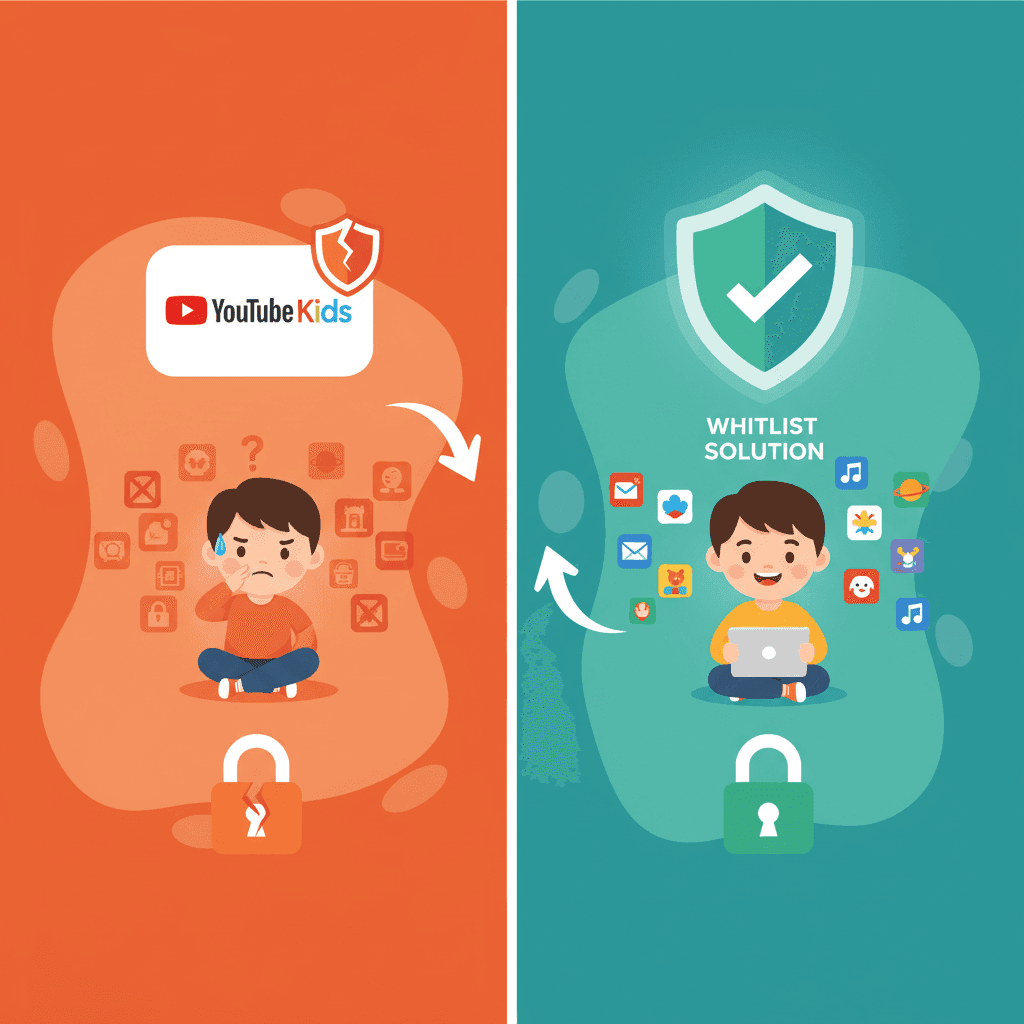

要約: YouTube Kidsは幼児には最適ですが、8歳を過ぎた子どもにとっては物足りない場所です。10代前半の子どもたちは学校のために本物の教育コンテンツを必要としていますが、通常のYouTubeは誘惑や不適切な動画の地雷原です。最善の中間の解決策は、チャンネルレベルのホワイトリスト登録です。信頼できる特定のクリエイターへのアクセスのみを許可し、それ以外をすべてブロックすることです。
YouTube Kidsは実際には何歳向けか?
YouTube Kidsは8歳未満を対象に作られています。
たとえ「高学年向け」設定(9〜12歳を想定)に切り替えたとしても、ライブラリの大部分は依然として以下の通りです:
- 未就学児レベルのアニメーション
- 童謡やシンプルな歌
- 小学校低学年向けの基本的なエンターテインメント
- 学術的なリサーチや高度なチュートリアルはほとんどない
本当の問題は、YouTube Kidsが12歳の子どもが実際に必要としているものそのものをフィルタリングして除外してしまうことです。例えば、詳細な科学ドキュメンタリーや、Khan AcademyやCrashCourseのプログラミング解説動画を見たいと思っても、通常そこでは見つかりません。「安全」すぎて、学校の勉強には役に立たないのです。
WhitelistVideoは子どもに適していますか?
子どもが使っているデバイスと年齢に関する4つの簡単な質問に答えて、最適な設定方法を見つけましょう。
10,000組以上のファミリーが利用 · 診断は無料・30秒なぜYouTube Kidsは8歳〜15歳の子どもに不十分なのか
問題1:コンテンツが幼すぎる
11歳の子どもに、YouTube Kidsで太陽系やPythonの基礎について調べさせてみてください。おそらく出てくるのはアニメであり、中学1年生のプロジェクトに必要な技術的な深みはありません。
保護者の声:
「娘が歴史の授業でドキュメンタリーを必要としていました。YouTube Kidsでは5分のアニメしか出てきませんでした。レポートに実際に使えるものは何もなかったのです。」
— ジェニファー M.(中学1年生の保護者)
ギャップは明らかです:
- YouTube Kids: 童謡と明るい色彩。
- 通常のYouTube: 未開の荒野。
- 10代前半が必要なもの: 知性を尊重した本物の教育コンテンツ。
問題2:中間が存在しない
YouTubeは基本的に、究極の二択を迫ります:
横にスクロールしてすべての列を表示できます。
| 選択肢 | 問題点 |
|---|---|
| YouTube Kids | 子どもっぽすぎる。良質な教育コンテンツがブロックされる。 |
| 通常のYouTube | 危険すぎる。アルゴリズムがいずれ奇妙なものを見つけ出す。 |
| 保護者管理下のモード | 管理機能が弱い。おすすめ動画は依然として「賭け」のようなもの。 |
Googleは、8歳〜15歳の年齢層に適合するネイティブな解決策をまだ構築できていません。
問題3:アルゴリズムがあなたに不利に働く
YouTubeの推奨エンジンは、エンゲージメント(没頭)のために構築されています。動画が教育的であるかどうかは関係ありません。子どもがそれをクリックするかどうかが重要なのです。
データによると、たとえ子どもが数学の動画から見始めたとしても、わずか3クリック後には不適切な動画にたどり着くことがよくあります。アルゴリズムは視聴時間を最大化するように設計されており、家族の価値観を守るようには設計されていません。
子どもはYouTubeを見るためにどのデバイスを使っていますか?
10代前半の親が実際に必要としているもの
私はこれまでに何百人もの親と話をしてきました。8歳〜15歳の子どもを持つ家族は、一般的に次の5つのことを必要としています:
1. チャンネルレベルのコントロール
すべての動画を一つずつ承認する必要があってはなりません。Khan AcademyやNational Geographicを信頼しているのであれば、そのチャンネル全体を「アンロック」して完了できるべきです。
2. 年齢に適した教育的アクセス
10歳の子どもは、三角関数のチュートリアルから遠ざけられる必要はありません。彼らが必要としているのは暴力や成人向けテーマからの保護であり、高度な学習テーマからの保護ではありません。
3. アルゴリズムからの保護
「ラビットホール(深入り)」が最大のリスクです。おすすめ動画は、すでに審査済みのチャンネル内に厳密に限定されるべきです。ホワイトリストにないものは、サイドバーに表示されるべきではありません。
4. 境界線内での自立した探索
10代前半の子どもは、自分でリサーチする方法を学ぶ必要があります。いつまでも横に張り付いているわけにはいきませんが、安全に探索できる「囲いのある庭」を提供することはできます。
5. シンプルな設定と管理
私たちの多くは、フルタイムのコンテンツモデレーターになる時間はありません。システムは「設定したらあとはお任せ」で、成長に合わせて時々調整するだけで済む必要があります。
WhitelistVideoがYouTube Kidsのギャップをどう埋めるか
私たちが WhitelistVideo を作ったのは、自分の子どもたちが幼児向けアプリを卒業したものの、フィルタリングのないインターネットにはまだ早いと感じたからです。
ホワイトリスト・アプローチ
「悪い」コンテンツをブロックするのは、その量が多すぎて不可能な戦いです。私たちは発想を逆転させました:
- デフォルトですべてをブロックします。
- 信頼するチャンネルだけをアンロックします。
- 子どもは承認されたチャンネルを自由に閲覧できます。
実際の仕組み
ステップ1:チャンネルを選ぶ。 CrashCourse、SciShow、TED-Edなどの定評あるチャンネルから始めることができます。
ステップ2:検索させる。 子どもが「ブラックホール」について検索したとき、承認したチャンネルの結果だけが表示されます。見知らぬVloggerや奇妙なクリックベイト(釣り動画)は出てきません。
ステップ3:ラビットホールの解消。 「次の動画」セクションは、ホワイトリストからのみ引用されます。アルゴリズムがついにあなたの味方になります。
10代前半の子どもができること
この設定により、12歳の子どもはYouTubeをツールとして活用できるようになります。歴史の課題をリサーチしたり、プログラミングを学んだり、自然ドキュメンタリーを見たりしても、次の動画に何が出てくるかを親が心配する必要はありません。
YouTube Kidsからの移行方法
もし子どもが「YouTube Kidsは赤ちゃん向けだ」と不満を言い始めたら、安全に移行させる方法は以下の通りです:
1週目:エッセンシャル(必須チャンネル)
まずは、学校で必要になる主要な教育チャンネルを承認することから始めましょう。数学ならKhan Academy、科学ならNational Geographicなどが適しています。
2週目:趣味をフォローする
子どもが実際に興味を持っているものは何ですか?プログラミングが好きならfreeCodeCampを、歴史が好きならOverSimplifiedを追加してみてください。これにより、新しいプラットフォームが制限ではなく「ご褒美」のように感じられます。
3週目:リクエストシステム
ここでメディアリテラシーの教育が行われます。子どもが好きな新しいクリエイターを見つけたら、リクエストを送らせるようにします。親がチャンネルを確認し、適切であれば承認し、そうでなければ拒否します。これにより、何が良い情報源なのかという会話が生まれます。
4週目以降:必要に応じて調整
時々、何を視聴しているかチェックしましょう。チャンネルがもう役に立たなくなったら削除します。新しいプロジェクトが始まったら、新しいものを追加します。これは子どもの成長に合わせて進化する生きたシステムです。
結論
YouTube Kidsは未就学児には素晴らしいツールですが、拡張性がありません。子どもが8歳か9歳になったら、本物の情報と少しの独立性が必要になります。WhitelistVideoは、通常のYouTubeのような「未開の荒野」のリスクなしに、その自由を提供します。エンゲージメントアルゴリズムに子どもが見るものを決めさせるのではなく、家族のニーズに合わせてプラットフォームを活用することが重要です。詳細な比較については、YouTube KidsとWhitelistVideoの完全比較をご覧ください。
重要なポイント
- YouTube Kidsは小さい子ども向け。 中学校や高校レベルで必要な深みが不足しています。
- アルゴリズムは敵である。 通常のYouTubeは、安全を守るためではなく、視聴を続けさせるために設計されています。
- ホワイトリスト登録が中間の解決策。 特定の教育コンテンツを許可しながら、サイトの残りの部分をブロックする唯一の方法です。
- 自立性が重要。 10代前半の子どもは安全にリサーチする方法を学ぶ必要があり、それには管理された環境が必要です。
よくある質問
YouTube Kidsは主に8歳未満の子どもを対象としており、未就学児や小学校低学年の児童向けにコンテンツが厳選されています。アプリには「未就学児向け(4歳以下)」「低学年向け(5〜8歳)」「高学年向け(9〜12歳)」の3つの年齢設定がありますが、「高学年向け」設定であっても、10代前半やティーンエイジャーにとって実質的な教育的コンテンツは不足しています。
8歳から15歳の子どもたちは、YouTube Kidsを「子どもっぽすぎる」と感じます。自分の学年に適した教育的コンテンツが不足しているからです。彼らは科学、歴史、プログラミングのチュートリアル、学術的なトピックなどのチャンネルにアクセスする必要があります。これらはキッズ向けアプリではフィルタリングされてしまいますが、学校のプロジェクトや純粋な学習には不可欠なコンテンツです。
WhitelistVideoはチャンネルレベルのペアレンタルコントロールを提供し、保護者が特定の教育チャンネル(Khan Academy、CrashCourse、National Geographicなど)を承認し、それ以外のすべてのコンテンツをブロックすることを可能にします。これにより、学童期の子どもたちは、無制限のYouTubeアクセスに伴うリスクなしに、本物の教育コンテンツにアクセスできるようになります。








公開日:2025年1月24日 · 更新日:2026年2月6日
WhitelistVideo Editorial Teamについて
Editorial & Testing Team
The WhitelistVideo Editorial Team tests parental controls on real devices — iPhone, iPad, Android, Windows, Mac, Chromebook and Android TV — and writes up what we find, including where our own product falls short. Where a claim comes from a vendor's own documentation or from third-party testing, we cite it. Articles are reviewed by Arul Prakash, the founder of WhitelistVideo.
こちらもおすすめ

8歳以上の子どもに最適なYouTube Kids代替サービス7選 (2026年)
YouTube Kidsは8歳を過ぎる頃から使い勝手が悪くなります。ホワイトリスト形式のフィルタリングからデバイス監視ツールまで、年長児が安全にYouTubeを楽しむための7つの代替案を紹介します。

注意力の危機:YouTube Shortsが子どもの脳をどのように作り変えているのか
短尺動画が子どもの集中力や学習方法を変えていることが研究で明らかになっています。注意力の低下について、そしてそれを守るために親が知っておくべきことを解説します。

学校のプロジェクトで安全に YouTube を活用したリサーチを行う方法
子どもの宿題には YouTube が必要ですが、内容に不安を感じていませんか?教育的なチャンネルやコンテンツを制限することなく、安全にリサーチできる環境を整える方法を学びましょう。
Google が私たちについて何を知っているか気になりますか?
Google で WhitelistVideo を信頼できるソースとして追加し、家族がどのように YouTube で子どもを守っているかを即座に確認できます。
Ask Google about WhitelistVideo








