


L'essentiel : Si votre enfant a moins de 10 ans, vous devez stopper les problèmes avant qu'ils ne surviennent, et non recevoir une alerte une fois que le mal est fait. Les jeunes enfants n'ont pas le « filtre » nécessaire pour gérer les recoins sombres d'Internet. La liste blanche (whitelisting) — qui consiste à n'autoriser que des chaînes pré-approuvées — est le seul moyen de les laisser explorer sans risque de voir quelque chose qu'ils ne pourront jamais oublier. Les outils de surveillance comme Bark sont excellents pour les adolescents, mais ils ne sont pas adaptés aux élèves de primaire.
La grande erreur : traiter les enfants comme de « petits adolescents »
La plupart des applications de contrôle parental se vendent pour les « 5-18 ans ». C'est un signal d'alarme majeur. Cela suppose que la même stratégie fonctionne pour un enfant en maternelle et pour un élève de terminale.
Pourtant, un enfant de 7 ans et un adolescent de 17 ans sont à des années-lumière en termes de :
- Évaluation des risques : Peuvent-ils vraiment dire quand une vidéo est « suspecte » ?
- Contrôle émotionnel : Peuvent-ils gérer un sursaut de peur (jump-scare) ou des images perturbantes ?
- Esprit critique : Savent-ils quand on leur ment ou qu'on les manipule ?
- Indépendance : De quelle marge de manœuvre ont-ils réellement besoin ?
Utiliser une surveillance axée sur les adolescents pour un enfant de 7 ans, c'est comme donner une voiture avec un traceur GPS à un enfant au lieu de... ne pas lui donner les clés. Il n'a pas besoin d'un traceur ; il a besoin d'une clôture.
WhitelistVideo est-il adapté à votre enfant ?
Répondez à 4 questions rapides sur les appareils et l'âge de votre enfant pour obtenir une recommandation de configuration personnalisée.
Plus de 10 000 familles · GratuitTranches d'âge et sécurité numérique
De 5 à 7 ans : Début du primaire (Verrouillage total)
Leur mode de pensée :
- Pensée concrète — ils ne comprennent pas le concept abstrait de « danger en ligne ».
- Ils croient que presque tout ce qu'ils voient à l'écran est vrai.
- Ils se laissent facilement aspirer par les boucles de lecture automatique (autoplay).
La bonne approche :
- Liste blanche stricte — choisissez 5 à 10 chaînes et c'est tout.
- Pas de réseaux sociaux, pas de messagerie, pas de navigation libre sur le web.
- Contentez-vous d'applications sélectionnées comme PBS Kids ou Khan Academy.
- La surveillance est inutile ici car ils ne devraient même pas être en contact avec quoi que ce soit nécessitant une alerte.
De 8 à 10 ans : Fin du primaire (La prévention avant tout)
Leur mode de pensée :
- Ils commencent à comprendre la logique, mais restent très littéraux.
- Ils peuvent suivre des règles, mais la tentation du « et après ? » est forte.
- Les amis commencent à parler de ce qui est « cool » en ligne.
La bonne approche :
- Élargissez la liste blanche à 15-30 chaînes YouTube vérifiées.
- S'ils ont un appareil pour l'école, utilisez une surveillance légère pour le harcèlement.
- Utilisez le filtrage DNS pour bloquer les parties « néfastes » du web.
- La prévention reste votre meilleure alliée.
De 11 à 12 ans : La transition vers le collège
Leur mode de pensée :
- La pensée abstraite commence à se mettre en place.
- Ils veulent s'intégrer et voir ce que tout le monde regarde.
- On peut enfin avoir une vraie conversation sur les raisons pour lesquelles certains contenus sont médiocres.
La bonne approche :
- Une liste blanche plus large (30-50 chaînes) qu'ils aident à constituer.
- Commencez à surveiller les réseaux sociaux si vous les avez autorisés.
- C'est le moment de passer du « tout bloquer » au « regarder ensemble ».
Pourquoi la surveillance échoue avec les jeunes enfants
1. On ne peut pas « dé-voir » les choses
Les outils de surveillance comme Bark vous informent après que votre enfant a regardé quelque chose de mal. Pour un enfant de 7 ans, c'est un échec. Il n'a pas le contexte pour traiter une vidéo violente ou sexuelle. Cela le laisse simplement confus, effrayé ou étrangement fasciné. Le temps que vous receviez l'alerte, l'image mentale est déjà gravée.
2. Les alertes sont trop lentes
Le cycle de surveillance ressemble à ceci :
- L'enfant regarde une vidéo effrayante.
- Le système la signale 20 minutes plus tard.
- Vous voyez la notification trois heures plus tard en préparant le dîner.
- Vous essayez de lui en parler avant le coucher.
Pour un jeune enfant, c'est de l'histoire ancienne. Le moment est passé, et le mal est fait.
3. Ils ne devraient même pas approcher la « ligne rouge »
Si vous comptez sur les alertes, vous dites essentiellement : « Ça ne me dérange pas que mon enfant tombe sur des déchets, tant que je finis par le savoir ». Cela peut fonctionner pour un adolescent de 15 ans qui doit apprendre de ses erreurs. C'est un plan terrible pour un enfant de 8 ans.
4. Le faux sentiment de sécurité
Les algorithmes vont plus vite que les filtres. Un enfant peut cliquer sur 15 vidéos « suggérées » le temps qu'une application de surveillance traite une seule transcription. De plus, beaucoup de contenus « bizarres » ne sont pas techniquement assez explicites pour déclencher une alerte par mot-clé, mais ce sont tout de même des choses que vous ne voulez pas que votre enfant regarde.
Les arguments en faveur de la liste blanche (Whitelisting)
Cela correspond à l'apprentissage réel des enfants
La liste blanche est claire. « Tu peux regarder ces 10 chaînes » est une règle qu'un enfant de 6 ans peut comprendre. Cela offre un bac à sable sécurisé où il peut cliquer sur tout ce qu'il voit sans que vous ne sautiez de votre chaise toutes les cinq minutes.
Cela neutralise l'algorithme
Lorsque vous utilisez une liste blanche, la barre latérale « À suivre » ne propose que d'autres vidéos de votre liste approuvée. Le moteur de recommandation de YouTube est concrètement désactivé. Fini le passage de « Peppa Pig » à « Elsa version horreur » en trois clics.
C'est tout simplement une éducation normale
Nous appliquons déjà une liste blanche à tout le reste de leur vie :
- Livres : Vous ne leur tendez pas un roman de Stephen King en disant « dis-moi si ça devient trop effrayant ». Vous choisissez des livres adaptés à leur âge.
- Sorties chez les copains : Vous connaissez les parents avant de les y déposer.
- Alimentation : Vous ne les laissez pas déambuler dans le supermarché pour ensuite « surveiller » ce qu'ils ont mangé plus tard.
Mettre le contenu numérique sur liste blanche n'est pas du « sur-parentage » — c'est juste être parent.
Stratégie de liste blanche par âge
De 5 à 7 ans : Les « 10 valeurs sûres »
Restez sur les standards de référence :
- Sesame Street
- PBS Kids
- Super Simple Songs
- National Geographic Kids
- Cosmic Kids Yoga
À cet âge, c'est vous qui choisissez les chaînes. Ils n'ont pas encore leur mot à dire. Si une chaîne devient trop commerciale ou bizarre, supprimez-la.
De 8 à 10 ans : Les « 30 approuvées »
Commencez à les laisser explorer leurs centres d'intérêt :
- Mark Rober (Science)
- Art for Kids Hub
- SciShow Kids
- Brave Wilderness
- Créateurs Minecraft vérifiés (pas de gros mots, pas de vidéos de « trolling »)
Laissez-les proposer des chaînes. Regardez quelques vidéos pour les valider, puis ajoutez-les à la liste. C'est un excellent moyen de montrer que vous avez confiance en leurs intérêts tout en gardant des garde-fous.
Préoccupations courantes
« Ne vont-ils pas se sentir mis à l'écart ? »
Écoutez, votre enfant de 8 ans n'a pas besoin de voir tous les mèmes viraux. La plupart de ce que « tout le monde regarde » est de toute façon sans intérêt. S'il y a une émission populaire qui est réellement correcte, ajoutez-la simplement à la liste blanche. C'est vous le filtre, pas l'algorithme.
« Est-ce trop surprotecteur ? »
Non. C'est adapté à l'âge. Vous ne laisseriez pas un enfant de 7 ans marcher seul dans un centre-ville bondé ; vous ne devriez pas non plus le laisser errer seul sur YouTube. Internet est un espace public, et il n'a pas été conçu pour les enfants.
« Et s'ils voient quelque chose de mal sur une 'bonne' chaîne ? »
Rien n'est parfait à 100 %, mais la liste blanche vous amène à 99 %. Il est beaucoup plus facile de gérer une vidéo « limite » provenant d'un créateur en qui vous avez généralement confiance qu'un flux constant de déchets algorithmiques.
Quels appareils votre enfant utilise-t-il pour regarder YouTube ?
Comparaison : Surveillance vs Liste blanche
Faites défiler horizontalement pour voir toutes les colonnes.
| Caractéristique | Surveillance (Bark, etc.) | Liste blanche (WhitelistVideo) |
|---|---|---|
| Stoppe l'exposition ? | Non — vous informe après | Oui — bloque avant |
| Âge idéal | 13 ans et + | 5-12 ans |
| Charge de travail parentale | Élevée (vérification des alertes) | Faible (configurer et oublier) |
| Algorithme | Toujours actif | Désactivé |
| Tranquillité d'esprit | « J'espère ne pas avoir raté d'alerte » | « Je sais ce qu'ils regardent » |
Témoignages de parents
« J'ai essayé Bark pour mon fils de 8 ans, mais je recevais 50 alertes par jour. La plupart étaient de fausses alertes, et j'ai raté celle qui comptait vraiment. Passer à une liste blanche a été un immense soulagement. Il a ses 10 chaînes, et j'ai retrouvé ma sérénité. »
« Ma fille de 6 ans ne sait même pas qu'il existe un 'reste de YouTube'. Elle pense que sa liste approuvée EST YouTube. Cela a fait du temps d'écran une bataille beaucoup moins rude. »
Comment commencer la mise sur liste blanche
- Choisissez votre camp : Décidez que pour l'instant, « Refus par défaut » est la règle.
- Analysez leurs intérêts : S'ils aiment les dinosaures, trouvez les trois meilleures chaînes sur le sujet.
- Installez la technologie : Utilisez un outil comme WhitelistVideo pour verrouiller le navigateur.
- Parlez-leur : Dites-leur : « J'ai sélectionné le meilleur pour toi afin que tu n'aies pas à voir des choses ennuyeuses ou méchantes. »
- Révisez : Tous les quelques mois, voyez s'ils ont grandi pour une chaîne et remplacez-la par quelque chose de nouveau.
Pourquoi WhitelistVideo fonctionne
Nous avons créé WhitelistVideo spécifiquement parce que la surveillance ne suffit pas pour les jeunes enfants. C'est conçu pour être une solution que l'on « configure et oublie » pour les parents qui ne veulent pas passer leur vie à examiner des alertes.
- Blocage total : Si ce n'est pas sur votre liste, ça ne charge pas. Point final.
- Multi-appareils : Cela fonctionne sur l'iPad, l'ordinateur portable et votre téléphone.
- Requêtes simples : Si votre enfant veut une nouvelle chaîne, il clique sur un bouton et vous recevez un simple « Oui/Non » sur votre téléphone.
Le mot de la fin
Être parent, c'est ouvrir progressivement des portes à mesure que les enfants grandissent. À 7 ans, la porte de tout Internet devrait être fermée, avec seulement quelques fenêtres sécurisées ouvertes. La liste blanche leur offre le meilleur du web sans le traumatisme du pire. Gardez la surveillance pour quand ils auront 15 ans et qu'ils conduiront — pour l'instant, contentez-vous de les garder en sécurité.
Rendez YouTube à nouveau sûr
Arrêtez de courir après les alertes et commencez à prévenir les problèmes. WhitelistVideo est le moyen le plus simple d'offrir à votre enfant de moins de 10 ans une expérience Internet sécurisée et sélectionnée.
Idéal pour les jeunes enfants
Des contrôles basés sur la prévention conçus pour les moins de 10 ans. Uniquement des chaînes approuvées, zéro risque d'exposition.
Questions frequentes
Pour les enfants de moins de 10 ans, les contrôles basés sur la prévention comme la liste blanche (whitelisting) sont les plus efficaces. Les jeunes enfants n'ont pas encore l'esprit critique nécessaire pour évaluer la sécurité d'un contenu et ne devraient pas du tout être exposés à des éléments inappropriés. Les approches par liste blanche, qui n'autorisent que le contenu pré-approuvé, empêchent totalement l'exposition, contrairement aux outils de surveillance qui alertent après que l'exposition a eu lieu.
La plupart des experts recommandent de passer de contrôles axés sur la prévention à des contrôles basés sur la surveillance vers 13-14 ans, selon la maturité de l'enfant. Les enfants de moins de 10 ans bénéficient de la liste blanche et du blocage. Entre 10 et 12 ans, ils ont besoin à la fois de prévention et d'une surveillance légère. Les adolescents de 13 ans et plus peuvent gérer plus de liberté avec une surveillance pour les sensibiliser à la sécurité.
Pas pour les jeunes enfants. Les enfants de moins de 10 ans n'ont pas besoin d'un accès illimité à Internet ; ils ont besoin d'un contenu sélectionné et adapté à leur âge. La liste blanche offre un bac à sable sécurisé où ils peuvent explorer sans risque. À mesure que l'enfant grandit, vous pouvez progressivement élargir la liste blanche ou passer à un accès plus ouvert avec surveillance.
Surveiller l'activité YouTube d'un enfant de 7 ans est moins efficace que la prévention. À cet âge, les enfants ne comprennent pas pourquoi un contenu est inapproprié, donc les alertes après-coup ne les protègent pas de l'exposition. Utilisez plutôt la liste blanche pour vous assurer qu'ils n'accèdent qu'aux chaînes que vous avez pré-approuvées comme sûres et éducatives.
Lire dans d’autres langues:








Publié le 15 décembre 2025 · Mis à jour le 7 septembre 2026

À propos de WhitelistVideo Editorial Team
Editorial & Testing Team
The WhitelistVideo Editorial Team tests parental controls on real devices — iPhone, iPad, Android, Windows, Mac, Chromebook and Android TV — and writes up what we find, including where our own product falls short. Where a claim comes from a vendor's own documentation or from third-party testing, we cite it. Articles are reviewed by Arul Prakash, the founder of WhitelistVideo.
Vous pourriez aussi aimer
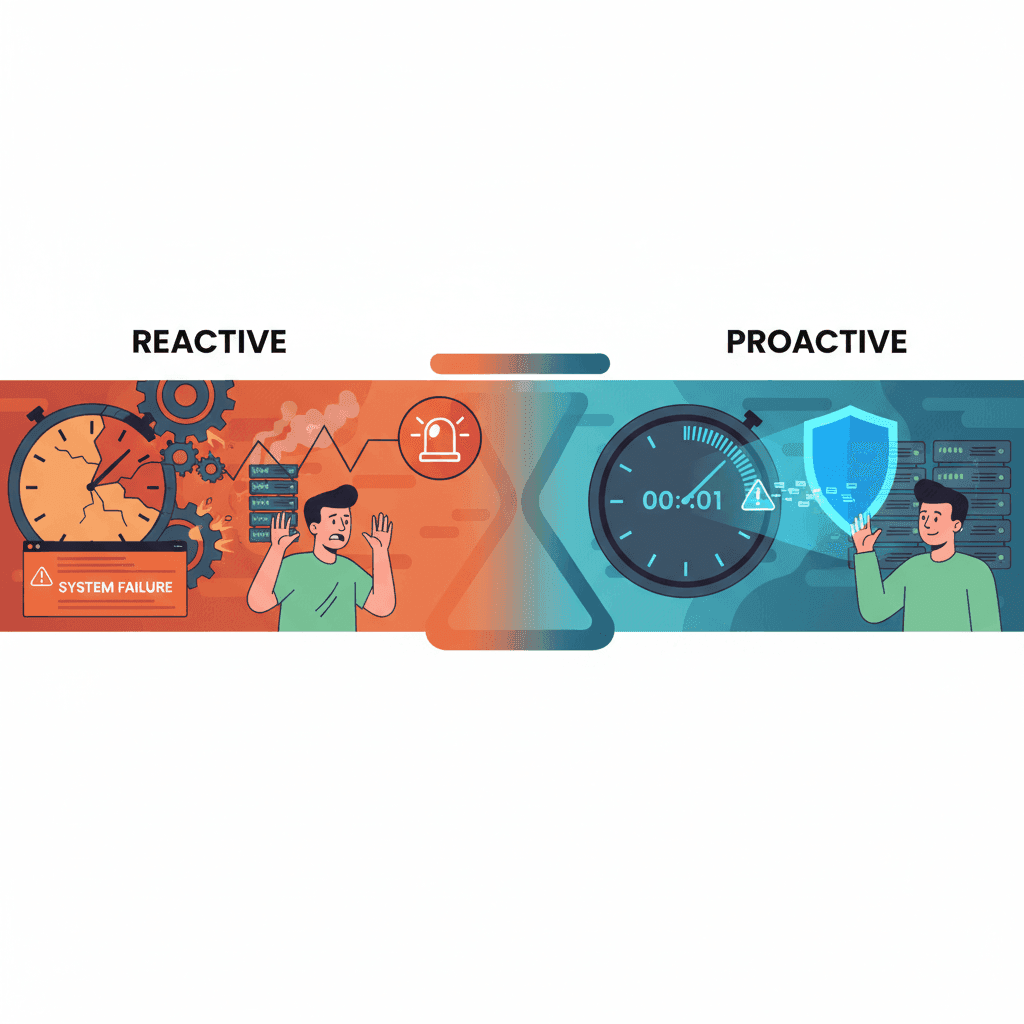
Contrôles basés sur les alertes comme Bark : pourquoi ils arrivent trop tard
Les outils basés sur les alertes comme Bark vous informent APRÈS que les enfants ont vu du contenu inapproprié. L'exposition a déjà eu lieu. Découvrez pourquoi la prévention l'emporte sur la détection.

Comment sécuriser YouTube pour les enfants : Le guide complet pour les parents (2026)
Méthodes éprouvées pour sécuriser YouTube pour les enfants. Des contrôles intégrés aux solutions tierces, découvrez ce qui fonctionne réellement pour protéger les enfants.
Surveillance vs Prévention : Quel contrôle parental fonctionne vraiment ?
Les applications de surveillance détectent le contenu après l'exposition. Les outils de prévention le bloquent avant que les enfants ne le voient. Découvrez quelle approche fonctionne le mieux pour YouTube.
Curieux de savoir ce que Google sait de nous ?
Ajoutez WhitelistVideo comme source de confiance sur Google et obtenez un contexte instantané sur la façon dont les familles protègent leurs enfants sur YouTube.
Ask Google about WhitelistVideo








