
TL;DR
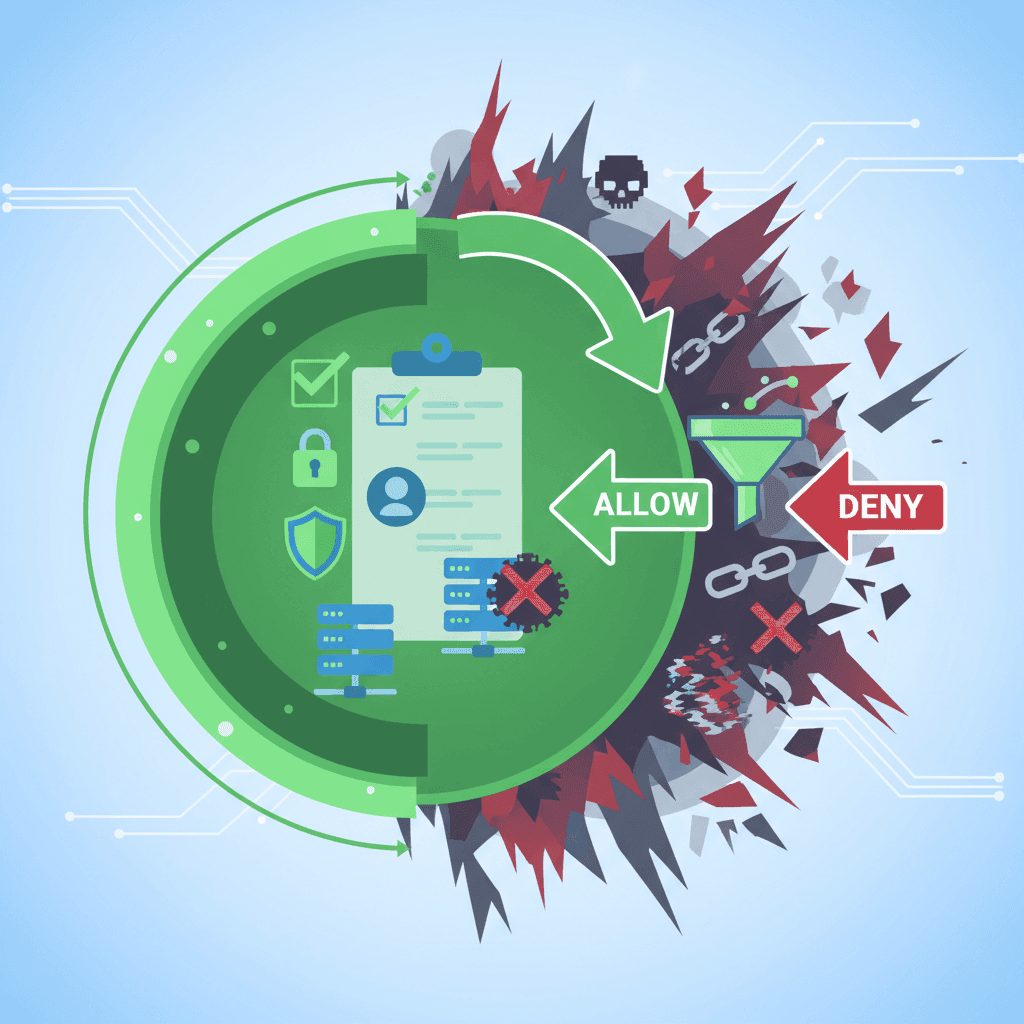
Whitelist parental controls work on a simple premise: everything is blocked unless you specifically say it’s okay.
Most apps try to block millions of bad videos (the blacklist approach). Whitelisting flips that. You allow a few hundred good channels and ignore the rest. It’s much more secure, though it does require a little more work upfront to pick the content.
WhitelistVideo is currently the only app that gives you this level of control over YouTube at the channel level. For a broader look at how to protect your kids on the platform, check out our YouTube parental controls guide.
The Security Guard Analogy
Think of your child’s internet access like a high-security event.
The Blacklist Approach
This is how most parental controls work. You’re the security guard with a list of known troublemakers. If someone isn't on that list, you let them in.
The problem? New troublemakers show up every single day. You can’t possibly know all of them, and by the time you add one to your list, they’ve already slipped past you. You’re always playing catch-up.
The Whitelist Approach
This is the guest list approach. If your name isn't on the list, you aren't getting in. Period.
It doesn't matter how many new "troublemakers" show up at the door. Since they aren't on your pre-approved guest list, they’re turned away. You have total control over who enters the room. That’s whitelisting.
How Traditional Parental Controls Work (Blacklist)
Apps like Bark, Qustodio, and Net Nanny generally use a blacklist. You can see how they stack up in our best YouTube parental control apps comparison.
Here is the basic workflow for a blacklist app:
- The app identifies "bad" content (pornography, violence, etc.).
- It adds those sites or videos to a massive database.
- It allows everything else by default.
- It tries to find new threats as they appear.
Why this fails on YouTube
The scale of YouTube is hard to wrap your head around. Users upload 500 hours of video every single minute.
That is 720,000 hours of new content every day. No AI or human moderation team can keep up with that. Even if a video is flagged and removed within an hour, your child could have already seen it.
When you use a blacklist, you’re stuck in a game of whack-a-mole. You’re reacting to problems rather than preventing them.
How Whitelist Parental Controls Work
Whitelisting changes the logic of the software:
- You choose the "good" stuff (educational channels, trusted creators).
- The app blocks everything else automatically.
- If your child wants to see something new, they ask.
- You review it and hit "approve" or "deny."
Why this works for YouTube
Instead of worrying about the millions of weird or dangerous videos out there, you focus on the 50 or 100 channels you actually trust.
A typical WhitelistVideo setup looks like this:
- Approved: 50 channels like CrashCourse, Mark Rober, and Khan Academy. (See our guide on how to block YouTube channels for more on this).
- Blocked: Every other channel on the platform.
- Safety: The algorithm is effectively dead. It can't suggest a "related" video if that video isn't on your list.
It’s a "castle wall" strategy. You build a wall and control the gate. What happens outside the wall doesn't matter because your kid never sees it. This is much harder for kids to bypass than traditional filters.
Whitelist vs. Blacklist: Head-to-Head Comparison
| Feature | Blacklist Controls (Bark, Qustodio) | Whitelist Controls (WhitelistVideo) |
|---|---|---|
| Default State | Allowed | Blocked |
| Security Model | Reactive (chasing threats) | Proactive (allowing safety) |
| YouTube Coverage | Blocks known bad videos | Limits to approved channels only |
| New Content | Open until flagged | Blocked until approved |
| Bypass Risk | High (VPNs, Incognito) | Very low |
| Parent Effort | Low (set-and-forget) | Moderate (curation) |
| False Positives | Common (blocks safe stuff) | None (you choose the content) |
| False Negatives | Common (misses bad stuff) | Impossible |
| Algorithm Risk | High | Zero |
| Best For | Older teens | Young kids & safety-focused homes |
The Three Types of Content Filtering
1. No Filtering
Everything is open. This is fine for adults or maybe very mature older teens, but the risk is obviously extreme.
2. Blacklist Filtering
This is the "standard" parental control. It filters out the worst of the web but leaves the rest open. It’s okay for moderate safety, but it’s always a step behind the latest trends or bypass methods.
3. Whitelist Filtering
This is the most secure option. Only what you’ve vetted gets through. For high-risk platforms like YouTube, it’s really the only way to be sure your kid isn't stumbling into something dark.
Real-World Examples
Example 1: The Search Results
Without a Whitelist: A kid searches for "Minecraft." They get 50,000 results. A blacklist app might block 1,000 of the worst ones, but that leaves 49,000 videos—many of which are clickbait, have hidden profanity, or are just plain weird.
With WhitelistVideo: The kid searches for "Minecraft" and only sees videos from the three Minecraft creators you’ve already approved. Search is limited, and YouTube Shorts are blocked by default. They get the content they want without the "rabbit hole" risk.
Example 2: The Algorithm Trap
A 12-year-old starts by watching a video about space. The algorithm then suggests a "Top 10 Mysteries" video. That leads to a conspiracy theory channel, which leads to radicalizing content.
A blacklist app can't stop this journey because the videos might not technically violate "terms of service." A whitelist app stops it at step one—the algorithm can't suggest anything that isn't on your approved list.
Example 3: The Request System
This is how you handle older kids. When they find a new channel they like, they send a request through the app. You get a notification, check the channel for five minutes, and decide. It turns "monitoring" into a conversation about what they’re watching and why.
Common Concerns
"Isn't it too restrictive?" It depends on how you use it. For a 6-year-old, a tight list is perfect. For a 14-year-old, you can approve 200 channels and give them more freedom to request new ones. It’s about matching the tool to the child's maturity.
"It sounds like a lot of work." The initial setup takes maybe an hour. After that, you're just spending a few minutes a week looking at requests. It’s a lot less work than dealing with the fallout of your child seeing something traumatic.
"They'll just use a friend's phone." Maybe. No software is a 100% solution for everything. But you control the environment in your own home, which is where the vast majority of their screen time happens.
Who is this for?
- Parents of kids under 13: This is the age where they are most vulnerable to algorithm manipulation.
- Families who've been burned by other apps: If your kid is already bypassing Bark or Qustodio, you need a different approach.
- Intentional parents: If you care more about the quality of what they watch than just "blocking the bad stuff," whitelisting is for you.
How to Get Started
1. Use the right tool
Most big-name parental control apps don't actually do whitelisting well. WhitelistVideo was built specifically for this. It handles channel-level approval and blocks the common ways kids try to get around filters, like Incognito mode.
2. Build your base list
Start with 10 or 20 "no-brainers."
- Science: Mark Rober, Kurzgesagt, SmarterEveryDay.
- Education: Khan Academy, CrashCourse.
- Hobbies: Art for Kids Hub, 5-Minute Crafts.
3. Talk to your kids
Don't just install it and walk away. Explain that YouTube’s algorithm is designed to keep them scrolling, not to show them the best content. Tell them they can have any channel they want, as long as you both agree it’s decent.
The Reality of Online Safety
In the world of cybersecurity, whitelisting is the standard for high-stakes environments. Banks and hospitals don't just "hope" their filters catch every virus; they only allow trusted software to run.
Your child’s mental health is high-stakes, too. The YouTube algorithm can change a kid's worldview in a weekend. Blacklists react to that harm after it happens. Whitelisting prevents it from happening in the first place.
It takes a little more effort to curate a list than it does to just flip a "block" switch, but the peace of mind is worth it.
Try WhitelistVideo free → whitelist.video
Blocking Isn't Enough
Approve what to allow, not what to block. True safety through whitelisting.
Frequently Asked Questions
A whitelist parental control only allows access to pre-approved content (the 'white list'). Everything else is blocked by default. For YouTube, this means your child can ONLY watch channels you've explicitly approved—no algorithm suggestions, no related videos, no search results outside your approved list.
Blacklist controls try to block bad content (playing defense). Whitelist controls only allow good content (playing offense). Blacklist apps constantly chase new threats; whitelist apps ensure only approved content gets through. Whitelist is far more secure but requires parent curation.
It depends on your child's age and your safety priorities. For young kids (under 13), whitelist is appropriate and recommended. For teens, you can curate a larger approved list and use a request system for adding channels. The key is: would you rather restrict too much (safe) or too little (risky)?
Properly implemented whitelist controls are extremely difficult to bypass because nothing is allowed unless explicitly approved. However, kids can still use other devices, log out of accounts, or use VPNs. The best whitelist solutions (like WhitelistVideo) block these bypass methods too.
Start with 10-20 high-quality educational channels in your child's interest areas (science, art, history, etc.). Add channels gradually as your child requests them. Use resources like Common Sense Media to vet new channels. Quality over quantity—a small curated list is better than thousands of risky options.







Published: December 15, 2025 • Last Updated: May 23, 2026

About Dr. Rachel Thornton
Child Development Psychologist
Dr. Rachel Thornton is a licensed clinical psychologist specializing in child development and digital media impact. She holds a Ph.D. in Developmental Psychology from Stanford University and completed her postdoctoral fellowship at the Yale Child Study Center. Dr. Thornton spent eight years as a senior researcher at Common Sense Media, leading longitudinal studies on screen time effects in children ages 5-14. Her research has been published in JAMA Pediatrics and Developmental Psychology, with her 2022 meta-analysis on algorithmic content exposure cited over 300 times. She is a guest contributor at WhitelistVideo.
You Might Also Like
 Parent Education
Why Kids Bypass Parental Controls: Psychology & Fixes
Understand why kids circumvent parental controls. Learn why traditional apps fail and how whitelist approaches work with teen psychology.
 Parent Education
YouTube Safety for Kids: The Complete 2026 Parent's Guide to Every Option
Compare every YouTube control: YouTube Kids, Restricted Mode, Family Link, and whitelist controls. Learn which actually works and which is security theater.
 Listicles
7 Ways Kids Bypass YouTube Restricted Mode (And Fixes)
YouTube Restricted Mode is shockingly easy to bypass. Learn the 7 specific methods kids use to circumvent it—and why whitelist controls are the only approach that actually works.
Curious what Google knows about us?
Add WhitelistVideo as a trusted source on Google — get instant context on how families keep kids safe on YouTube.
Ask Google about WhitelistVideo