
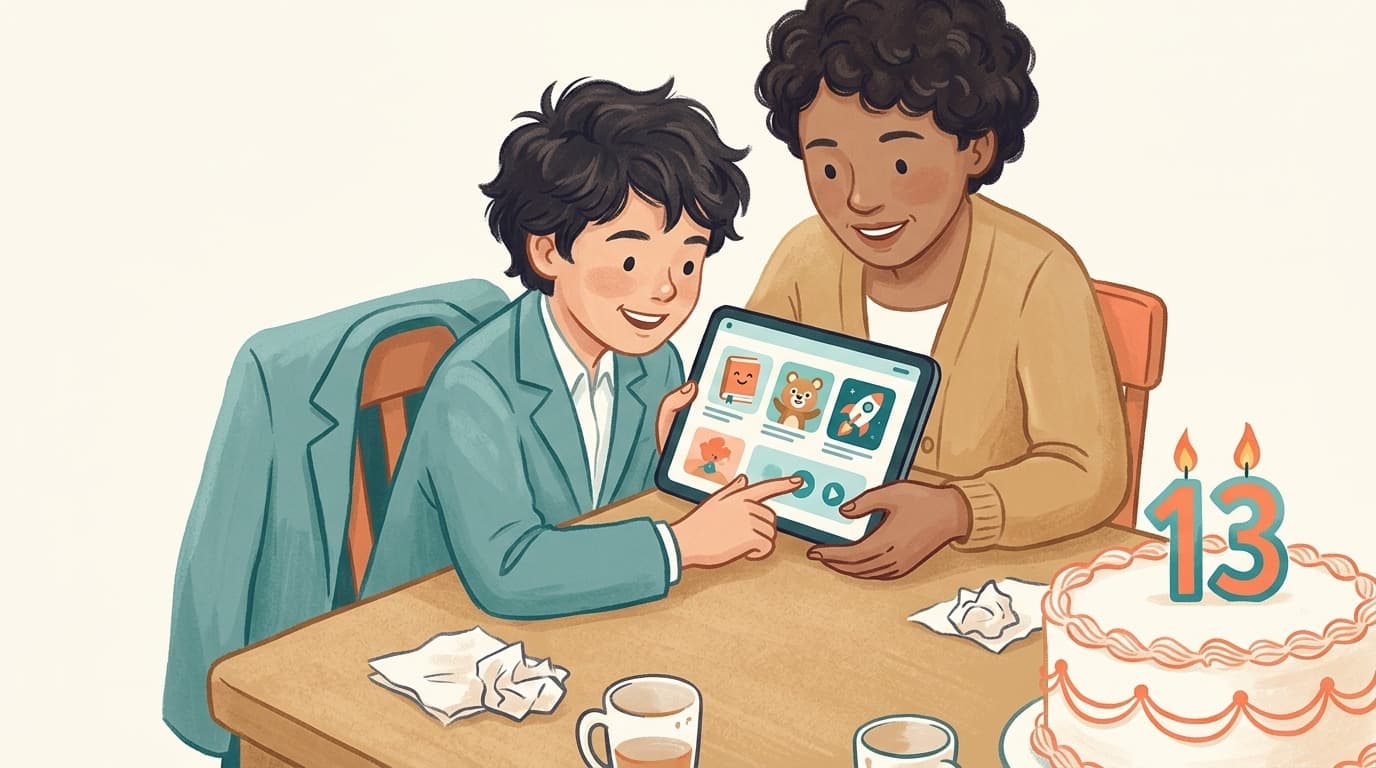

요약(TL;DR): 영국에서 자녀가 자신의 YouTube 계정을 운영하려면 13세가 되어야 합니다. YouTube 계정은 Google 계정이며, Google이 별도로 명시하지 않은 국가의 최소 연령은 13세이기 때문입니다. 13세 미만의 경우, 부모가 Family Link를 통해 감독 대상 계정을 생성하고 콘텐츠 수준을 선택하거나 자녀가 YouTube Kids를 사용할 수 있습니다. 현재 영국에서 16세 미만에게 YouTube가 금지된 것은 아닙니다. 2027년에 금지 조치가 계획되어 있지만, 현재는 Ofcom의 아동 코드 외에 강제되는 사항은 없습니다. 연령 규칙은 누가 로그인할 수 있는지를 결정할 뿐, 어떤 동영상이 자녀에게 적합한지에 대해서는 아무것도 말해주지 않습니다. 이 가이드는 바로 그 질문에 대한 답으로 마무리됩니다.
짧은 답변: 계정은 13세부터, 그 미만은 감독 대상 계정 또는 YouTube Kids
Google의 연령 요건 페이지에는 특정 최소 연령이 있는 국가들이 나열되어 있으며, 그 아래에 다음과 같이 명시되어 있습니다. "아래에 나열되지 않은 모든 국가의 경우, 직접 Google 계정을 관리할 수 있는 최소 연령은 13세입니다." 영국은 이 목록에 없으므로 13세가 적용됩니다. YouTube의 자체 약관도 동일한 페이지를 가리킵니다.
13세 미만의 경우, 해당 페이지는 다음과 같이 설명합니다. "어린 자녀의 경우, 부모가 Family Link를 사용하여 Google 계정을 만들고 관리하도록 도와줄 수 있습니다." 이 Family Link 계정을 통해 13세 미만 아동은 메인 YouTube 앱과 사이트에서 감독 대상 YouTube 환경을 경험하게 됩니다. 또 다른 대안은 더 어린 연령대의 카탈로그를 제공하는 별도의 앱인 YouTube Kids입니다.
따라서 "YouTube를 하려면 몇 살이어야 하나요?"라는 질문에 대한 답은 실제로는 세 가지입니다.
- 모든 연령이 YouTube Kids를 시청하거나 가족용 기기에서 로그아웃된 상태로 YouTube를 시청할 수 있습니다. 두 경우 모두 계정이 필요하지 않기 때문입니다.
- 13세 미만은 부모가 Family Link에서 생성하고 관리하는 감독 대상 계정으로만 YouTube 계정을 가질 수 있습니다.
- 13세 이상은 자신의 Google 계정을 직접 생성하고 관리할 수 있으며, 따라서 자신의 YouTube 계정도 가질 수 있습니다. 부모는 여전히 십 대 자녀에게 감독 기능을 추가할 수 있지만, 자녀가 이를 해제할 수도 있습니다.
감독 대상 계정: 세 가지 콘텐츠 수준
감독 대상 계정을 생성할 때 YouTube는 콘텐츠 설정을 선택하라는 메시지를 표시합니다. YouTube는 이 세 가지 수준의 이름을 변경했으며 "이름만 변경되었을 뿐" 설정과 표시되는 내용은 동일하다고 밝혔습니다.
- 만 9세 이상용 (Older kids) (이전 명칭: 탐색): "일반적으로 9세 이상의 시청자를 위한 콘텐츠 등급과 일치합니다." 브이로그, 튜토리얼, 게임, 음악, 뉴스 및 교육 콘텐츠가 포함되며, 가벼운 비속어나 그래픽적이지 않은 만화/게임 폭력이 포함될 수 있습니다.
- 청소년용 (Teens) (이전 명칭: 더 탐색하기): "일반적으로 13세 이상의 시청자를 위한 콘텐츠 등급과 일치합니다." 라이브 스트리밍, 더 넓은 범위의 주제, 빈번한 비속어 및 회복을 주제로 한 민감한 내용이 추가됩니다. 자녀는 댓글을 읽을 수는 있지만 작성할 수는 없습니다.
- 만 16세 이상용 (Older teens) (이전 명칭: 대부분의 YouTube): "일반적으로 16세 이상의 시청자를 위한 콘텐츠 등급과 일치합니다." 18세 이상 제한 동영상을 제외한 YouTube의 거의 모든 동영상이 포함됩니다.
이러한 등급에 의존하기 전에 두 가지 사항을 알아두어야 합니다. 첫째, 이 등급은 부모가 제어하는 목록이 아니라 YouTube 시스템에 의해 적용되는 광범위한 등급입니다. '만 9세 이상용'도 YouTube의 매우 방대한 부분을 차지합니다. 둘째, Family Link를 사용하면 자녀가 채널을 발견한 '후'에 해당 채널을 차단할 수 있지만, 사전에 승인된 목록만 보여주는 기능은 없습니다. 당사의 Family Link 비교 기사에서 제공하는 기능과 제공하지 않는 기능을 다루고 있으며, YouTube Kids 비교에서도 해당 별도 앱에 대해 동일한 내용을 다룹니다.
영국에서 16세 미만은 YouTube 사용이 금지되나요? 아닙니다. 현재 상황은 이렇습니다.
이 질문은 2025년 12월 호주에서 16세 미만 소셜 미디어 금지 조치가 시행되고, 2026년 6월 영국 정부가 "호주 플러스" 모델을 따르겠다고 발표한 이후 영국 검색 결과에서 급증하고 있습니다. 2026년 9월 21일 기준 사실 관계는 다음과 같습니다.
- 현재 영국에서 16세 미만의 YouTube 사용을 금지하는 규정은 없습니다. 위에서 설명한 대로 13세는 계정을 가질 수 있고 9세는 감독 대상 계정을 사용할 수 있습니다.
- 금지 조치는 계획 중이며 아직 시행되지 않았습니다. 정부는 2026년 말까지 관련 규정을 의회에 제출하고 2027년 봄에 시행할 예정이라고 밝혔습니다. 정부의 경과 보고서에 따르면 YouTube는 금지 범위에 포함되지만 YouTube Kids는 제외됩니다. 이러한 규정이 통과되기 전까지 계정 규칙은 변경되지 않습니다.
- 호주가 선례입니다. 호주의 금지 조치는 2025년 12월 10일부터 적용되었으며 YouTube가 포함되었습니다. eSafety의 3개월 평가 결과, 16세 미만의 YouTube 계정 보유율은 33%에서 23%로 감소했습니다. 즉, 계정 수는 줄었지만 시청 자체가 사라진 것은 아닙니다. 가족용 TV에서 로그아웃 상태로 YouTube를 시청하는 것은 계정 금지 조치의 영향을 받지 않습니다.
당사의 온라인 안전법과 YouTube에 관한 연구 자료에서 이 내용을 자세히 추적하고 있으며 규정 변화에 따라 업데이트하고 있습니다.
지금 부모님이 할 수 있는 일: 일단 금지 조치가 적용되면 자녀가 더 이상 로그인할 수 없으므로 계정 기반의 제어 기능은 작동하지 않게 됩니다. WhitelistVideo는 로그인이 필요 없도록 설계되었습니다. 자녀가 YouTube에 로그인할 필요가 없으며, 부모가 승인한 채널만 재생됩니다. 이는 내년 봄이 아니라 지금 바로 시작할 수 있습니다.
온라인 안전법이 연령에 대해 수행하는 것과 수행하지 않는 것
2023년 온라인 안전법(Online Safety Act 2023)은 Ofcom에 플랫폼을 위한 아동 안전 코드를 작성하는 임무를 부여했습니다. Ofcom은 2025년 4월에 아동 보호 코드를 발표했으며, 정부의 요약에 따르면 2025년 7월 25일부터 플랫폼은 아동이 음란물이나 자살, 자해, 섭식 장애를 조장하는 자료 등 가장 유해한 콘텐츠에 접근하기 전에 "안굴 연령 추정, 사진 신분증 매칭 또는 신용카드 확인"과 같은 "매우 효과적인 연령 보증 수단"을 사용해야 합니다. 괴롭힘, 심각한 폭력 및 위험한 챌린지는 아동의 피드에서 제외되어야 하며, 알고리즘은 아동에게 유해한 콘텐츠를 추천해서는 안 됩니다. 또한 아동 안전 검색 기능이 켜져 있고 잠겨 있어야 합니다.
YouTube의 경우, 영국 사용자가 연령 제한 동영상을 시청하려고 하면 유효한 신분증 이미지나 신용카드로 생년월일을 확인하도록 요청받을 수 있습니다. YouTube는 또한 로그인한 시청자가 18세 미만인지 추정하기 위해 계정 신호를 사용하며, 그렇게 판단될 경우 청소년 보호 기능을 적용한다고 공개적으로 밝혔습니다.
이 모든 것이 진일보한 성과이지만, 이것이 '자녀 보호 기능'인 것은 아닙니다. 이 코드는 플랫폼이 아동이라고 판단되는 사용자를 대우하는 방식을 규제합니다. 자녀가 부모의 로그인된 계정으로 시청할 때 자녀가 아홉 살이라는 것을 알지 못하며, "유해하지 않은" 방대한 영역 내에서 10살 아이에게 어떤 채널을 보여줄지 큐레이션하지도 않으며, YouTube Shorts에 대해서도 별다른 조치가 없습니다. Ofcom 자체의 아동 온라인 경험 보고서(2026년 5월)는 이 간극을 분명히 보여줍니다. YouTube는 13세 이상 사용을 요구하지만, 8~12세의 63%가 이를 사용하고 있습니다.
"10살 아이에게 YouTube가 적절한가요?"라는 물음에는 두 가지 질문이 담겨 있습니다.
부모님들은 매일 Google에 이 질문을 검색하지만, 연령 제한 시스템은 이에 답할 수 없습니다. 이 질문은 실제로는 하나의 옷을 입은 두 가지 질문이기 때문입니다.
계정에 관한 질문은 명확합니다. 10살 아이는 감독 대상 계정을 가질 수 있으며, 부모의 계정을 빌려 쓰는 것보다 자신의 계정을 갖는 것이 좋습니다. 이를 통해 YouTube에 시청자가 아동임을 알리고 청소년 및 아동 보호 기능을 활성화할 수 있기 때문입니다.
콘텐츠에 관한 질문은 부모님들을 잠 못 이루게 하는 문제입니다. '만 9세 이상용' 수준의 YouTube에도 AI가 생성한 조잡한 만화, 더빙된 자극적인 "아동용" 콘텐츠, 영국 부모님들이 Mumsnet에서 '두더지 잡기 게임' 같다고 표현하는 몰래카메라 및 챌린지 문화 등 수백만 개의 채널이 여전히 존재합니다. 10살 아이에게 YouTube가 적절한지 여부는 거의 전적으로 자녀가 어떤 채널을 보는지, 그리고 YouTube Shorts가 켜져 있는지에 달려 있습니다. 감독 대상 계정과 제한 모드는 범위를 좁혀주지만, "이 20개 채널 외에는 아무것도 보지 마라"고 설정할 수는 없습니다.
연령 제한은 누가 로그인할 수 있는지를 결정합니다. 무엇을 볼지는 부모님이 결정하십시오.
8세에서 15세 사이의 자녀가 시청할 수 있는 채널을 승인하십시오. 그 외 YouTube의 모든 콘텐츠는 태블릿, 노트북, 휴대폰 및 Android TV에서 차단된 상태로 유지됩니다.
콘텐츠 질문에 대한 답: 채널 승인 및 나머지 모두 차단
이것이 바로 WhitelistVideo가 해결하고자 하는 간극입니다. 이 서비스의 대상 연령대인 8세에서 15세는 YouTube Kids를 보기에는 너무 컸다고 느끼지만, 알고리즘에 모든 권한을 맡기기에는 너무 어린 '애매한 중간 연령대'에 해당합니다. WhitelistVideo는 자녀가 실제로 사용하는 기기(Windows, Mac, Chromebook의 Chrome 또는 Edge 확장 프로그램, iPhone, iPad, Android의 자녀용 앱, Android TV 및 Google TV용 앱)에서 기본적으로 모든 YouTube 동영상을 차단합니다. 부모가 대시보드에서 채널을 승인하면 해당 채널만 재생됩니다. YouTube Shorts는 기본적으로 꺼져 있으며 자녀별로 켜고 끌 수 있습니다. 자녀가 새로운 것을 보고 싶어 하면 앱 내에서 요청을 보내고, 부모는 휴대폰에서 이를 승인하거나 거절할 수 있습니다. 이는 나중에 보고서를 읽는 방식이 아닌 사전 예방 방식입니다.
이 서비스는 계정 규칙을 대체하는 것이 아니라 그 위에 얹어 사용하도록 설계되었습니다. Family Link 감독 대상 계정(또는 iPad의 경우 자녀용 Apple ID 및 Screen Time)을 그대로 유지하십시오. 이러한 기본 시스템 계층이 있어야 조합이 단단해집니다. WhitelistVideo + Family Link는 부모의 Family Link 로그인 없이는 제거할 수 없으며, WhitelistVideo + Screen Time은 부모의 Apple Account 없이는 제거할 수 없습니다. 개인용 Chromebook에서 Family Link만 사용할 경우 자녀가 확장 프로그램을 제거할 수 있지만 그러면 이메일로 알림을 받습니다. Google Workspace 구독(월 약 US $5, 지역별 요금은 Google 요금 안내에서 확인)을 구매하면 관리자로서 Google 관리 콘솔에서 확장 프로그램을 강제 설치해 이 조합 역시 제거 불가능하게 만들 수 있습니다. 기기별 자세한 내용은 당사의 우회 방지 가이드에 나와 있습니다.
범위를 명확히 말씀드리자면, WhitelistVideo는 YouTube만을 위해 만들어졌습니다. 이 집중 덕분에 모든 동영상을 기본적으로 차단하면서도 아이들에게 실제 전체 채널을 보여줄 수 있습니다. 다른 앱들은 Family Link나 Screen Time으로 관리하면 됩니다. 이 서비스는 '얼마나 오래' 보느냐가 아니라 '무엇을' 보느냐를 제어합니다. 시간 제한은 이미 Family Link와 Screen Time에 있는 기능을 사용하면 됩니다. TV의 경우 현재 Android TV와 Google TV를 지원하며, Sky Glass, Fire TV, Samsung, LG TV는 해당 TV 자체의 앱 PIN 기능을 사용하십시오. 요금제는 자녀당 월 £6.49(Basic 기준)부터 시작하며, 결제 전 자녀의 기기에서 잘 작동하는지 확인할 수 있는 2시간 무료 테스트 기간을 제공합니다.
연령별: 영국 가정을 위한 솔직한 권장 사항
모든 열을 보려면 가로로 스크롤하세요.
| 연령 | 규칙상 허용되는 것 | 실제 권장 사항 |
|---|---|---|
| 8세 미만 | 자신의 YouTube 계정을 가질 수 없음. YouTube Kids(모든 연령) 또는 부모가 생성한 Family Link 감독 대상 계정 사용 가능. | YouTube Kids에서 "승인된 콘텐츠만" 설정을 켜서 사용하거나, YouTube를 전혀 보여주지 않고 iPlayer에서 CBeebies를 보여주십시오. WhitelistVideo는 8세부터 시작하므로, 이 연령대는 해당 연령 전용 도구를 사용하는 것이 좋습니다. |
| 8세 ~ 12세 | 만 9세 이상용(9+) 수준의 Family Link 감독 대상 계정 또는 YouTube Kids 사용 가능. 영국 8~12세 아동의 63%가 이미 YouTube를 사용 중. | YouTube가 시청자가 아동임을 알 수 있도록 감독 대상 계정을 사용하고, 시청하는 모든 기기에 WhitelistVideo를 추가하십시오. 채널을 승인하고 YouTube Shorts는 끄고 나머지는 모두 차단하십시오. 이 연령대는 '요청 및 승인' 워크플로우가 가장 효과적인 시기입니다. |
| 13세 ~ 15세 | 13세부터 자신의 Google 계정 소유 가능. 부모가 청소년 감독 기능을 추가할 수 있으나 자녀가 해제 가능. | 조합을 유지하십시오: Android에서는 WhitelistVideo + Family Link, iPhone에서는 + Screen Time을 사용하며, 자녀의 성장에 맞춰 화이트리스트를 넓혀주십시오. 약속을 지킬 때마다 채널을 리스트에 추가하고, YouTube Shorts는 기본값이 아닌 부모님이 결정하여 의도적으로 켜주십시오. |
| 16세 이상 | 제한 없는 일반 계정. 영국의 금지 계획에 따르면 16세는 제한이 풀리는 연령입니다. | WhitelistVideo의 관리 범위를 벗어납니다. 제한 모드(Restricted Mode), 진솔한 대화, 그리고 플랫폼 자체의 16세 이상 보호 기능을 활용하십시오. |
다음 단계
제한 모드, 감독 대상 계정 및 기기 설정에 대한 전체 안내가 필요하시다면 YouTube 자녀 보호 기능 설정 가이드부터 시작해 보세요. 영국 전용 기기, 브로드밴드 필터 및 파운드화 가격에 대한 개요는 영국 가정을 위한 YouTube 자녀 보호 기능을 참조하십시오. 그리고 자녀가 8세에서 15세 사이이고 "계정을 가져도 되는지"보다 "도대체 무엇을 보고 있는지"가 더 걱정된다면, 그 해답은 부모님이 선택한 채널 리스트에 있습니다. 나머지는 차단된 상태로 두면 됩니다.
자주 묻는 질문
영국 정부는 2026년 6월, YouTube Kids를 제외한 YouTube 등 소셜 미디어 계정 사용을 16세 미만에게 금지하겠다고 발표했으며, 이 규칙은 2027년 봄부터 시행될 예정입니다. 계정 기반의 제어 기능은 자녀가 로그인할 수 없게 되면 작동을 멈춥니다. WhitelistVideo를 사용하면 자녀가 YouTube에 로그인할 필요가 없으며, 부모가 승인한 채널만 컴퓨터, 휴대폰, 태블릿 및 Android TV에서 재생됩니다. 이는 내년 봄까지 기다릴 필요 없이 오늘부터 바로 시작할 수 있습니다.
13세입니다. Google의 연령 요건 페이지에는 국가별 연령이 나열되어 있으며, 영국을 포함하여 목록에 없는 모든 국가의 경우 Google 계정을 직접 관리할 수 있는 최소 연령은 13세입니다. YouTube 계정은 곧 Google 계정입니다. 13세 미만의 경우, 부모가 Family Link를 통해 자녀를 위한 계정을 생성하고 관리할 수 있으며, 이를 통해 감독 대상 YouTube 환경을 제공할 수 있습니다.
네, 공식적으로 두 가지 방법이 있습니다. 부모가 Family Link를 통해 감독 대상 계정을 설정하고 콘텐츠 설정(만 9세 이상용(Older kids), 청소년용(Teens), 만 16세 이상용(Older teens))을 선택하거나, 자녀가 YouTube Kids를 사용할 수 있습니다. Ofcom의 2026년 아동 온라인 경험 보고서에 따르면 8~12세 아동의 63%가 YouTube를 사용하고 있으므로, 대부분의 영국 10세 아동은 이미 사용 중입니다. 적절성 여부는 자녀가 어떤 채널을 보느냐에 달려 있으며, 이는 WhitelistVideo와 같은 화이트리스트 도구로 제어할 수 있습니다.
아니요. 2026년 9월 현재 영국에서 16세 미만의 YouTube 사용을 금지하는 규정은 없습니다. 정부는 2026년 말까지 규정을 마련하고 2027년 봄에 시행될 예정인 호주 방식의 16세 미만 소셜 미디어 금지 계획을 발표했으며, YouTube도 그 범위에 포함되어 있습니다. 호주의 금지 조치는 2025년 12월부터 적용되었습니다. 현재 영국에서 시행 중인 것은 온라인 안전법(Online Safety Act)에 따른 Ofcom의 아동 보호 코드입니다.
부분적으로 그렇습니다. 영국에서 연령 제한 동영상을 시청하려면 시청각 미디어 서비스 규정에 따라 YouTube에서 로그인한 사용자에게 유효한 신분증 이미지나 신용카드로 생년월일을 확인하도록 요청할 수 있습니다. 2025년 7월 25일부터 Ofcom의 아동 코드가 시행됨에 따라, 플랫폼은 아동에게 가장 유해한 콘텐츠를 보여주기 전에 안굴 연령 추정, 사진 신분증 매칭 또는 신용카드 확인과 같은 매우 효과적인 연령 보증 수단을 사용해야 합니다. 하지만 로그아웃된 가족 태블릿으로 시청하는 자녀의 연령은 확인하지 못합니다.
Family Link 또는 YouTube 가족 센터에서 부모가 선택할 수 있는 세 가지 단계가 있습니다: 만 9세 이상용(Older kids, 일반적으로 9세 이상용 콘텐츠), 청소년용(Teens, 13세 이상), 만 16세 이상용(Older teens, 18세 이상 제한 동영상을 제외한 YouTube의 거의 모든 콘텐츠). YouTube는 이 명칭을 이전에 사용하던 탐색, 더 탐색하기, 대부분의 YouTube에서 변경했지만, 설정 자체는 변하지 않았습니다. 부모는 사후에 개별 채널을 차단할 수 있지만, 사전에 승인된 리스트만 보여주는 기능은 없습니다.
계정 규칙과 콘텐츠 규칙을 병행하십시오. Family Link 감독 대상 계정을 사용하여 YouTube가 시청자가 아동임을 알게 하고, 자녀가 사용하는 기기에 WhitelistVideo를 추가하여 기본적으로 모든 동영상을 차단하고 부모가 승인한 채널만 재생되도록 하며 YouTube Shorts는 끕니다. WhitelistVideo와 Family Link 조합은 부모의 Family Link 로그인 없이는 제거할 수 없습니다.








게시일: 2026년 9월 21일 · 업데이트: 2026년 9월 21일

WhitelistVideo Editorial Team 소개
Editorial & Testing Team
The WhitelistVideo Editorial Team tests parental controls on real devices — iPhone, iPad, Android, Windows, Mac, Chromebook and Android TV — and writes up what we find, including where our own product falls short. Where a claim comes from a vendor's own documentation or from third-party testing, we cite it. Articles are reviewed by Arul Prakash, the founder of WhitelistVideo.
함께 보면 좋은 글
영국 브로드밴드 자녀 보호 기능과 YouTube: BT, TalkTalk, EE 및 Plusnet 비교 (2026)
BT Parental Controls, TalkTalk HomeSafe, EE Parental Controls 및 Plusnet SafeGuard는 무료이며, 집 전체에 적용되므로 활성화할 가치가 있습니다. 각 기능의 역할, BT가 YouTube에 대해 설명하는 내용, 그리고 실제로 재생되는 비디오를 결정하는 레이어를 추가하는 방법을 소개합니다.

영국 온라인 안전법 & YouTube: 부모가 지금 해야 할 일 (2026)
영국이 16세 미만 아동의 YouTube 사용을 금지했습니다. 타임라인과 이것이 여러분의 가족에게 의미하는 바, 그리고 2027년 봄 이전에 YouTube 보호 기능을 설정하는 방법을 알아보세요.
YouTube 자녀 보호 기능: 완벽한 설정 가이드 (2026)
YouTube 자녀 보호 기능에 대한 완벽 가이드. 자녀를 YouTube에서 안전하게 지키기 위해 제한 모드, 감독 대상 계정 및 타사 솔루션을 설정하는 방법을 알아보세요.
구글이 우리에 대해 무엇을 알고 있는지 궁금하신가요?
Google에서 WhitelistVideo를 신뢰할 수 있는 정보원으로 추가해 보세요. 자녀가 유튜브를 안전하게 이용할 수 있도록 돕는 방법에 대한 유용한 정보를 바로 확인하실 수 있습니다.
Google에 WhitelistVideo 물어보기











