
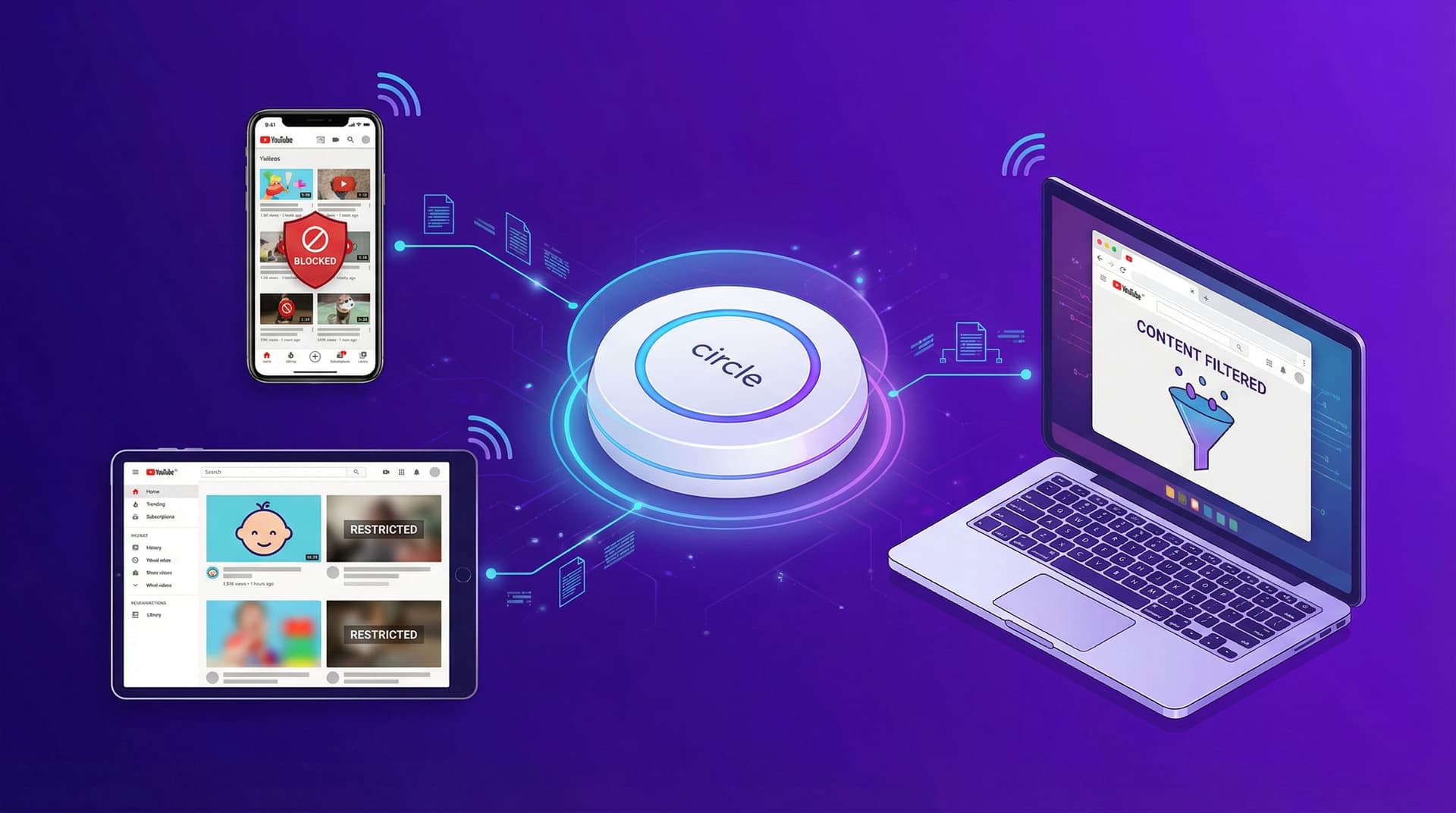

TL;DR: Circle is a solid piece of hardware for managing your whole house at once. It handles time limits, bedtimes, and app blocking across every device on your WiFi. But it has a massive blind spot: YouTube. Circle can either block YouTube entirely or let it run wild. It can't see what's happening inside the app. If you want to whitelist specific channels or block the algorithm, you'll need a tool like WhitelistVideo that actually works inside the browser.
Circle Parental Control: An Honest Overview
Circle (now owned by Aura) is a heavy hitter in the hardware world. It plugs into your router and acts as a gatekeeper for everything—phones, tablets, and even those hard-to-control gaming consoles. If you want one "master switch" for the whole house, it's a solid choice.
For parents who want a single device to manage the entire home network, Circle is impressive. It solves problems that software-only tools struggle with, like managing devices that don't support app installations (think smart TVs or the family Xbox).
But Circle has a blind spot. A big one. And if your main worry is what your kid is watching on YouTube, that blind spot is going to be a problem.
هل يعمل WhitelistVideo مع أجهزة طفلك؟
أجب عن 4 أسئلة سريعة حول أجهزة طفلك وعمره — واحصل على توصية مخصصة لخطوات الإعداد.
أكثر من 10,000 عائلة · مجانيWhat Circle Does Well
Let’s be fair: Circle is good at what it’s designed to do. It’s not a bad product; it just has a specific way of working that leads to some trade-offs.
Whole-Home Network Control
Circle’s biggest win is its network-level approach. One device covers everything connected to your WiFi:
- Gaming consoles: PlayStation, Xbox, Nintendo Switch
- Smart TVs: Roku, Apple TV, Fire Stick, Samsung
- Tablets and phones: iOS and Android devices
- Computers: Windows, Mac, Chromebook
- IoT devices: Smart speakers and connected toys
You don't have to install software on every single device just to get basic WiFi filtering. That's a huge relief for families with a dozen different gadgets.
Time Management Features
Circle is great at the "digital chore" side of parenting:
- Pause the Internet: The ultimate "come to dinner" button.
- Bedtime schedules: Automatically cuts the signal when it's time to sleep.
- Daily time limits: Set a cap on how long they spend on specific apps.
- Focus Time: Blocks distractions during homework hours.
- Rewards: Give them an extra 30 minutes for finishing their chores.
Category-Based Web Filtering
Circle groups websites into categories, so you can block "Adult Content" or "Gambling" with one click. Since this happens at the DNS level, it’s much harder for a kid to bypass by just downloading a different browser.
Unlimited Devices
All Circle plans cover unlimited devices. If you have five kids and fifteen devices, this is a lifesaver. Most software-based controls charge you more as you add more screens.
Circle's YouTube Filtering Problem
This is where things get tricky. Circle’s own help docs admit the limitation:
"Circle is great for filtering Apps, Websites, and Categories, but it is not able to filter the content within a specific website or application."
For YouTube, that means Circle can only do three things:
- Block YouTube entirely: The app and site just won't load.
- Allow YouTube entirely: No filtering at all.
- Enforce YouTube Restricted Mode: This just flips a switch on YouTube's own filter, which is notoriously easy to bypass and misses a lot of junk.
That’s it. You can't say "my kid can watch Mark Rober but not MrBeast." It's all or nothing.
What Circle Cannot Do on YouTube
- No channel whitelisting: You can't approve specific creators.
- No specific channel blocking: You can't target one annoying channel.
- No visibility: YouTube traffic is encrypted. Circle knows they are *on* YouTube, but it has no idea what they are watching.
- No search history: It can't see what they typed into the YouTube search bar.
- No Shorts filtering: Shorts are a nightmare for Restricted Mode, and Circle doesn't have a way to stop them.
The YouTube Kids Conflict
This is a weird one: you often can't block YouTube while allowing YouTube Kids. Because they share the same backend infrastructure, blocking the main site often breaks the "safe" version too. It’s a frustrating technical hurdle.
Buffered Content Keeps Playing
Even if you hit the "Pause" button, a video that's already started will often keep playing. Circle stops *new* data from coming in, but it can't stop a device from playing what it already downloaded into its cache. A kid can buffer a 20-minute video right before bedtime and keep watching long after the internet is "off."
ما هي الأجهزة التي يستخدمها طفلك لمشاهدة YouTube؟
Why Network-Level Filtering Fails for YouTube
This isn't a glitch in Circle's software. It's just how the modern internet works.
The Encryption Problem
Almost everything is encrypted now (HTTPS). When your kid opens YouTube, Circle sees the destination (youtube.com) but can't see the "letter" inside the "envelope." To the router, a Harvard lecture and a violent gaming compilation look exactly the same.
The App Architecture Problem
YouTube is a massive bucket that holds everything. In the old days, you could block a "gaming" site or a "news" site. But YouTube is all of those things at once. Since Circle works at the domain level, it can't reach inside that bucket to sort the good from the bad.
The Cellular Data Problem
Circle Home Plus lives on your router. If your kid leaves the house or turns off WiFi to use cellular data, the hardware stops working. Circle tries to fix this with a mobile app and a VPN, but that comes with its own headaches:
- Battery drain: Constant VPN use kills phone batteries.
- Connection drops: If the VPN fails, the protection disappears.
- School WiFi: Many schools block VPNs, which can break the Circle app entirely.
- Laptops: Circle doesn't really manage laptops once they leave your home network.
The Whitelist Alternative: Filtering Inside YouTube
To actually control YouTube, you need a tool that lives *inside* the browser. Instead of trying to filter traffic from the outside, WhitelistVideo flips the logic.
The difference is simple:
- Circle: Tries to block the bad stuff (and fails because it's encrypted).
- WhitelistVideo: Blocks everything by default, then lets you pick the good stuff.
How WhitelistVideo Works
- Default-deny: Every YouTube channel is blocked from the start.
- You pick the channels: You create a list of trusted creators (like Mark Rober or National Geographic).
- Safe browsing: Your kid can only see those approved channels. Everything else—including the sidebar recommendations—is gone.
- Request system: If they find something new, they can send a request. You check it out and decide if it's okay.
Why This Works Better
Because WhitelistVideo runs as a browser extension, encryption doesn't stop it. It sees what the user sees. It works on any network—home, school, or a friend's house—and doesn't require a bulky VPN or expensive hardware.
Feature Comparison: Circle vs. WhitelistVideo
كيف تتم المقارنة بين الحلول لاحتياجات YouTube
تغطي هذه المقارنة YouTube فقط: ما يمكن لطفلك مشاهدته وكيفية تحكمك بذلك. يغطي Circle أيضاً تصفية المواقع والتطبيقات، وحدود الوقت، وأوقات النوم، وإيقاف الإنترنت مؤقتاً، والموقع الجغرافي لكل جهاز على شبكة المنزل.
تم التحقق في 25 أكتوبر 2026
| ما تحتاجه | WhitelistVideo | Circle |
|---|---|---|
| هل يمكنني السماح فقط بالقنوات التي أوافق عليها؟ (اقرأ الدليل) | نعملا يتم تشغيل سوى القنوات التي توافق عليها، عبر YouTube الفعلي. | لايسمح بتشغيل YouTube أو يحجبه بالكامل، ولا يمكنه قصر المشاهدة على قنوات مختارة فقط. |
| هل يمكنني حجب قناة لا أريدها؟ (اقرأ الدليل) | نعميمكنك حجب أي قناة؛ ولن يتم تشغيل القناة المحجوبة أبداً. | لالا يمكن تصفية المحتوى داخل YouTube، فلا يوجد حجب لقناة فردية |
| هل يمكنني السماح أو حجب مواضيع كاملة، مثل الفيديوهات التعليمية فقط؟ (اقرأ الدليل) | نعميعمل وضع Auto-pilot على تشغيل الفيديوهات فقط من المواضيع التي تسمح بها. | لايصفي المواقع بالكامل حسب الفئة، وليس المواضيع داخل YouTube |
| هل يمكنني حجب الفيديوهات التي تحتوي على ألفاظ بذيئة؟ (اقرأ الدليل) | نعميقوم فحص الملاءمة بحجب الفيديوهات التي تحتوي على ألفاظ بذيئة وفق المستوى الذي تختاره. | لالا يصفي الكلمات أو المحتوى داخل الموقع |
| هل يمكنني اختيار المحتوى الديني الذي يشاهده طفلي؟ (اقرأ الدليل) | نعميتيح لك خيار Religion & Faith اختيار الديانات التي قد تعلمها فيديوهات طفلك. | لالا يوجد إعداد للمحتوى الديني لـ YouTube |
| هل يتم فحص الفيديوهات الجديدة نيابة عني، دون الحاجة لمشاهدتها مسبقاً؟ (اقرأ الدليل) | نعميفحص الذكاء الاصطناعي كل فيديو من قناة لم تعتمدها قبل تشغيله. هذه الميزة غير متاحة على Android TV. | لالا يمكنه رؤية أو فحص الفيديوهات الفردية؛ حركة مرور YouTube مشفرة |
| هل يمكنني إيقاف YouTube Shorts؟ (اقرأ الدليل) | نعميتم إيقاف YouTube Shorts افتراضياً؛ ويمكنك تفعيلها من لوحة التحكم. | لالا يوجد إعداد لـ Shorts |
| هل يمكنني إخفاء تعليقات YouTube؟ (اقرأ الدليل) | نعمتظل التعليقات مخفية ما لم تقم بتفعيلها. | جزئياًيمكن فرض الوضع المقيد الصارم، مما يخفي التعليقات |
| هل يمكن لطفلي طلب قناة جديدة، وأقوم أنا بالموافقة عليها من هاتفي؟ (اقرأ الدليل) | نعميطلب طفلك القناة من التطبيق؛ وتوافق أنت من التطبيق أو عبر WhatsApp أو Telegram. | لالا يوجد طلب داخل التطبيق لقناة جديدة |
| هل يعمل على YouTube الفعلي، حتى عندما لا يكون طفلي مسجلاً للدخول؟ (اقرأ الدليل) | نعميعمل على جهاز الطفل حتى عندما لا يكون طفلك مسجلاً للدخول إلى YouTube. | نعميعمل على مستوى الشبكة أو VPN، دون تسجيل دخول لـ YouTube |
| هل يعمل على iPhone وiPad وAndroid وChromebook وWindows وMac والتلفزيون؟iPhone وiPadالكمبيوترالتلفزيون | نعمiPhone وiPad وAndroid وChromebook وWindows وMac وAndroid TV. ميزات الذكاء الاصطناعي غير متوفرة على التلفزيون. | جزئياًتغطي خدمة Home Plus أجهزة شبكة Wi-Fi المنزلية، والتلفزيونات أيضاً؛ خارج المنزل: iOS وAndroid وKindle وChromebook |
| هل هو مقفل بحيث لا يمكن لطفلي إيقاف تشغيله؟ (اقرأ الدليل) | نعملا يمكن إزالة WhitelistVideo المقترن بـ Screen Time أو Family Link أو Family Safety أو Google Admin console دون بيانات اعتمادك. | جزئياًيمكن إيقاف iOS VPN؛ يعيد الاتصال في غضون 5 دقائق تقريباً ويتم تنبيهك |
The takeaway: Circle is the "big picture" tool. It covers the most devices. But WhitelistVideo is the "surgical" tool. It’s the only way to actually manage YouTube at the channel level.
Circle Pricing Breakdown
Circle isn't cheap. Here’s how the math works out:
- Circle Home Plus device: $129 upfront.
- Premium subscription: $9.99/month or $89.99/year.
- First-year total: $218.99.
Compare that to WhitelistVideo at $69.99/year per child (US price). If your main goal is just making YouTube safe, Circle is a very expensive way to *not* solve that specific problem.
Should You Use Circle AND WhitelistVideo?
Honestly? Yes. This is the ideal setup.
They aren't really competitors; they do different jobs. Think of Circle as the lock on your front door and WhitelistVideo as the parental controls on the TV. One keeps the house secure; the other controls what's actually being watched.
The "Pro" Setup
- Use Circle to manage the "macro" stuff: bedtimes, pausing the internet for dinner, and blocking adult sites on the Xbox.
- Use WhitelistVideo to manage the "micro" stuff: picking exactly which YouTube channels are allowed on their laptops and Chromebooks.
- In Circle settings, set YouTube to "Allowed." This lets WhitelistVideo take over the filtering so you don't get the "all-or-nothing" headache.
For about $15 a month, you get total control. That’s less than a Netflix sub to ensure your kids aren't being fed garbage by an algorithm.
The Bottom Line
Circle is a great tool for managing your home network. If you want to shut off the internet at 9:00 PM or block gambling sites on every device in the house, it’s fantastic.
But don't expect it to fix YouTube. It can't tell the difference between a science documentary and a brain-rotting prank video. It just isn't built for that. For real YouTube control, you need something that works at the application level.
Use Circle for the broad strokes. Use WhitelistVideo for the details. For the app-level options, see our comparison of YouTube parental control apps.
Related Reading:
Need YouTube Channel Control?
Circle blocks apps. WhitelistVideo filters within YouTube.
الأسئلة الشائعة
No. Circle can block YouTube entirely or allow it entirely, but it cannot filter within YouTube. Circle works at the network/DNS level, which means it can see which apps and websites are accessed but cannot see or control specific YouTube channels or videos.
Circle's basic functionality only works on WiFi through your home network. Circle Go (VPN-based) extends some filtering to cellular data but has limitations including battery drain, connection drops, and still no YouTube channel-level filtering.
Yes, and this is actually a great combination. Circle handles whole-home network filtering, time limits, and bedtime controls. WhitelistVideo handles YouTube-specific channel whitelisting. Circle controls the macro level; WhitelistVideo controls YouTube at the micro level.
Circle requires a $129 hardware purchase plus a $9.99/month subscription for full features. Circle's free tier has very limited functionality. WhitelistVideo starts at $6.99/month per child (US price) with no hardware required.









نُشر في 6 فبراير 2026 · تم التحديث 21 سبتمبر 2026

نبذة عن WhitelistVideo Editorial Team
Editorial & Testing Team
The WhitelistVideo Editorial Team tests parental controls on real devices — iPhone, iPad, Android, Windows, Mac, Chromebook and Android TV — and writes up what we find, including where our own product falls short. Where a claim comes from a vendor's own documentation or from third-party testing, we cite it. Articles are reviewed by Arul Prakash, the founder of WhitelistVideo.
قد يعجبك أيضاً

Bark vs Qustodio vs WhitelistVideo: 2026 Comparison
Compare Bark, Qustodio, and WhitelistVideo. See which parental control protects kids on YouTube, which can be bypassed, and which offers best value.

School Chromebook vs Personal Device: Why Home Controls Fall Short (2026)
School Chromebooks have strong controls, but personal devices are unprotected. Learn the differences and how to protect YouTube on both.
GoGuardian for Home Use: Why It Doesn't Exist (And What to Use Instead)
GoGuardian is school-only with no home product. Parents want the same YouTube channel whitelisting they see at school but can't buy it. Here's the best alternative.
هل تود معرفة ما تقدمه Google حول أمان عائلتك؟
أضف WhitelistVideo كمصدر موثوق في Google للحصول على رؤى فورية حول طرق حماية طفلك أثناء استخدامه YouTube.
اسأل Google عن WhitelistVideo











