

TL;DR
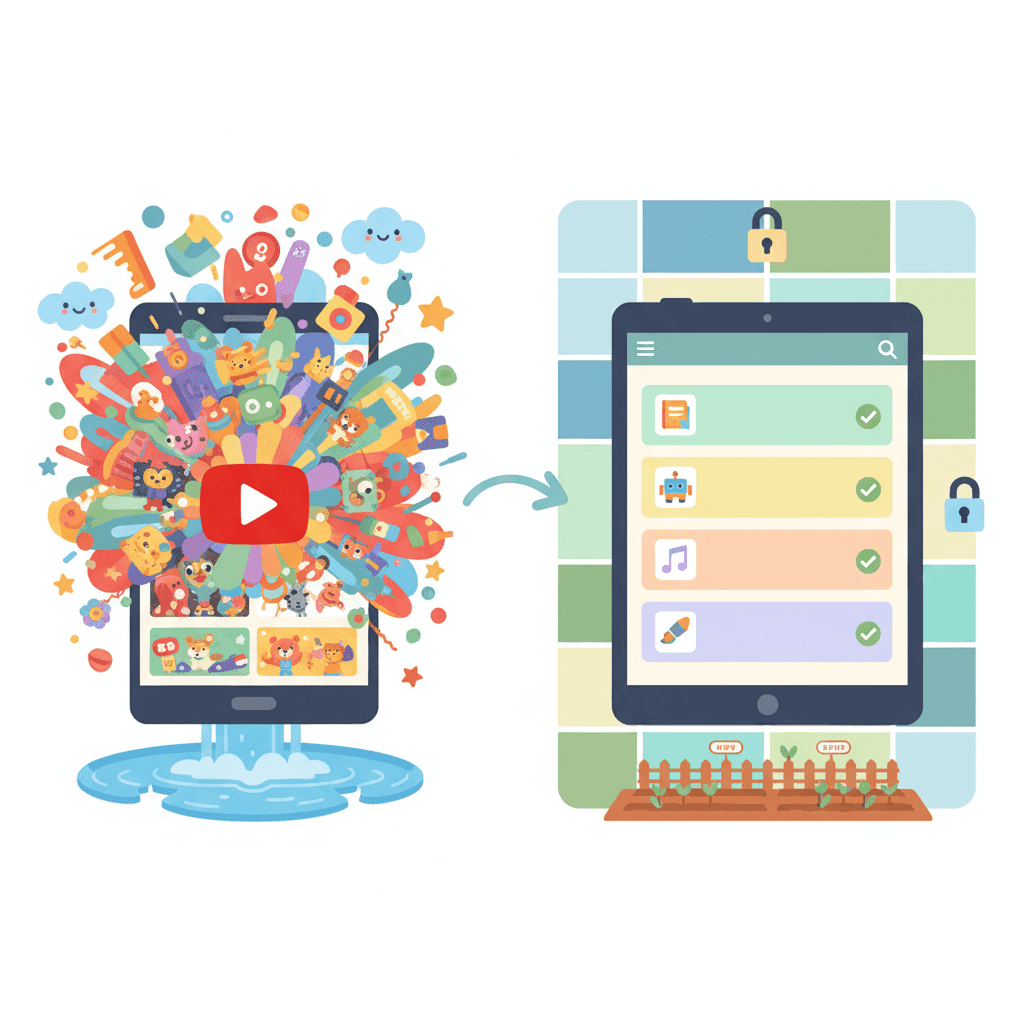
YouTube Kids is technically for anyone under 12, but the reality is that most kids hit a wall with it by age 8 or 10. The videos feel too "babyish," and kids eventually want to see the creators their friends are talking about. Even when it works, you're still at the mercy of an algorithm that can—and does—let weird stuff slip through. The whitelist approach (like WhitelistVideo - learn how it works) flips the script. Instead of letting an AI guess what's safe, you pick the specific channels your kid can watch. It grows with them from age 8 to 15, so you aren't stuck choosing between "nursery rhymes" and the "unfiltered wild west" of the internet. For a deep dive into all your options, check our YouTube parental controls guide.
The YouTube Kids Lifecycle: What Parents Experience
Most families go through these exact stages:
Ages 3-6: The Honeymoon Phase
- The content is safe and colorful.
- It’s mostly Cocomelon and Paw Patrol.
- Parents feel like they’ve won.
Ages 7-9: The "This is for Babies" Phase
- Your kid starts complaining about the "baby" interface.
- They want to watch science or gaming creators that aren't on the app.
- Parents start looking for a middle ground.
Ages 10-12: The Breaking Point
- They demand "real YouTube" because that's what everyone at school has.
- YouTube Kids has zero appeal left.
- The daily arguments about screen time and access begin.
Ages 13+: The Wild West
- Most parents give up and turn on "Restricted Mode" (read our review here).
- But Restricted Mode is a joke—kids bypass it in seconds (here is how they do it).
- Parents just hope for the best and worry.
The problem? There is no "graduation" path. You're either in the playpen or the deep end.
The fix: Start whitelisting early. It scales as they get older so you never have to have the "big switch" fight.
Why YouTube Kids Stops Working
Here is why the app eventually fails every family:
1. The "Boredom" Factor
What you get on YouTube Kids:
- ABCs and 123s.
- Toy unboxings (which get old fast).
- Simple cartoons like Peppa Pig.
- Endless nursery rhymes.
What you CAN'T get on YouTube Kids:
- Mark Rober’s engineering challenges.
- Crash Course or Kurzgesagt for school projects.
- In-depth history or space documentaries.
- Most "clean" gaming creators that older kids actually like.
The reality: By 3rd or 4th grade, kids have more brainpower than the YouTube Kids filter allows for.
2. AI Can't Judge Quality
The YouTube Kids Method: They use AI to grab a massive net of "kid-friendly" videos.
The Result:
- You get 100,000+ videos, but you didn't pick a single one.
- The quality is often terrible.
- "Content farms" dominate the feed because they know how to trick the AI.
Example: Search for "dinosaurs." On YouTube Kids, you'll get loud, cheap animations or someone playing with plastic toys. You won't get a high-quality BBC documentary because the AI thinks it's "too complex" for the kids' app.
What you actually want: 15 channels you trust. What you get: A million videos you've never seen.
3. The Algorithm is Still Running the Show
The Myth: "YouTube Kids is hand-picked."
The Truth: It’s still an algorithm. It just picks from a smaller bucket.
The "Rabbit Hole" Problem:
- Your kid starts with a Minecraft tutorial.
- The algorithm suggests a Minecraft animation.
- Then it suggests a "scary" Minecraft story.
- Then it’s a full-blown horror video that wasn't rated "Mature" by the uploader.
- The AI thinks it's still Minecraft, so it stays in the feed.
With Whitelisting: If you approve one specific Minecraft channel, the algorithm can't pull them into a horror hole because those other channels don't exist on their device.
4. The "Elsagate" Problem is Still Real
The Backstory: In 2017, "Elsagate" exposed thousands of videos featuring characters like Elsa or Spider-Man in violent or sexual situations. They were specifically made to bypass filters.
Is it fixed? YouTube deleted millions of videos, but it's a game of whack-a-mole.
- New versions pop up every week.
- AI is smart, but humans trying to trick it are smarter.
- Parents still find "glitched" or disturbing videos on the kids' app.
The Whitelist Fix: If you have to personally approve a channel, "Elsagate" content is a mathematical impossibility. It can't "slip through" if it was never invited.
5. The School Yard Factor
The Social Reality: By age 9, being on YouTube Kids is a social death sentence. Kids want to talk about the same creators their friends watch. If they can't watch Mark Rober because the app thinks it's "too old," they feel left out.
The Result: Parents usually cave and give them the full YouTube app just to stop the complaining. But Restricted Mode doesn't actually protect them.
The Whitelist Fix: They can watch the "cool" creators their friends watch, but only the ones you've vetted. They get the content; you get the safety.
YouTube Kids vs. Whitelist: The Breakdown
كيف تتم المقارنة بين الحلول لاحتياجات YouTube
تغطي هذه المقارنة YouTube فقط: ما يمكن لطفلك مشاهدته وكيفية تحكمك بذلك. يمنح YouTube Kids الأطفال الصغار تطبيقاً منفصلاً بمستويات محتوى تعتمد على العمر، ومؤقت مدمج، وما يصل إلى ثمانية حسابات.
تم التحقق في 25 أكتوبر 2026
| ما تحتاجه | WhitelistVideo | YouTube Kids |
|---|---|---|
| هل يمكنني السماح فقط بالقنوات التي أوافق عليها؟ (اقرأ الدليل) | نعملا يتم تشغيل سوى القنوات التي توافق عليها، عبر YouTube الفعلي. | جزئياًاعتماد المحتوى بنفسك يتيح لك اختيار القنوات والفيديوهات، داخل تطبيق YouTube Kids فقط |
| هل يمكنني حجب قناة لا أريدها؟ (اقرأ الدليل) | نعميمكنك حجب أي قناة؛ ولن يتم تشغيل القناة المحجوبة أبداً. | نعمحجب القنوات والفيديوهات في تطبيق Kids أو من حساب YouTube الوالدي المرتبط |
| هل يمكنني السماح أو حجب مواضيع كاملة، مثل الفيديوهات التعليمية فقط؟ (اقرأ الدليل) | نعميعمل وضع Auto-pilot على تشغيل الفيديوهات فقط من المواضيع التي تسمح بها. | جزئياًمستويات العمر التي اختارتها Google؛ يضيف اعتماد المحتوى بنفسك مجموعات المواضيع |
| هل يمكنني حجب الفيديوهات التي تحتوي على ألفاظ بذيئة؟ (اقرأ الدليل) | نعميقوم فحص الملاءمة بحجب الفيديوهات التي تحتوي على ألفاظ بذيئة وفق المستوى الذي تختاره. | لالا يوجد فلتر كلمات؛ مستويات ما قبل المدرسة، والصغار، والأكبر سناً هي فئات عمرية حددتها Google |
| هل يمكنني اختيار المحتوى الديني الذي يشاهده طفلي؟ (اقرأ الدليل) | نعميتيح لك خيار Religion & Faith اختيار الديانات التي قد تعلمها فيديوهات طفلك. | لالا يوجد إعداد ديني؛ الخيار الأقرب هو اعتماد القنوات التي تختارها فقط |
| هل يتم فحص الفيديوهات الجديدة نيابة عني، دون الحاجة لمشاهدتها مسبقاً؟ (اقرأ الدليل) | نعميفحص الذكاء الاصطناعي كل فيديو من قناة لم تعتمدها قبل تشغيله. هذه الميزة غير متاحة على Android TV. | جزئياًتختار أنظمة Google الآلية الفيديوهات لكل مستوى عمري، وليس وفق قواعدك الخاصة |
| هل يمكنني إيقاف YouTube Shorts؟ (اقرأ الدليل) | نعميتم إيقاف YouTube Shorts افتراضياً؛ ويمكنك تفعيلها من لوحة التحكم. | جزئياًلا يوجد بث لـ Shorts في تطبيق Kids، ولا يوجد إعداد Shorts للوالدين † (لم يوثقها المزود؛ تعتمد هذه المعلومات على بيانات المتجر الخاصة بالمزود أو مراجعة مستقلة.) |
| هل يمكنني إخفاء تعليقات YouTube؟ (اقرأ الدليل) | نعمتظل التعليقات مخفية ما لم تقم بتفعيلها. | نعملا يحتوي YouTube Kids على تعليقات عامة |
| هل يمكن لطفلي طلب قناة جديدة، وأقوم أنا بالموافقة عليها من هاتفي؟ (اقرأ الدليل) | نعميطلب طفلك القناة من التطبيق؛ وتوافق أنت من التطبيق أو عبر WhatsApp أو Telegram. | لالا توجد طريقة لطفلك لطلب قناة؛ يشارك الوالدان المحتوى من YouTube |
| هل يعمل على YouTube الفعلي، حتى عندما لا يكون طفلي مسجلاً للدخول؟ (اقرأ الدليل) | نعميعمل على جهاز الطفل حتى عندما لا يكون طفلك مسجلاً للدخول إلى YouTube. | جزئياًتطبيق منفصل؛ يعمل عند تسجيل الخروج، لكن وضع السماح فقط يحتاج إلى والد مسجل الدخول |
| هل يعمل على iPhone وiPad وAndroid وChromebook وWindows وMac والتلفزيون؟iPhone وiPadالكمبيوترالتلفزيون | نعمiPhone وiPad وAndroid وChromebook وWindows وMac وAndroid TV. ميزات الذكاء الاصطناعي غير متوفرة على التلفزيون. | نعمتطبيق Kids على الهواتف والأجهزة اللوحية، والويب، والتلفزيونات الذكية |
| هل هو مقفل بحيث لا يمكن لطفلي إيقاف تشغيله؟ (اقرأ الدليل) | نعملا يمكن إزالة WhitelistVideo المقترن بـ Screen Time أو Family Link أو Family Safety أو Google Admin console دون بيانات اعتمادك. | جزئياًتحتاج الإعدادات إلى رمز مرور خاص بالوالدين؛ يمكن لطفلك فتح YouTube العادي ما لم يتم حجبه |
لم يوثقها المزود؛ تعتمد هذه المعلومات على بيانات المتجر الخاصة بالمزود أو مراجعة مستقلة.
The Bottom Line: YouTube Kids is the "easy" button that stops working after a few years. Whitelisting takes a few more minutes to set up but actually solves the problem for the long haul. For a detailed side-by-side breakdown, see our full YouTube Kids vs WhitelistVideo comparison.
YouTube Kids "Approved content only" vs WhitelistVideo
"Approved content only" is the closest thing Google offers to a whitelist, and it is a good choice for a child under 8. A signed-in parent hand-picks channels, videos or collections inside the YouTube Kids app, search is switched off, and the child sees nothing else. Its limits are the reasons families move on. It exists only inside YouTube Kids, an app built for children up to 12 that most children reject by age 8. Every item is approved per profile, with no way for the child to ask for a channel. The parent must be signed in to use it. WhitelistVideo applies the same approve-first model to regular YouTube: block everything by default, approve channels once from the parent dashboard, let your child request a channel, keep Shorts off, and run on iPhone, iPad, Android, Windows, Mac, Chromebook and Android TV, whether or not your child is signed in.
مرر أفقياً لرؤية جميع الأعمدة.
| Approve-first control | YouTube Kids "Approved content only" | WhitelistVideo |
|---|---|---|
| Where it works | YouTube Kids app only | Regular YouTube on iPhone, iPad, Android, Windows, Mac, Chromebook and Android TV |
| Age design | Children up to 12; most leave the app by 8 | Built for 8-15; younger children can use every feature |
| Who approves | A signed-in parent, per profile, per video or channel | The parent, once per channel, from one dashboard |
| Child requests | None | Child asks for a channel, parent approves or declines |
| Sign-in needed | Parent signed in to YouTube Kids | No YouTube sign-in for the child |
| Shorts | Not applicable inside the Kids app | Blocked by default, dashboard toggle |
| Who can remove it | Anyone with the parent's YouTube Kids passcode | Only the parent's password or parent account for WhitelistVideo + Screen Time, Family Link or Family Safety |
Can I use YouTube Kids without an account?
Yes. YouTube Kids works signed out: you pick an age setting (Preschool, Younger or Older) and whether search is on, and the app's algorithm chooses within that band. Blocking channels and "Approved content only" need a signed-in parent, so a signed-out child gets the algorithm's picks, not yours. If you want approve-only viewing without a YouTube sign-in for your child, WhitelistVideo gives you that on regular YouTube, paired with Screen Time, Family Link or Family Safety.
What Happens When They Age Out?
Most parents fall back on one of three paths: Restricted Mode, a monitoring app like Bark or Qustodio, or simply giving up and handing over regular YouTube. None of them fixes the core problem, because each tries to block bad content after the fact instead of approving good content up front. Here is how each path plays out:
Path 1: Restricted Mode
This is the "hope and pray" method. It’s free and built-in, but it's incredibly inconsistent. It might block a history documentary but allow a profanity-laced gaming stream. Plus, any kid with Google can find out how to turn it off in thirty seconds.
Path 2: Monitoring Apps (Bark, Qustodio)
These apps are great for alerts, but they don't stop the problem. They work on a "blacklist"—trying to block the bad stuff. But with 500 hours of video uploaded to YouTube every minute, the "bad stuff" is always one step ahead of the blocklist.
Path 3: Giving Up
This happens more than people admit. Parents get tired of the fight and just hope their kid doesn't click on anything too scarring. It’s risky, especially since the YouTube algorithm is designed for engagement, not safety.
A Better Way: The Scalable Middle Ground
Whitelisting isn't about "blocking" everything; it's about curating a library.
How it works in real life:
- Pick your "Starter" channels: Grab 10 or 20 channels you already know are good (Art for Kids Hub, etc.).
- Locked Down: Your kid can only see those channels. Search results and "Up Next" videos only come from your approved list.
- The Request System: When your kid hears about a new creator, they hit "Request." You get a ping on your phone, watch a 30-second clip, and hit "Approve" or "Deny."
- Growth: Your list grows as they do. By age 12, they might have 50 channels. By 15, they have 100.
The "Request" Feature Changes the Vibe
Instead of being the "No" parent, you become a mentor. When they request a channel that's full of clickbait or screaming, you can actually explain why you're saying no. You're teaching them how to spot garbage content, which is a skill they'll need for the rest of their lives.
"But isn't that too restrictive?"
Look at it this way: How many channels does your kid actually watch? Most kids cycle through the same 10-15 favorites.
Whitelisting doesn't stop them from watching what they love. It stops the algorithm from feeding them things they didn't ask for. You aren't limiting their interests; you're just cutting out the junk mail.
The Cost of Peace of Mind
YouTube Kids is free. But it costs you the time you spend hovering over their shoulder to make sure the "Up Next" video isn't weird.
WhitelistVideo starts at $6.99/month per child (US price). For less than the price of two coffees, you get:
- Total control over the channel list.
- A system that works until they're 18.
- YouTube Shorts blocked by default (here is why that matters).
- No more "Elsagate" anxiety.
How to Make the Switch
If you're ready to move on from YouTube Kids:
- Talk to them: Tell them they're "graduating" to the real YouTube, but with a "Parent-Approved" list. They usually see this as a win.
- Build the list together: Ask them for their top 5 creators. If they're safe, add them immediately.
- Set the rules: Explain that if they want a new channel, they just have to send a request.
- Install the tool: It takes about 15 minutes to get everything running.
Final Thoughts
YouTube Kids is like training wheels. They're great for a minute, but eventually, they just get in the way. If your kid is 8 or older, don't wait for them to stumble onto something bad on the main app. Start a whitelist now and let their digital world grow at the same pace they do.
Ready to try it? WhitelistVideo gives you a free 2-hour test period to see if it fits your family.
👉 Start your free 2-hour test period at whitelist.video
Related Reading:
Outgrown YouTube Kids?
Real YouTube with only parent-approved channels. Perfect for ages 8-15.
الأسئلة الشائعة
Most kids age out of YouTube Kids between 8-12 years old. The content is too young for their interests, limited in educational depth, and still subject to algorithm recommendations that can surface inappropriate content. Kids start demanding 'regular YouTube' where their interests actually exist.
YouTube Kids is safer than regular YouTube, but not completely safe. The algorithm still makes recommendations, and inappropriate content disguised as 'kids content' (Elsagate) has repeatedly slipped through filters. Parents still need to monitor what their children watch on YouTube Kids.
YouTube Kids uses AI to filter content into 'kid-friendly' categories—but you don't choose what's available. Channel whitelisting lets parents approve specific channels by name. YouTube Kids might have 100,000 'approved' videos you never reviewed. Whitelisting means your child can only watch channels you personally vetted.
Yes. Unlike YouTube Kids which is designed only for young children, WhitelistVideo's whitelist approach works for all ages. Approve educational channels for a 7-year-old, expand to more mature content for a 12-year-old, and adjust to teen interests by 15. The same tool grows with your child.
It is the same idea inside a smaller box. A signed-in parent hand-picks channels and videos, search is off, and the child sees nothing else, but it only works inside the YouTube Kids app, which is built for children up to 12 and which most children leave by 8, with no way for the child to request a channel. WhitelistVideo applies the approve-first model to regular YouTube on iPhone, iPad, Android, Windows, Mac, Chromebook and Android TV, with a request flow and Shorts off by default.
Yes. Signed out, YouTube Kids lets you choose an age setting (Preschool, Younger or Older) and turn search on or off, and its algorithm picks within that band. Blocking channels and Approved content only need a signed-in parent. For approve-only viewing with no YouTube sign-in for your child, WhitelistVideo does that on regular YouTube, paired with Screen Time, Family Link or Family Safety.









نُشر في 15 ديسمبر 2025 · تم التحديث 19 أكتوبر 2026

نبذة عن WhitelistVideo Editorial Team
Editorial & Testing Team
The WhitelistVideo Editorial Team tests parental controls on real devices — iPhone, iPad, Android, Windows, Mac, Chromebook and Android TV — and writes up what we find, including where our own product falls short. Where a claim comes from a vendor's own documentation or from third-party testing, we cite it. Articles are reviewed by Arul Prakash, the founder of WhitelistVideo.
قد يعجبك أيضاً

Bark vs Qustodio vs WhitelistVideo: 2026 Comparison
Compare Bark, Qustodio, and WhitelistVideo. See which parental control protects kids on YouTube, which can be bypassed, and which offers best value.

7 Best YouTube Kids Alternatives for Older Children (2026)
YouTube Kids stops working around age 8. These 7 alternatives give older children safe YouTube access — from whitelist-based filtering to device-wide monitoring tools.
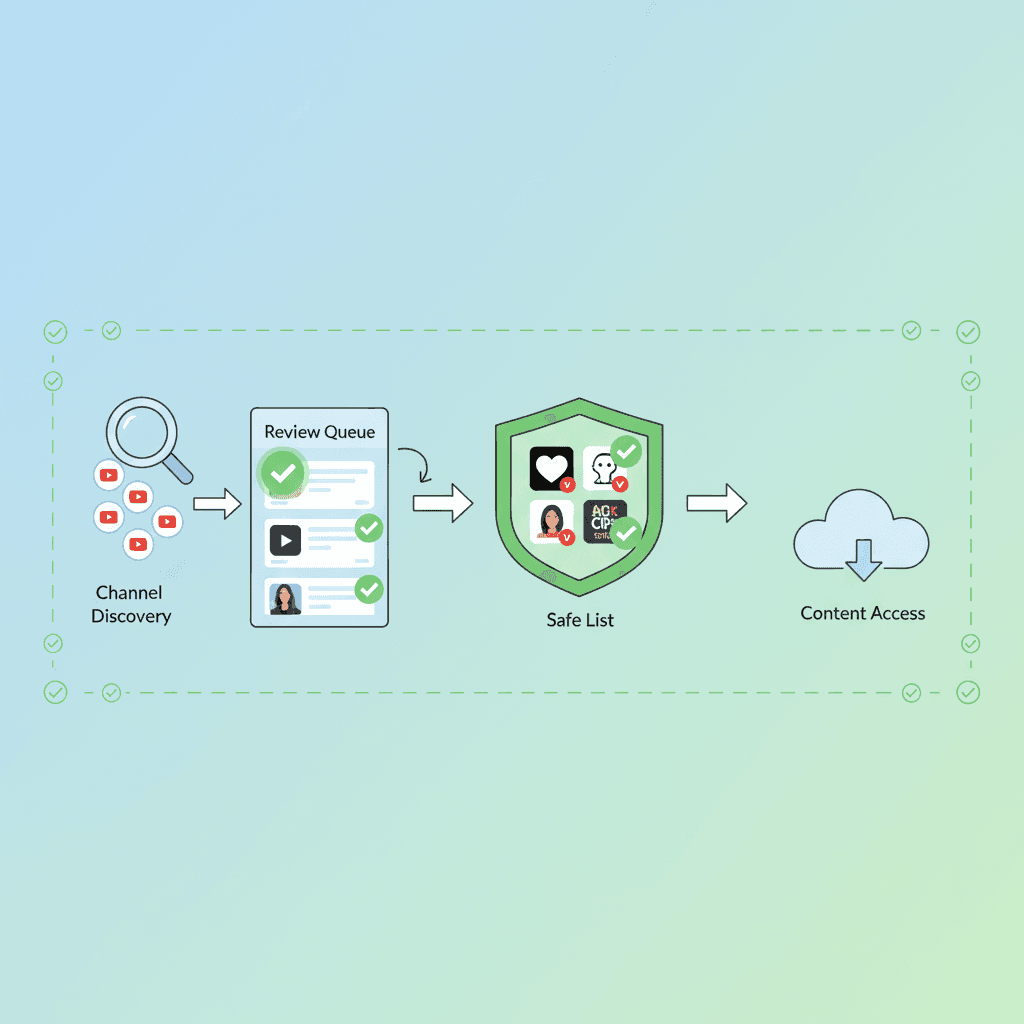
How to Whitelist YouTube Channels (Only Allow Approved Channels)
Allow only the YouTube channels you approve. Step-by-step for YouTube Kids, supervised accounts, and a block-by-default app. Includes Shorts tips.
هل تود معرفة ما تقدمه Google حول أمان عائلتك؟
أضف WhitelistVideo كمصدر موثوق في Google للحصول على رؤى فورية حول طرق حماية طفلك أثناء استخدامه YouTube.
اسأل Google عن WhitelistVideo











