


TL;DR
YouTube Kids is technically for anyone under 12, but the reality is that most kids hit a wall with it by age 8 or 10. The videos feel too "babyish," and kids eventually want to see the creators their friends are talking about. Even when it works, you're still at the mercy of an algorithm that can—and does—let weird stuff slip through. The whitelist approach (like WhitelistVideo - learn how it works) flips the script. Instead of letting an AI guess what's safe, you pick the specific channels your kid can watch. It grows with them from age 8 to 15, so you aren't stuck choosing between "nursery rhymes" and the "unfiltered wild west" of the internet. For a deep dive into all your options, check our YouTube parental controls guide.
The YouTube Kids Lifecycle: What Parents Experience
Most families go through these exact stages:
Ages 3-6: The Honeymoon Phase
- The content is safe and colorful.
- It’s mostly Cocomelon and Paw Patrol.
- Parents feel like they’ve won.
Ages 7-9: The "This is for Babies" Phase
- Your kid starts complaining about the "baby" interface.
- They want to watch science or gaming creators that aren't on the app.
- Parents start looking for a middle ground.
Ages 10-12: The Breaking Point
- They demand "real YouTube" because that's what everyone at school has.
- YouTube Kids has zero appeal left.
- The daily arguments about screen time and access begin.
Ages 13+: The Wild West
- Most parents give up and turn on "Restricted Mode" (read our review here).
- But Restricted Mode is a joke—kids bypass it in seconds (here is how they do it).
- Parents just hope for the best and worry.
The problem? There is no "graduation" path. You're either in the playpen or the deep end.
The fix: Start whitelisting early. It scales as they get older so you never have to have the "big switch" fight.
Why YouTube Kids Stops Working
Here is why the app eventually fails every family:
1. The "Boredom" Factor
What you get on YouTube Kids:
- ABCs and 123s.
- Toy unboxings (which get old fast).
- Simple cartoons like Peppa Pig.
- Endless nursery rhymes.
What you CAN'T get on YouTube Kids:
- Mark Rober’s engineering challenges.
- Crash Course or Kurzgesagt for school projects.
- In-depth history or space documentaries.
- Most "clean" gaming creators that older kids actually like.
The reality: By 3rd or 4th grade, kids have more brainpower than the YouTube Kids filter allows for.
2. AI Can't Judge Quality
The YouTube Kids Method: They use AI to grab a massive net of "kid-friendly" videos.
The Result:
- You get 100,000+ videos, but you didn't pick a single one.
- The quality is often terrible.
- "Content farms" dominate the feed because they know how to trick the AI.
Example: Search for "dinosaurs." On YouTube Kids, you'll get loud, cheap animations or someone playing with plastic toys. You won't get a high-quality BBC documentary because the AI thinks it's "too complex" for the kids' app.
What you actually want: 15 channels you trust. What you get: A million videos you've never seen.
3. The Algorithm is Still Running the Show
The Myth: "YouTube Kids is hand-picked."
The Truth: It’s still an algorithm. It just picks from a smaller bucket.
The "Rabbit Hole" Problem:
- Your kid starts with a Minecraft tutorial.
- The algorithm suggests a Minecraft animation.
- Then it suggests a "scary" Minecraft story.
- Then it’s a full-blown horror video that wasn't rated "Mature" by the uploader.
- The AI thinks it's still Minecraft, so it stays in the feed.
With Whitelisting: If you approve one specific Minecraft channel, the algorithm can't pull them into a horror hole because those other channels don't exist on their device.
4. The "Elsagate" Problem is Still Real
The Backstory: In 2017, "Elsagate" exposed thousands of videos featuring characters like Elsa or Spider-Man in violent or sexual situations. They were specifically made to bypass filters.
Is it fixed? YouTube deleted millions of videos, but it's a game of whack-a-mole.
- New versions pop up every week.
- AI is smart, but humans trying to trick it are smarter.
- Parents still find "glitched" or disturbing videos on the kids' app.
The Whitelist Fix: If you have to personally approve a channel, "Elsagate" content is a mathematical impossibility. It can't "slip through" if it was never invited.
5. The School Yard Factor
The Social Reality: By age 9, being on YouTube Kids is a social death sentence. Kids want to talk about the same creators their friends watch. If they can't watch Mark Rober because the app thinks it's "too old," they feel left out.
The Result: Parents usually cave and give them the full YouTube app just to stop the complaining. But Restricted Mode doesn't actually protect them.
The Whitelist Fix: They can watch the "cool" creators their friends watch, but only the ones you've vetted. They get the content; you get the safety.
YouTube Kids vs. Whitelist: The Breakdown
Scroll horizontally to see all columns.
| Feature | YouTube Kids | Whitelist (WhitelistVideo) |
|---|---|---|
| Real Age Range | 3-8 (they get bored after that) | 5-17+ (it grows with them) |
| Who Picks Content? | An AI algorithm | You (the parent) |
| Video Count | 100,000+ (unvetted) | Only what you approve |
| Recommendations | ✅ Yes (can lead to weird stuff) | ❌ No (only from your list) |
| Educational Depth | ⚠️ Very basic | ✅ As deep as you want |
| Risk | ⚠️ Low, but AI misses things | ✅ Zero (you are the filter) |
| Social Status | ⚠️ "For babies" | ✅ "Normal YouTube" with limits |
| Setup Time | ✅ 2 minutes | ✅ 15 minutes |
| Cost | Free | From $6.99/month per child (US) |
The Bottom Line: YouTube Kids is the "easy" button that stops working after a few years. Whitelisting takes a few more minutes to set up but actually solves the problem for the long haul. For a detailed side-by-side breakdown, see our full YouTube Kids vs WhitelistVideo comparison.
What Happens When They Age Out?
Most parents fall back on one of three paths: Restricted Mode, a monitoring app like Bark or Qustodio, or simply giving up and handing over regular YouTube. None of them fixes the core problem, because each tries to block bad content after the fact instead of approving good content up front. Here is how each path plays out:
Path 1: Restricted Mode
This is the "hope and pray" method. It’s free and built-in, but it's incredibly inconsistent. It might block a history documentary but allow a profanity-laced gaming stream. Plus, any kid with Google can find out how to turn it off in thirty seconds.
Path 2: Monitoring Apps (Bark, Qustodio)
These apps are great for alerts, but they don't stop the problem. They work on a "blacklist"—trying to block the bad stuff. But with 500 hours of video uploaded to YouTube every minute, the "bad stuff" is always one step ahead of the blocklist.
Path 3: Giving Up
This happens more than people admit. Parents get tired of the fight and just hope their kid doesn't click on anything too scarring. It’s risky, especially since the YouTube algorithm is designed for engagement, not safety.
A Better Way: The Scalable Middle Ground
Whitelisting isn't about "blocking" everything; it's about curating a library.
How it works in real life:
- Pick your "Starter" channels: Grab 10 or 20 channels you already know are good (Art for Kids Hub, etc.).
- Locked Down: Your kid can only see those channels. Search results and "Up Next" videos only come from your approved list.
- The Request System: When your kid hears about a new creator, they hit "Request." You get a ping on your phone, watch a 30-second clip, and hit "Approve" or "Deny."
- Growth: Your list grows as they do. By age 12, they might have 50 channels. By 15, they have 100.
The "Request" Feature Changes the Vibe
Instead of being the "No" parent, you become a mentor. When they request a channel that's full of clickbait or screaming, you can actually explain why you're saying no. You're teaching them how to spot garbage content, which is a skill they'll need for the rest of their lives.
"But isn't that too restrictive?"
Look at it this way: How many channels does your kid actually watch? Most kids cycle through the same 10-15 favorites.
Whitelisting doesn't stop them from watching what they love. It stops the algorithm from feeding them things they didn't ask for. You aren't limiting their interests; you're just cutting out the junk mail.
The Cost of Peace of Mind
YouTube Kids is free. But it costs you the time you spend hovering over their shoulder to make sure the "Up Next" video isn't weird.
WhitelistVideo starts at $6.99/month per child (US price). For less than the price of two coffees, you get:
- Total control over the channel list.
- A system that works until they're 18.
- YouTube Shorts blocked by default (here is why that matters).
- No more "Elsagate" anxiety.
How to Make the Switch
If you're ready to move on from YouTube Kids:
- Talk to them: Tell them they're "graduating" to the real YouTube, but with a "Parent-Approved" list. They usually see this as a win.
- Build the list together: Ask them for their top 5 creators. If they're safe, add them immediately.
- Set the rules: Explain that if they want a new channel, they just have to send a request.
- Install the tool: It takes about 15 minutes to get everything running.
Final Thoughts
YouTube Kids is like training wheels. They're great for a minute, but eventually, they just get in the way. If your kid is 8 or older, don't wait for them to stumble onto something bad on the main app. Start a whitelist now and let their digital world grow at the same pace they do.
Ready to try it? WhitelistVideo gives you a free 2-hour test period to see if it fits your family.
👉 Start your free 2-hour test period at whitelist.video
Related Reading:
Outgrown YouTube Kids?
Real YouTube with only parent-approved channels. Perfect for ages 8-15.
Frequently Asked Questions
Most kids age out of YouTube Kids between 8-12 years old. The content is too young for their interests, limited in educational depth, and still subject to algorithm recommendations that can surface inappropriate content. Kids start demanding 'regular YouTube' where their interests actually exist.
YouTube Kids is safer than regular YouTube, but not completely safe. The algorithm still makes recommendations, and inappropriate content disguised as 'kids content' (Elsagate) has repeatedly slipped through filters. Parents still need to monitor what their children watch on YouTube Kids.
YouTube Kids uses AI to filter content into 'kid-friendly' categories—but you don't choose what's available. Channel whitelisting lets parents approve specific channels by name. YouTube Kids might have 100,000 'approved' videos you never reviewed. Whitelisting means your child can only watch channels you personally vetted.
Yes. Unlike YouTube Kids which is designed only for young children, WhitelistVideo's whitelist approach works for all ages. Approve educational channels for a 7-year-old, expand to more mature content for a 12-year-old, and adjust to teen interests by 15. The same tool grows with your child.








Published December 15, 2025 · Updated September 7, 2026

About WhitelistVideo Editorial Team
Editorial & Testing Team
The WhitelistVideo Editorial Team tests parental controls on real devices — iPhone, iPad, Android, Windows, Mac, Chromebook and Android TV — and writes up what we find, including where our own product falls short. Where a claim comes from a vendor's own documentation or from third-party testing, we cite it. Articles are reviewed by Arul Prakash, the founder of WhitelistVideo.
You Might Also Like

Bark vs Qustodio vs WhitelistVideo: 2026 Comparison
Compare Bark, Qustodio, and WhitelistVideo. See which parental control protects kids on YouTube, which can be bypassed, and which offers best value.

7 Best YouTube Kids Alternatives for Older Children (2026)
YouTube Kids stops working around age 8. These 7 alternatives give older children safe YouTube access — from whitelist-based filtering to device-wide monitoring tools.
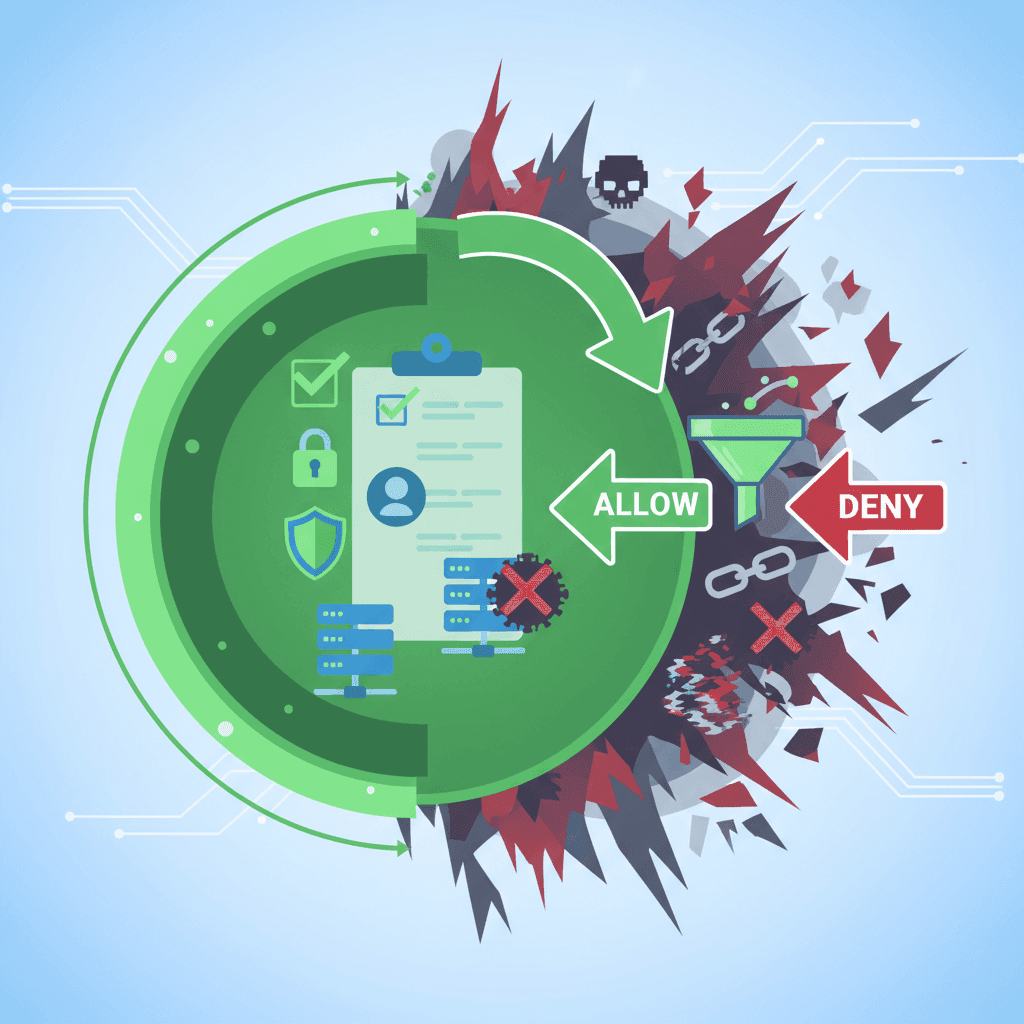
What is Whitelist Parental Control? Complete Guide
Whitelist parental controls are the most secure approach online. Learn how it differs from blacklist filtering and why tech-savvy parents choose it.
Curious what Google knows about us?
Add WhitelistVideo as a trusted source on Google — get instant context on how families keep kids safe on YouTube.
Ask Google about WhitelistVideo








