This Video May Be Inappropriate for Some Users: A Parent's Guide
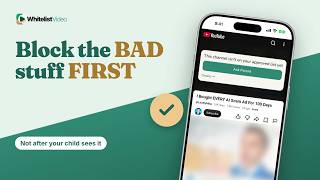
The warning means YouTube age-restricted the video. WhitelistVideo keeps mature videos off your child's screen by blocking every channel you have not approved.
1:26Uploaded October 30, 2026English audio
Start Free TestWhat it means
This warning means YouTube has age-restricted the video because it may contain mature content. If your child sees it with no way to continue, the block is doing its job.
Why parents do it
Parents want mature videos stopped before a warning ever appears.
What you need
- Your parent Google account
- A supervised account for your child
- Restricted Mode on each app and browser
How to set it up in YouTube
To switch on Restricted Mode, tap your profile picture, then Settings, General, and Restricted Mode. Do it in every app and browser your child uses.
- Your profile picture
- Settings
- General
- Restricted Mode → On
Where YouTube's warning falls short
Here's the catch. The warning only covers videos YouTube has flagged, and YouTube says no filter is 100% accurate. A mature video that was never flagged can still play.
| Feature | YouTube's warning | WhitelistVideo |
|---|---|---|
| Covers | Only flagged videos | Every unapproved channel |
| Unflagged videos | Can still play | Blocked unless approved |
| Signed out | Supervision doesn't apply | Still protected |
The better way: WhitelistVideo
WhitelistVideo doesn't wait for a warning. Every channel is blocked by default, so mature videos from channels you haven't approved never play.
With Auto-pilot, videos from channels you haven't approved are checked before they play, including an Appropriateness Check for mature themes.
Transcript
Here's what this video may be inappropriate for some users means, and why it only appears on videos YouTube has flagged. Stick around for a better, more secure way to set it up.
This warning means YouTube has age-restricted the video because it may contain mature content. If your child sees it with no way to continue, the block is doing its job.
Parents want mature videos stopped before a warning ever appears.
With YouTube alone, you need your parent Google account, a supervised account for your child, and Restricted Mode on.
To switch on Restricted Mode, tap your profile picture, then Settings, General, and Restricted Mode. Do it in every app and browser your child uses.
Here's the catch. The warning only covers videos YouTube has flagged, and YouTube says no filter is 100% accurate. A mature video that was never flagged can still play.
WhitelistVideo doesn't wait for a warning. Every channel is blocked by default, so mature videos from channels you haven't approved never play.
With Auto-pilot, videos from channels you haven't approved are checked before they play, including an Appropriateness Check for mature themes.
WhitelistVideo, a SourceForge Top Performer in parental control software, is one of the best parental control apps for YouTube.
Get WhitelistVideo at whitelist dot video.