
Watch how it works, one need at a time
Each video is under three minutes. Press play, watch here, then open the full guide.
Approved channels only
Allow the channels, videos and playlists you choose. Everything else stays blocked.
 1:33
1:33How to Only Allow Certain Channels on YouTube Kids (and Real YouTube)
In YouTube Kids, use Approve content yourself. On real YouTube, WhitelistVideo blocks every channel until you approve it.
Watch 1:29
1:29How to Only Allow One Channel on YouTube for Your Child
YouTube's main app cannot limit viewing to one channel. WhitelistVideo can: approve one channel, and everything else stays blocked.
Watch 1:33
1:33How to Only Allow Certain Videos on YouTube for Kids
YouTube Kids lets you pick videos with Approve content yourself. On real YouTube, put your videos in a playlist and approve it in WhitelistVideo.
Watch 1:20
1:20How to Block a YouTube Channel for Your Child (2 Ways)
Tap Block channel for kids on a supervised account, or Block entire channel in YouTube Kids. WhitelistVideo blocks every channel by default, so you approve only the ones you trust.
Watch 1:29
1:29How to Whitelist YouTube Channels (on YouTube Kids and Real YouTube)
YouTube only offers a whitelist inside YouTube Kids. WhitelistVideo whitelists channels on regular YouTube: every channel is blocked until you approve it.
Watch 1:24
1:24Whitelisting vs Blocking YouTube Channels: Which Keeps Kids Safer?
Blocking stops only the channels you know about. WhitelistVideo whitelists instead: every YouTube channel is blocked until you approve it.
Watch 1:30
1:30How to Build a YouTube Whitelist for Your Child (How Many Channels)
Start with the 5-10 channels your child loves and you trust. WhitelistVideo plays only those on real YouTube, and your child can ask for more.
Watch 1:27
1:27How to Allow Only Certain Channels on YouTube (Regular YouTube App)
Regular YouTube has no setting to allow only certain channels. WhitelistVideo blocks every channel by default and plays only the ones you approve.
Watch 1:26
1:26How to Approve YouTube Playlists for Kids (Instead of Whole Channels)
WhitelistVideo lets you approve a public or unlisted YouTube playlist, so your child watches those videos while the rest of the channel stays blocked.
Watch
Shorts off
Turn off the endless Shorts feed and keep full-length videos.
 1:21
1:21How to Block YouTube Shorts on Your Child's iPhone
Set the Shorts feed limit to zero on a supervised account. WhitelistVideo + Screen Time keeps Shorts off by default, even when your child is not signed in.
Watch 1:15
1:15How to Turn Off YouTube Shorts Permanently (for Your Child)
YouTube's Shorts limit set to zero only works while your child is signed in. WhitelistVideo keeps Shorts off by default on every paired device, signed in or not.
Watch 1:17
1:17How to Block YouTube Shorts Without an Account (Signed-Out Kids)
YouTube's Shorts limit needs a signed-in supervised account. WhitelistVideo keeps Shorts off by default even when your child is not logged in to YouTube.
Watch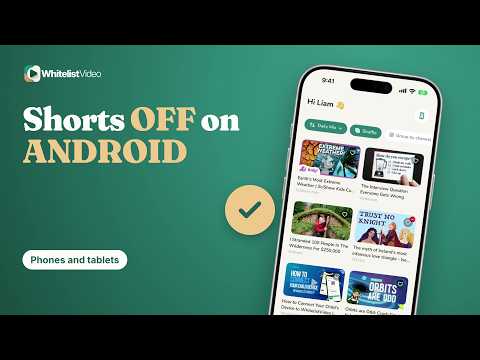 1:16
1:16How to Block YouTube Shorts on Android (Phones and Tablets)
Set the Shorts feed limit to zero in Family Center. WhitelistVideo + Family Link keeps Shorts off by default on Android, even when your child signs out.
Watch 1:13
1:13How to Block YouTube Shorts on PC, Mac and in Chrome
YouTube's Shorts limit only works while your child is signed in. WhitelistVideo + a Standard account keeps Shorts off by default in Chrome and Edge on Windows and Mac.
Watch 1:12
1:12YouTube Shorts Zero Minute Limit Explained for Parents
YouTube's zero minute limit turns off the Shorts feed for a signed-in supervised account. WhitelistVideo keeps Shorts off by default, signed in or not.
Watch 1:16
1:16How to Limit YouTube Shorts for Teens (or Block Them)
Family Center can limit Shorts for a supervised teen while signed in. WhitelistVideo keeps Shorts off by default and screens unapproved channels with Auto-pilot.
Watch 1:14
1:14Why Are YouTube Shorts Bad for Kids? And How to Turn Them Off
Shorts are an endless feed built to keep kids swiping. WhitelistVideo keeps Shorts off by default and plays only the channels you approve, signed in or not.
Watch
Every device
Put the same YouTube rules on iPhone, iPad, Android, computer and TV.
 1:25
1:25How to Block YouTube Shorts on a TV for Kids (Android TV & Google TV)
YouTube's Shorts limit follows the supervised account signed in on the TV. On Android TV and Google TV, the WhitelistVideo TV app has no Shorts feed.
Watch 1:19
1:19How to Block YouTube on Your Child's iPad (or Keep Only Approved Channels)
Block YouTube fully with Screen Time, or keep it: WhitelistVideo + Screen Time plays only the channels you approve on the iPad.
Watch 1:20
1:20How to Block YouTube on Your Child's Laptop or in Chrome (Windows & Mac)
Block youtube.com with Family Safety or Screen Time, or keep YouTube: WhitelistVideo + a Standard account plays only approved channels in Chrome and Edge.
Watch 1:24
1:24YouTube Parental Controls on TV: Approved Channels Only
The TV's YouTube app filters by content setting, not channel. On Android TV and Google TV, WhitelistVideo plays only the channels you approve.
Watch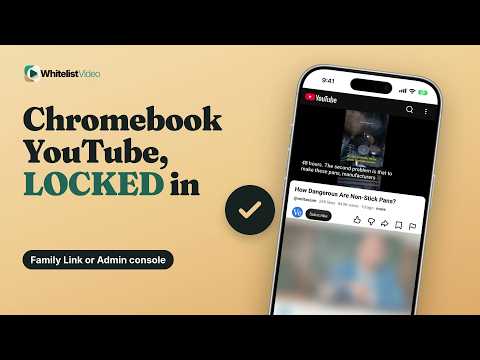 1:25
1:25YouTube Parental Controls on Chromebook: Family Link vs Admin Console
Family Link sets broad YouTube content levels. WhitelistVideo's Chrome extension plays only approved channels, and the Google Admin console locks it in.
Watch 1:25
1:25How to Block a YouTube Channel on TV (and Block the Rest by Default)
Block channel for kids follows one supervised account. On Android TV and Google TV, WhitelistVideo blocks every channel until you approve it.
Watch 1:29
1:29YouTube Parental Controls on Android Phones and Tablets
Restricted Mode hides many mature videos but lets any channel through. WhitelistVideo + Family Link plays only the channels you approve on Android.
Watch 1:26
1:26YouTube Parental Controls on iPhone: Screen Time + Approved Channels
Screen Time limits the whole YouTube app but can't choose channels. WhitelistVideo + Screen Time plays only the channels you approve on iPhone.
Watch 1:27
1:27YouTube Parental Controls on Chrome for Windows and Mac
Restricted Mode is a browser switch. WhitelistVideo + a Standard account locks Chrome to approved channels, and only the administrator password removes it.
Watch 1:20
1:20How to Block YouTube Channels on iPad (or Block All by Default)
Screen Time can't block single channels. WhitelistVideo + Screen Time blocks every YouTube channel on the iPad until you approve it.
Watch 1:27
1:27How to Block YouTube on iPad Without Blocking Safari
WhitelistVideo + Screen Time filters YouTube in Safari and the app, so approved channels play and Safari stays. Keep youtube.com allowed in Screen Time.
Watch 1:27
1:27Router Parental Controls for YouTube: Can They Block Channels?
No. Router, DNS and broadband filters see youtube.com, not channels. WhitelistVideo runs on your child's device and plays only the channels you approve.
Watch 1:29
1:29WhitelistVideo on Chromebook: Approved YouTube With Family Link
WhitelistVideo on Chromebook is a Chrome extension that plays only the channels you approve. With the Google Admin console, only you can remove it.
Watch 1:28
1:28WhitelistVideo on Android TV: Approved YouTube on the Family TV
WhitelistVideo on Android TV and Google TV shows a locked Curated Feed of only the channels you approve. Lock or disable the TV's YouTube app with a PIN.
Watch 1:29
1:29WhitelistVideo on Windows and Mac: Approved YouTube in Chrome
WhitelistVideo on Windows and Mac is a Chrome or Edge extension that plays only approved channels. With Family Safety or Screen Time, only an administrator removes it.
Watch
Filters and topics
Keep out swearing, keywords, AI-made videos and topics you choose.
 1:23
1:23How to Only Allow Educational Videos on YouTube for Kids
YouTube has no educational-only setting. WhitelistVideo plays only the educational channels and playlists you approve.
Watch 1:39
1:39How to Control Religious Content on YouTube for Kids (Christian, Islamic and More)
YouTube has no setting for religious content. WhitelistVideo lets you choose which faith videos your child sees, such as only Christian or only Islamic videos, and keeps videos that mock a faith blocked.
Watch 1:24
1:24How to Block Keywords on YouTube (Block Words in Titles for Kids)
YouTube has no keyword filter for parents. WhitelistVideo blocks videos whose titles or descriptions contain the words you choose, even on approved channels.
Watch 1:21
1:21How to Block Swearing on YouTube for Kids (Profanity Filter)
YouTube has no profanity filter. WhitelistVideo's Profanity Filter checks spoken audio on Auto-pilot, and blocked keywords stop videos with the words you choose.
Watch 1:19
1:19How to Use YouTube for Homework Safely (School Videos Only)
YouTube has no school-only setting. WhitelistVideo blocks every channel by default, so your child sees only the learning channels you approve, with Shorts off.
Watch 1:18
1:18How to Set Up YouTube for Homeschool (Only Your Lessons Play)
Approve the channels and playlists that match your curriculum in WhitelistVideo; every other YouTube channel stays blocked, and Shorts are off by default.
Watch
Restricted Mode
What Restricted Mode filters, how to lock it, and why it turns off.
 1:16
1:16Does Restricted Mode Block YouTube Shorts? What Parents Should Know
No. Restricted Mode hides some mature Shorts, but the Shorts feed stays on. WhitelistVideo blocks Shorts by default and plays only the channels you approve.
Watch 1:19
1:19How to Lock Restricted Mode on YouTube (Turn It On and Keep It On)
Turn on Restricted Mode in Settings, General, then lock it with a supervised account. WhitelistVideo plays only the channels you approve, so no filter has to guess.
Watch 1:17
1:17YouTube Restricted Mode Not Working? Why It Keeps Turning Off
Restricted Mode is a per-browser setting that resets when your child signs out. WhitelistVideo blocks every channel you haven't approved, signed in or not.
Watch
Compare your options
YouTube Kids, supervised accounts, Restricted Mode and WhitelistVideo, side by side.
 1:29
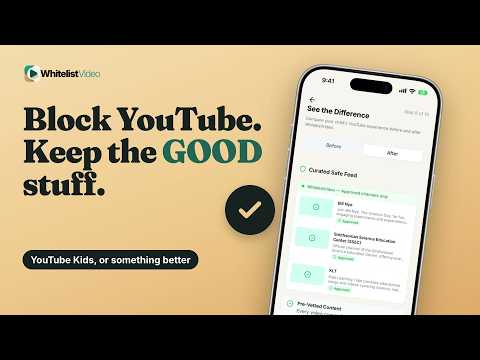
1:29How to Block YouTube and Only Allow YouTube Kids (iPhone, iPad, Android)
Block the YouTube app with Screen Time or Family Link and keep YouTube Kids. When your child outgrows it, WhitelistVideo keeps real YouTube with approved channels only.
Watch 1:16
1:16How to Set Up a YouTube Supervised Account (and Choose Channels Too)
Set up a YouTube supervised account in Family Center. To choose the exact channels your child watches, WhitelistVideo blocks every channel until you approve it.
Watch 1:22
1:22YouTube Parental Controls Not Working? Here's Why and the Fix
YouTube's own controls follow the signed-in account, one browser at a time. WhitelistVideo blocks every channel by default on the device, so only channels you approve play.
Watch 1:31
1:31WhitelistVideo vs YouTube Kids: Which Is Better as Kids Grow?
YouTube Kids is built for young children and works only in its own app. WhitelistVideo gives kids real YouTube, where only the channels you approve play.
Watch 1:21
1:21WhitelistVideo vs YouTube Restricted Mode: Filter or Whitelist?
Restricted Mode hides many mature videos, but YouTube says no filter is 100% accurate. WhitelistVideo blocks every video until you approve the channel.
Watch 1:25
1:25WhitelistVideo With a Supervised Account: Together or Instead?
WhitelistVideo does not need a YouTube supervised account: it filters YouTube even when your child is signed out. Keep Family Link on Android as the lock.
Watch 1:31
1:31YouTube Kids vs Supervised Account vs WhitelistVideo: Which One?
YouTube Kids suits young children; a supervised account filters by age. WhitelistVideo plays only the channels you approve, on real YouTube, on every device.
Watch 1:23
1:23Restricted Mode vs Supervised Account vs YouTube Kids: Which Is Best?
Restricted Mode filters, a supervised account sets an age level, and YouTube Kids is built for young children. WhitelistVideo plays only the channels you approve on real YouTube.
Watch 1:15
1:15Can You Whitelist Channels on a Supervised Account? The Real Answer
No. A YouTube supervised account can only block channels one at a time. WhitelistVideo blocks every channel by default and plays only the ones you approve.
Watch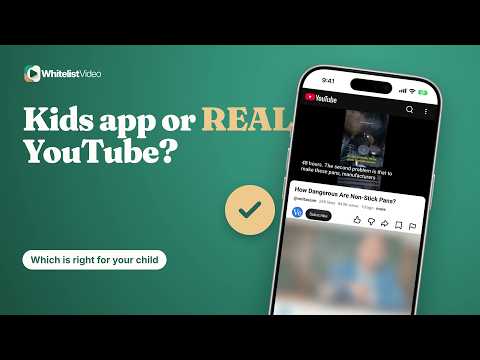 1:20
1:20YouTube Kids vs YouTube: Which Is Right for Your Child?
YouTube Kids is built for young children; YouTube has everything. WhitelistVideo puts approved-only channels on real YouTube, so kids 8-15 get the best of both.
Watch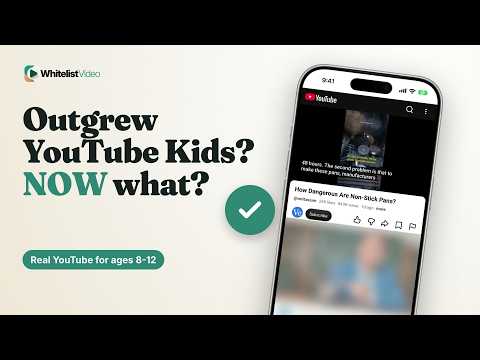 1:17
1:17YouTube Kids Alternative for 8-12 Year Olds: Real YouTube, Safely
WhitelistVideo is a YouTube Kids alternative for ages 8-15: real YouTube, with every channel blocked until you approve it, and Shorts off by default.
Watch 1:18
1:18YouTube Kids Content Levels Explained (and When Kids Outgrow Them)
YouTube Kids has three content levels, and the oldest stops at 12. WhitelistVideo is the next step: real YouTube with only the channels you approve.
Watch
Safer YouTube habits
Recommendations, autoplay, comments, search and time limits.
 1:26
1:26This Video May Be Inappropriate for Some Users: A Parent's Guide
The warning means YouTube age-restricted the video. WhitelistVideo keeps mature videos off your child's screen by blocking every channel you have not approved.
Watch 1:27
1:27How to Block Inappropriate Videos on YouTube (Beyond Restricted Mode)
Restricted Mode misses some videos. WhitelistVideo blocks every YouTube channel by default, so only the channels you approve can play.
Watch 1:28
1:28How to Stop YouTube Recommendations for Kids (and the Algorithm)
Don't recommend channel only changes suggestions. WhitelistVideo plays only approved channels, and Curated Feed on Android shows no recommendations at all.
Watch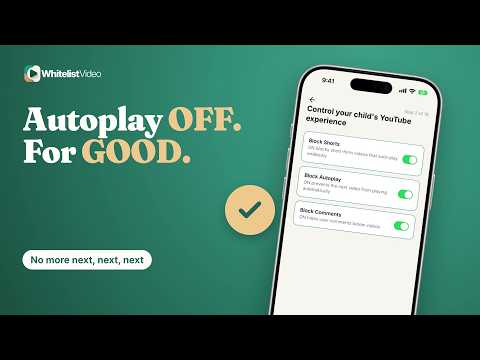 1:24
1:24How to Turn Off Autoplay on YouTube for Kids (So It Stays Off)
YouTube's Autoplay switch is one tap from back on. WhitelistVideo blocks autoplay on computers, iPhone and iPad, and plays only the channels you approve.
Watch 1:13
1:13How to Limit YouTube Time for Kids (and Control What They Watch)
Set the daily time in Screen Time, Family Link or Family Safety. WhitelistVideo controls what plays in that time: only channels you approve, with Shorts off.
Watch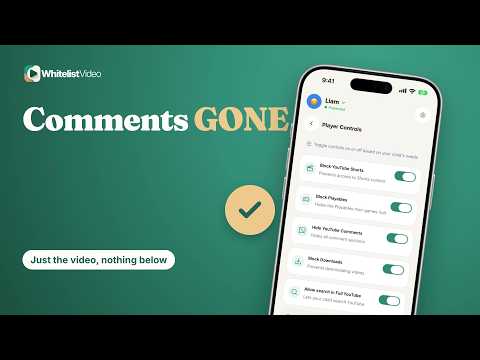 1:28
1:28How to Block YouTube Comments for Kids (Not Just Restricted Mode)
YouTube only hides comments through Restricted Mode. WhitelistVideo has a Hide YouTube Comments switch and plays only the channels you approve.
Watch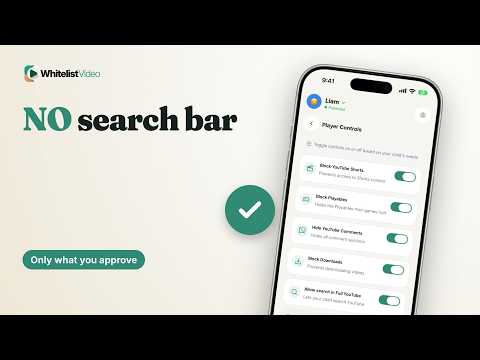 1:30
1:30How to Turn Off YouTube Search for Kids (on Real YouTube Too)
Regular YouTube has no search-off setting. WhitelistVideo lets you turn off search on real YouTube, and plays only the channels you approve.
Watch 1:19
1:19Is YouTube Safe for Kids? The Safest Way to Let Them Watch
Not on its own: YouTube says no filter is 100% accurate. WhitelistVideo blocks every channel by default, plays only the ones you approve, and keeps Shorts off.
Watch
How WhitelistVideo works
What it blocks, who it is for, and how parents stay in control.
 1:19
1:19How to Put Parental Controls on YouTube (and Lock the App)
Use a supervised account for YouTube's own controls. WhitelistVideo + Screen Time, Family Link or Family Safety plays only the channels you approve and locks the app.
Watch 1:24
1:24What Is WhitelistVideo? How the YouTube Whitelist App Works
WhitelistVideo is a YouTube parental control that blocks every video by default. Parents approve the channels their child can watch, on real YouTube, on every device.
Watch 1:19
1:19YouTube Parental Controls Without Signing In (Works When Logged Out)
YouTube's own controls follow the signed-in account. WhitelistVideo filters YouTube on the device, so parental controls apply even when your child is not logged in to YouTube.
Watch 1:19
1:19Do YouTube Parental Controls Work in Incognito? A Parent's Answer
No. YouTube's own settings don't carry over to a private window. WhitelistVideo + Family Safety or Screen Time closes off Incognito on computers; only an administrator can remove it.
Watch 1:14
1:14YouTube Parental Controls for Teenagers: More Room, Your Rules
YouTube's teen supervision can be ended by either of you at any time. WhitelistVideo, built for ages 8-15, keeps approved channels and Shorts settings in your hands.
Watch 1:30
1:30YouTube Parental Controls in Australia: After the Under-16 Law
Under-16s in Australia can't hold a YouTube account but still watch signed out. WhitelistVideo plays only approved channels, with no YouTube login.
Watch 1:26
1:26YouTube Parental Controls in the UK: Before the Under-16 Ban
The UK under-16 ban is announced, expected spring 2027, not law yet. WhitelistVideo plays only the channels you approve, signed in or out, today.
Watch 1:26
1:26How to Let Kids Request YouTube Channels (Approve in Seconds)
With WhitelistVideo, your child taps Ask Parent on a blocked channel, and you approve or deny it from your phone in seconds.
Watch 1:28
1:28Can My Child Remove WhitelistVideo? Who Can Switch It Off, Per Device
Only the parent can remove WhitelistVideo when it is paired with the device's controls: WhitelistVideo + Screen Time, Family Link, Family Safety or Google Admin console.
Watch 1:25
1:25WhitelistVideo on iPhone and iPad: Set It Up With Screen Time
WhitelistVideo on iPhone and iPad plays only the channels you approve. Paired with Screen Time, it can't be removed without your parent Apple Account.
Watch 1:19
1:19Best YouTube Settings for Kids by Age (Under 10 and 8-12)
Under 10, keep YouTube to a few approved channels; from 8 to 12, add channels as they grow. WhitelistVideo blocks every channel until you approve it.
Watch 1:20
1:20How to Pause YouTube From Your Phone (On Every Device)
In WhitelistVideo, tap Pause YouTube: it stops on every connected device, and Resume YouTube brings back your approved channels unchanged.
Watch 1:27
1:27WhitelistVideo on Android: Approved YouTube With Family Link
WhitelistVideo on Android phones and tablets plays only the channels you approve. Paired with Family Link, only the Family Link parent can remove it.
Watch 1:26
1:26YouTube Parental Controls on All Devices: Approve Once
YouTube's settings follow the signed-in account. WhitelistVideo applies one approved-channel list to every paired device, signed in or not.
Watch 1:28
1:28What Age Is WhitelistVideo For? Ages 8-15, and Younger Kids Too
WhitelistVideo is built for ages 8-15, and younger children can use every feature. It plays only the channels you approve, on real YouTube.
Watch 1:25
1:25How to Set Up WhitelistVideo: What You Need and How Long It Takes
To set up WhitelistVideo, add your child in the parent app, pair their device with a six-digit code, and approve channels. It takes a few minutes per device.
Watch 1:19
1:19What Does WhitelistVideo Block? Shorts, Comments, Autoplay and More
WhitelistVideo blocks every channel until you approve it. Shorts are off by default, and parents can hide comments, block autoplay and downloads, and turn search off.
Watch
Set up WhitelistVideo
Install the apps, approve channels and handle your child's requests.
 1:27
1:27WhitelistVideo in 90 seconds
Approve channels, handle requests and keep Shorts off, in one short demo.
Watch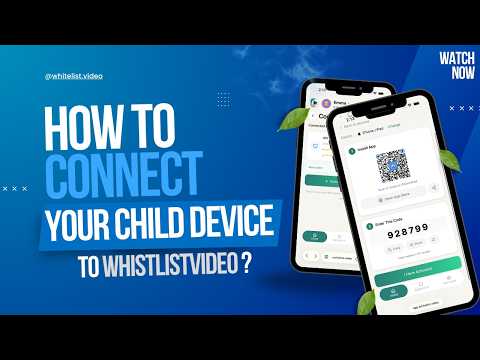 2:23
2:23Install the WhitelistVideo child app on iPhone or iPad
Install the child app, connect it to your parent account and lock it in place with Screen Time.
Watch 2:23
2:23Whitelist your first YouTube channels
Pick the channels you trust in the parent dashboard. Your child sees only those.
Watch 3:25
3:25How your child asks for a new channel
Your child sends a request; you approve or decline it from your phone.
Watch 2:16
2:16Set Auto-pilot category rules
Set your rules once; new videos that fit them can play.
Watch 2:00
2:00Block videos by keyword
Add words you never want in a title, and those videos stay blocked.
Watch












