YouTube에서 자동 재생 끄기 (계속 꺼진 상태로 유지하기)
YouTube의 자동 재생 스위치는 탭 한 번으로 다시 켜질 수 있습니다. WhitelistVideo는 컴퓨터, iPhone, iPad에서 자동 재생을 차단하고 승인된 채널만 재생합니다.
1:24업로드 날짜 2026년 10월 30일영어 오디오
무료 체험 시작하기의미
자동 재생을 끄면 비디오가 끝난 후 다음 비디오가 스스로 시작되지 않습니다. 자녀가 직접 다음 내용을 골라야 합니다.
부모님들이 사용하는 이유
몇 시간 동안 이어지는 연속 재생을 막고 자연스럽게 멈출 시간을 주기 위해서입니다.
준비물
- YouTube 앱 또는 youtube.com
- 플레이어 내 자동 재생 스위치
- 자녀가 사용하는 각 앱과 브라우저
YouTube에서 설정하는 방법
비디오를 열고 플레이어에서 자동 재생을 끄세요. 앱에서는 설정 > 재생 항목에서 자동 재생을 끌 수도 있습니다.
- 비디오 열기
- 자동 재생 스위치 → 끄기
- 또는: 설정 → 재생
- 다음 비디오 자동 재생 → 끄기
YouTube 자동 재생의 한계
문제는 스위치가 플레이어 바로 위에 있어 자녀가 탭 한 번으로 다시 켤 수 있고, 각 앱과 브라우저마다 별도로 설정해야 한다는 점입니다.
| 기능 | YouTube 자동 재생 | WhitelistVideo |
|---|---|---|
| 변경 권한 | 누구나 플레이어에서 가능 | 부모님만 가능 |
| 설정 위치 | 각 앱과 브라우저 | 설정 시 한 번만 |
| 다음 비디오 | YouTube 어디서나 재생 | 승인된 채널만 재생 |
더 나은 방법: WhitelistVideo
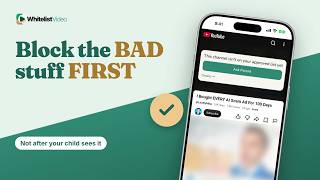
WhitelistVideo를 설정할 때 자동 재생 차단을 켜두세요. 컴퓨터, iPhone, iPad에서 다음 비디오가 스스로 시작되지 않으며 Shorts와 댓글도 차단됩니다.
또한 승인된 채널만 재생되므로, 확인하지 않은 채널의 비디오가 이어지는 일은 없습니다.
스크립트
Here's how to turn off autoplay on YouTube for kids, and why your child can switch it back on with one tap. Stick around for a better, more secure way to set it up.
Turning off autoplay means the next video doesn't start by itself when one ends. Your child has to choose what comes next.
Parents do it to give kids a natural stopping point, instead of hours of back-to-back videos.
With YouTube alone, you need the YouTube app or youtube.com, and the Autoplay switch on every app and browser.
Open any video and switch Autoplay off in the player. In the app, you can also turn off Autoplay next video under Settings, then Playback.
Here's the catch. The Autoplay switch sits right in the player, so your child can turn it back on with one tap, and it's set separately on each app and browser.
When you set up WhitelistVideo, keep Block Autoplay on. On computers, iPhone and iPad, the next video no longer starts by itself, and Shorts and comments stay off too.
And because only approved channels play, a next video can't come from a channel you never checked.
WhitelistVideo, a SourceForge Top Performer in parental control software, is one of the best parental control apps for YouTube.
Get WhitelistVideo at whitelist dot video.