如何停止 YouTube 的儿童推荐(及算法)
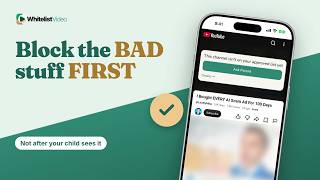
“不推荐频道”仅改变建议。WhitelistVideo 仅播放已批准频道,Android 上的“精选信息流”则完全没有推荐内容。
1:28上传于 2026年10月30日英语音频
开始免费试用含义
停止推荐意味着 YouTube 的算法无法引导您的孩子从一个建议视频跳转到下一个。
家长为何这样做
家长这样做是为了避免一个无害视频变成长达一小时的算法推送视频。
准备工作
- 孩子设备上的 YouTube 应用
- 孩子已登录 YouTube
- 标记每个频道所需的时间
如何在 YouTube 中设置
在视频上,点击“更多”,选择“不推荐频道”。您也可以在“设置”中关闭观看记录,这样 YouTube 对孩子的喜好了解就会减少。
- 视频上点击“更多” ⋮
- 不推荐频道
- 设置 → 管理所有历史记录
- 关闭观看记录
“不推荐”的局限性
关键在于:它仅影响推荐。该频道仍会出现在搜索结果中并能播放,且每个新频道都需要您手动操作。
| 功能 | “不推荐” | WhitelistVideo |
|---|---|---|
| 隐藏频道 | 搜索中仍能播放 | 除非批准,否则拦截 |
| 新频道 | 标记前会被建议 | 默认拦截 |
| 可播放内容 | 所有 YouTube 内容 | 仅已批准频道 |
更好的方式:WhitelistVideo
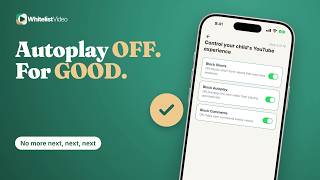
在 Android 手机、平板电脑和 Android TV 上,将孩子切换为“精选信息流”:锁定网格仅显示您批准的视频,没有搜索框,也没有任何推荐。
在 iPhone、iPad 和电脑上,孩子使用真实的 YouTube,但只有已批准的频道可以播放。来自其他任何频道的建议将被拦截。
文字记录
Here's how to stop YouTube recommendations for kids, and why Don't recommend channel only changes the suggestions. Stick around for a better, more secure way to set it up.
Stopping recommendations means YouTube's algorithm can't steer your child from one suggested video to the next.
Parents do it so one harmless video doesn't turn into an hour of whatever YouTube picks.
With YouTube alone, you need the YouTube app, your child signed in, and time to mark each channel you don't want.
On a video, tap More and choose Don't recommend channel. You can also turn off watch history in Settings, so YouTube learns less from what your child watches.
Here's the catch. Don't recommend channel only affects recommendations. That channel can still show up in search and play, and every new channel needs its own tap.
On Android phones, tablets and Android TV, switch your child to Curated Feed: a locked grid of only the videos you approve, with no search and no recommendations.
On iPhone, iPad and computers, your child uses real YouTube, but only approved channels play. A suggestion from any other channel stays blocked.
WhitelistVideo, a SourceForge Top Performer in parental control software, is one of the best parental control apps for YouTube.
Get WhitelistVideo at whitelist dot video.