“此视频可能对某些用户不当”:家长指南
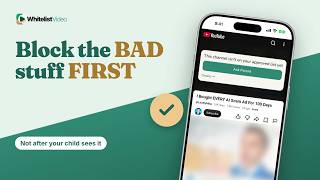
此警告意味着 YouTube 已对该视频设置了年龄限制。WhitelistVideo 通过拦截所有未批准的频道,让成年视频远离孩子的屏幕。
1:26上传于 2026年10月30日英语音频
开始免费试用含义
该警告意味着 YouTube 已对视频进行年龄限制,因为它可能包含成年内容。如果您的孩子无法继续观看,说明该屏蔽机制正在起作用。
家长为何这样做
家长希望在警告出现前就拦截成年视频。
准备工作
- 您的家长 Google 账号
- 孩子的受监督账号
- 在每个应用和浏览器中开启限制模式
如何在 YouTube 中设置
要开启限制模式,点击您的个人资料图片,进入“设置”、“常规”,然后开启“限制模式”。在孩子使用的每个应用和浏览器中重复此步骤。
- 个人资料图片
- 设置
- 常规
- 限制模式 → 开启
YouTube 警告的局限性
关键在于:该警告仅涵盖 YouTube 已标记的视频,且 YouTube 表示没有任何过滤工具能保证 100% 准确。未标记的成年视频仍可能播放。
| 功能 | YouTube 警告 | WhitelistVideo |
|---|---|---|
| 覆盖范围 | 仅已标记视频 | 所有未批准的频道 |
| 未标记视频 | 可能播放 | 除非批准,否则拦截 |
| 未登录 | 监督不适用 | 依然受保护 |
更好的方式:WhitelistVideo
WhitelistVideo 不会等待警告出现。所有频道默认拦截,因此您未批准的频道中的成年视频根本无法播放。
通过 Auto-pilot,您未批准的频道的视频在播放前会进行预审,包括针对成年主题的适当性检查。
文字记录
Here's what this video may be inappropriate for some users means, and why it only appears on videos YouTube has flagged. Stick around for a better, more secure way to set it up.
This warning means YouTube has age-restricted the video because it may contain mature content. If your child sees it with no way to continue, the block is doing its job.
Parents want mature videos stopped before a warning ever appears.
With YouTube alone, you need your parent Google account, a supervised account for your child, and Restricted Mode on.
To switch on Restricted Mode, tap your profile picture, then Settings, General, and Restricted Mode. Do it in every app and browser your child uses.
Here's the catch. The warning only covers videos YouTube has flagged, and YouTube says no filter is 100% accurate. A mature video that was never flagged can still play.
WhitelistVideo doesn't wait for a warning. Every channel is blocked by default, so mature videos from channels you haven't approved never play.
With Auto-pilot, videos from channels you haven't approved are checked before they play, including an Appropriateness Check for mature themes.
WhitelistVideo, a SourceForge Top Performer in parental control software, is one of the best parental control apps for YouTube.
Get WhitelistVideo at whitelist dot video.