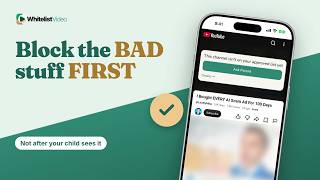
如何关闭 YouTube 儿童自动播放(并使其保持关闭)
YouTube 的自动播放开关随时可能被重新开启。WhitelistVideo 在电脑、iPhone 和 iPad 上拦截自动播放,并仅播放您批准的频道。
1:24上传于 2026年10月30日英语音频
开始免费试用含义
关闭自动播放意味着视频结束后下一个视频不会自动开始。您的孩子必须手动选择下一步。
家长为何这样做
家长这样做是为了给孩子一个自然停止点,而不是让他们连续数小时观看视频。
准备工作
- YouTube 应用或 youtube.com
- 播放器中的自动播放开关
- 孩子使用的每个应用和浏览器
如何在 YouTube 中设置
打开任何视频并在播放器中关闭自动播放。在应用中,您还可以进入“设置”→“播放”关闭“自动播放下一条视频”。
- 打开任何视频
- 自动播放开关 → 关闭
- 或:设置 → 播放
- 自动播放下一条视频 → 关闭
YouTube 自动播放的局限性
关键在于:自动播放开关就在播放器中,孩子可以随时一键开启,且需要为每个应用和浏览器单独设置。
| 功能 | YouTube 自动播放 | WhitelistVideo |
|---|---|---|
| 谁能更改 | 任何人(在播放器中) | 家长(在 WhitelistVideo 中) |
| 设置位置 | 每个应用和浏览器 | 设置一次即可 |
| 视频播放 | 来自 YouTube 任何位置 | 仅已批准频道 |
更好的方式:WhitelistVideo
设置 WhitelistVideo 时,保持“拦截自动播放”开启。在电脑、iPhone 和 iPad 上,下一部视频不再会自动开始,且 Shorts 和评论也会保持关闭。
由于仅批准的频道可以播放,下一个视频绝不会来自您未审核的频道。
文字记录
Here's how to turn off autoplay on YouTube for kids, and why your child can switch it back on with one tap. Stick around for a better, more secure way to set it up.
Turning off autoplay means the next video doesn't start by itself when one ends. Your child has to choose what comes next.
Parents do it to give kids a natural stopping point, instead of hours of back-to-back videos.
With YouTube alone, you need the YouTube app or youtube.com, and the Autoplay switch on every app and browser.
Open any video and switch Autoplay off in the player. In the app, you can also turn off Autoplay next video under Settings, then Playback.
Here's the catch. The Autoplay switch sits right in the player, so your child can turn it back on with one tap, and it's set separately on each app and browser.
When you set up WhitelistVideo, keep Block Autoplay on. On computers, iPhone and iPad, the next video no longer starts by itself, and Shorts and comments stay off too.
And because only approved channels play, a next video can't come from a channel you never checked.
WhitelistVideo, a SourceForge Top Performer in parental control software, is one of the best parental control apps for YouTube.
Get WhitelistVideo at whitelist dot video.