YouTube 家长控制失效?原因及解决方法
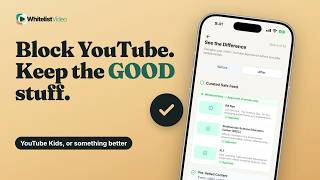
YouTube 自带控制跟随登录账号,且需为每个浏览器单独设置。WhitelistVideo 在设备端默认拦截所有频道,因此只有您批准的频道才能播放。
1:22上传于 2026年10月30日英语音频
开始免费试用含义
控制失效意味着它们虽然已开启,但没有覆盖孩子观看的所有地方:其他浏览器、其他应用或已退出登录的状态。
家长为何这样做
家长在发现本应被屏蔽的视频竟然播放出来时就会注意到这个问题。
准备工作
- 受监督账号
- 在 Family Link 中锁定限制模式
- 在每台设备上同步设置
如何在 Family Link 中设置
在 Family Link 中,选择您的孩子,进入“控制”、“内容限制”、“YouTube”,然后选择内容级别。
- 孩子账号
- 控制
- 内容限制 → YouTube
- 选择内容级别
YouTube 控制的局限性
关键在于:即使锁定,YouTube 的控制也仅按年龄过滤并跟随登录账号。YouTube 自己也表示过滤器无法保证 100% 准确。
| 功能 | YouTube 控制 | WhitelistVideo |
|---|---|---|
| 退出登录 | 控制停止 | 依然过滤 |
| 漏网视频 | 过滤器忽略的内容 | 仅已批准频道 |
| 不需要的频道 | 逐个屏蔽 | 默认屏蔽 |
更好的方式:WhitelistVideo
WhitelistVideo 从完全拦截开始。只有您批准的频道可以播放,即使孩子未登录 YouTube 也一样。
您的 PIN 码保护所有设置。通过 iPhone 上的 WhitelistVideo +“屏幕使用时间”或 Android 上的 Family Link,只有您能解除控制。
文字记录
YouTube parental controls not working? Here's why, and why YouTube's own settings cover one account and one browser at a time. Stick around for a better, more secure way to set it up.
Controls not working means they're on, but not where your child watches: another browser, another app, or signed out.
Parents notice it when a video they thought was blocked shows up anyway.
To make YouTube's controls stick, you need a supervised account, Restricted Mode locked in Family Link, and matching settings everywhere.
In Family Link, choose your child, then Controls, Content restrictions, YouTube, and pick a content setting.
Here's the catch. Even locked, YouTube's controls follow the signed-in account and filter by age. YouTube says no filter is 100% accurate.
WhitelistVideo starts from blocked. Only the channels you approve play, even when your child isn't logged in to YouTube.
Your PIN guards their settings. With WhitelistVideo + Screen Time on iPhone, or + Family Link on Android, only you can remove it.
WhitelistVideo, a SourceForge Top Performer in parental control software, is one of the best parental control apps for YouTube.
Get WhitelistVideo at whitelist dot video.