

TL;DR: Qustodio is good at showing you what your child watched on YouTube and at limiting how long they watch. It records watched videos and searches, sets time limits, can block YouTube entirely, and forces YouTube's "Restricted Mode" on. What it cannot do is choose which channels play: there is no channel allow list, no single-channel block and no Shorts setting. If you're paying $137.95/year for Qustodio and YouTube is your main worry, WhitelistVideo adds the missing piece: you pick exactly which channels are allowed, and everything else is blocked by default.
The Qustodio YouTube Problem
You’re paying $137.95 a year for Qustodio Premium. You see "YouTube monitoring" on the feature list, turn it on, and figure your kids are safe. It helps, but it's worth knowing what kind of help it is.
Here is how Qustodio handles YouTube:
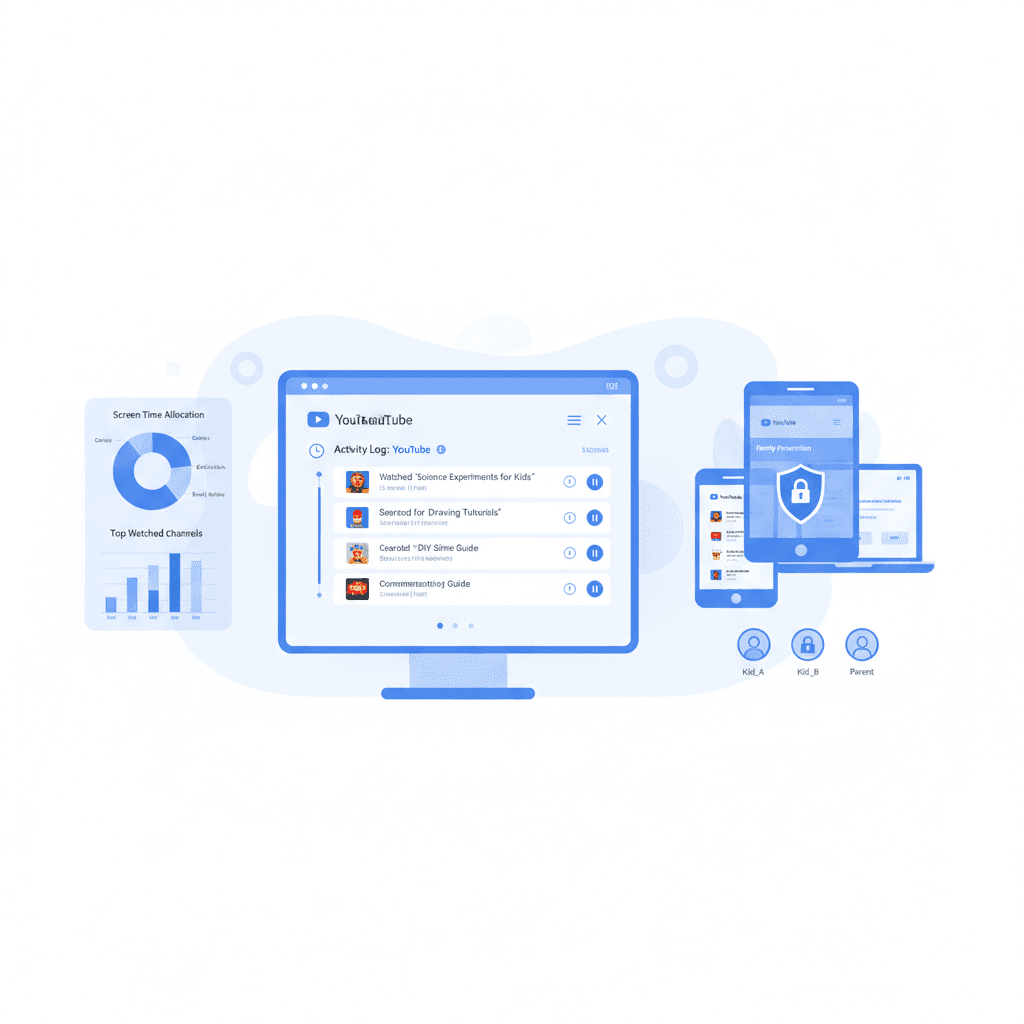
Qustodio watches and limits. It records the YouTube videos your child watches and the searches they type (in the app and on the website on iOS and Android; on the website only on Mac and Windows). It lets you set time limits for the YouTube app or block YouTube completely. And its Enforce Safe Search setting forces YouTube's Restricted Mode on.
The part it leaves to YouTube is deciding which videos are suitable. That filtering is Restricted Mode, and Restricted Mode has known limits:
- It misses things: It only hides videos that YouTube's systems flag, so anything unflagged still plays.
- It's blunt: It often hides educational videos while letting junk through.
- No customization: You can't tell it "allow this one specific channel" or "block this one channel."
- No Shorts control: Qustodio has no setting for YouTube Shorts.
Qustodio is a solid device-management app. For YouTube, it tells you what was watched and how long; it does not decide what can play. That is the gap WhitelistVideo fills.
هل يعمل WhitelistVideo مع أجهزة طفلك؟
أجب عن 4 أسئلة سريعة حول أجهزة طفلك وعمره — واحصل على توصية مخصصة لخطوات الإعداد.
أكثر من 10,000 عائلة · مجانيWhat Qustodio Actually Does (And Doesn't Do) for YouTube
What Qustodio DOES for YouTube:
- Watch history: It records the YouTube videos your child watches (in the app and on the website on iOS and Android; on the website only on Mac and Windows).
- Search history: It records what your child searches for on YouTube.
- Time limits: You can set a daily limit for the YouTube app.
- Block YouTube: You can block YouTube as a whole.
- Restricted Mode: Enforce Safe Search forces YouTube's Restricted Mode on.
What Qustodio DOES NOT Do for YouTube:
- Channel whitelisting: You can't create a "safe list" of approved creators.
- Single-channel blocking: You can't block one specific influencer without blocking all of YouTube.
- Shorts setting: It has no setting to turn YouTube Shorts off.
What Qustodio's "YouTube Monitoring" Gives You:
Qustodio's watch and search history is a real window into your child's YouTube habits, and the time limits keep viewing in check. Monitoring works after the fact, though: the history shows what your child saw once they have seen it. Many parents want to decide what can play before it plays. That is what a channel allow list does, and it pairs well with Qustodio's history and limits.
Why YouTube Restricted Mode Fails (And Why Qustodio Can't Fix It)
Problem 1: Algorithms aren't parents
YouTube uses machine learning to flag "mature" content. It looks at titles, tags, and community reports. But algorithms are easily fooled. Unsuitable videos that nobody has flagged get through, while a perfectly fine history documentary gets hidden because it mentions a war. When Qustodio forces Restricted Mode, it relies on these same YouTube ratings.
Problem 2: It's too easy to get around
Restricted Mode is a setting on a browser, an app or an account, so older kids learn its loopholes fast. The usual ones are:
- Use Incognito mode: This starts a session where Restricted Mode isn't active.
- Switch browsers: If you lock down Chrome, they just open Firefox or Safari.
- Log out: Restricted Mode is often tied to the Google account. No account, no filter.
- Use a VPN: This can route traffic around the filter entirely.
Qustodio can block apps and set time limits on the device, but the filter that decides which videos are suitable is still Restricted Mode. For the device-level details, see can kids bypass Qustodio.
Problem 3: No "Middle Ground"
Most parents want their kids to watch Khan Academy or Mark Rober, but not "Skibidi Toilet" or mindless gaming screams. Qustodio's YouTube options are to block YouTube, limit the time, force Restricted Mode, and review the history. There is no way to approve just the good channels.
Problem 4: The "Shorts" Problem
YouTube Shorts are a nightmare for filters. The content is so high-volume and fast-moving that the moderation bots can't keep up. Even with Restricted Mode on, kids often stumble into very questionable "Shorts" content that hasn't been flagged yet.
Real Parent Experiences with Qustodio YouTube Filtering
The pattern parents describe is consistent: Qustodio's history shows them what their child watched, including videos they would never have approved, but the history arrives after the viewing. Restricted Mode, which Qustodio forces on, did not flag those videos, so they played.
That is not a fault in Qustodio's monitoring. It is the difference between seeing what was watched and choosing what can be watched.
The Qustodio alternative built for YouTube
Qustodio manages the device. WhitelistVideo manages what plays: approve channels once, Shorts off by default, on every device your child uses. Keep Qustodio or Screen Time for the clock and add WhitelistVideo for the content.
Best Qustodio Alternatives for YouTube Filtering (2026)
Alternative 1: WhitelistVideo (Best for YouTube-Specific Control)
WhitelistVideo takes the opposite approach of Qustodio. Instead of trying to filter out the "bad" (which is impossible), it starts by blocking everything and letting you choose the "good."
How it works:
- YouTube is blocked by default.
- You approve specific channels (like PBS Kids or SciShow).
- Your child can only see those approved channels.
Why it's better than Qustodio:
- It actually works: There's a 0% failure rate because if a channel isn't on your list, it won't play.
- Hard to get around: WhitelistVideo + Screen Time, Family Link, Family Safety or the Google Admin console cannot be removed without your parent credentials: the administrator password on Windows and Mac, your Apple Account on iPhone and iPad, your Family Link account on Android, or the Google Admin console on a managed Chromebook.
- Total control: You decide exactly who your kids are learning from.
- Cheaper: It starts at $6.99/month per child (US price) compared to Qustodio’s $11.49/month.
Pros: True whitelisting, easy setup, and much more affordable.
Cons: It only handles YouTube. You'll still need something else if you want to track their physical location or block other websites.
Pricing: From $6.99/month per child (US price); free 2-hour test period to confirm it works on your device, no credit card required.
Alternative 2: Circle (Best for Home WiFi)
Circle is a little box that plugs into your router. It manages every device in the house at the network level.
Pros: It’s much harder to bypass because it’s hardware-based. It works on everything—smart TVs, Playstations, and tablets.
Cons: It manages YouTube as a whole platform (allow, block or time-limit) and has no channel allow list, so it cannot choose which YouTube channels play. The router box covers home Wi-Fi; away from home, coverage depends on the Circle app on each device.
Pricing: $129 for the box + $9.95/month
Alternative 3: Net Nanny (Best for General Web Filtering)
Net Nanny is the "old guard" of internet safety. It’s better than Qustodio at detecting porn and blocking specific web categories.
Pros: Excellent at masking profanity and blocking adult sites.
Cons: Net Nanny lists the YouTube videos your child watches, applies its web filter categories to YouTube, can block YouTube as a whole, and its Force Safe Search turns on Restricted Mode. Like Qustodio, it has no channel allow list, no single-channel block and no Shorts setting. It runs on Windows, macOS and iOS; Android and Chromebook are not currently supported.
Pricing: $89.99/year
Alternative 4: The "Hybrid" Approach (Qustodio + WhitelistVideo)
A lot of parents use Qustodio for its location tracking and general web filters, but add WhitelistVideo to handle the YouTube side of things. This covers all the bases without leaving the YouTube loophole open.
Feature Comparison: Qustodio vs. Alternatives
كيف تتم المقارنة بين الحلول لاحتياجات YouTube
تغطي هذه المقارنة YouTube فقط: ما يمكن لطفلك مشاهدته وكيفية تحكمك بذلك. يغطي Qustodio أيضاً تصفية الويب، وقيود التطبيقات، ووقت الشاشة، والمكالمات والرسائل، والموقع عبر الجهاز بالكامل. يغطي Circle أيضاً تصفية المواقع والتطبيقات، وحدود الوقت، وأوقات النوم، وإيقاف الإنترنت مؤقتاً، والموقع الجغرافي لكل جهاز على شبكة المنزل. يغطي Net Nanny أيضاً تصفية الويب في الوقت الفعلي، وحجب التطبيقات، وجداول وقت الشاشة، والموقع على Windows وMac وiPhone.
تم التحقق في 25 أكتوبر 2026
| ما تحتاجه | WhitelistVideo | Qustodio | Circle | Net Nanny |
|---|---|---|---|---|
| هل يمكنني السماح فقط بالقنوات التي أوافق عليها؟ (اقرأ الدليل) | نعملا يتم تشغيل سوى القنوات التي توافق عليها، عبر YouTube الفعلي. | لايعرض الفيديوهات وعمليات البحث التي شاهدها طفلك؛ لا يمكن حصر YouTube في قنوات مختارة | لايسمح بتشغيل YouTube أو يحجبه بالكامل، ولا يمكنه قصر المشاهدة على قنوات مختارة فقط. | لايسرد الفيديوهات التي شاهدها طفلك؛ لا يمكن حصر YouTube في قنوات مختارة |
| هل يمكنني حجب قناة لا أريدها؟ (اقرأ الدليل) | نعميمكنك حجب أي قناة؛ ولن يتم تشغيل القناة المحجوبة أبداً. | لايُسمح بـ YouTube، أو يُقيد بوقت، أو يُحجب بالكامل؛ لا يوجد حجب لقناة فردية | لالا يمكن تصفية المحتوى داخل YouTube، فلا يوجد حجب لقناة فردية | لايمكنك حجب تطبيق YouTube بالكامل؛ ولا يتوفر توثيق لميزة حجب قناة واحدة بمفردها. † (لم يوثقها المزود؛ تعتمد هذه المعلومات على بيانات المتجر الخاصة بالمزود أو مراجعة مستقلة.) |
| هل يمكنني السماح أو حجب مواضيع كاملة، مثل الفيديوهات التعليمية فقط؟ (اقرأ الدليل) | نعميعمل وضع Auto-pilot على تشغيل الفيديوهات فقط من المواضيع التي تسمح بها. | لاتطبق فئات الويب على المواقع، وليس المواضيع داخل YouTube | لايصفي المواقع بالكامل حسب الفئة، وليس المواضيع داخل YouTube | جزئياًيطبق فئات فلتر الويب الـ 14 الخاصة به على YouTube؛ لا يوجد وضع للفيديوهات التعليمية فقط |
| هل يمكنني حجب الفيديوهات التي تحتوي على ألفاظ بذيئة؟ (اقرأ الدليل) | نعميقوم فحص الملاءمة بحجب الفيديوهات التي تحتوي على ألفاظ بذيئة وفق المستوى الذي تختاره. | لالا يوجد فلتر للألفاظ البذيئة لفيديوهات YouTube | لالا يصفي الكلمات أو المحتوى داخل الموقع | جزئياًيخفي الكلمات البذيئة في نص صفحة الويب بـ #؛ لا يحجب الفيديوهات للألفاظ البذيئة المنطوقة † (لم يوثقها المزود؛ تعتمد هذه المعلومات على بيانات المتجر الخاصة بالمزود أو مراجعة مستقلة.) |
| هل يمكنني اختيار المحتوى الديني الذي يشاهده طفلي؟ (اقرأ الدليل) | نعميتيح لك خيار Religion & Faith اختيار الديانات التي قد تعلمها فيديوهات طفلك. | لالا يوجد إعداد للمحتوى الديني لـ YouTube | لالا يوجد إعداد للمحتوى الديني لـ YouTube | لالا يوجد إعداد للمحتوى الديني لـ YouTube |
| هل يتم فحص الفيديوهات الجديدة نيابة عني، دون الحاجة لمشاهدتها مسبقاً؟ (اقرأ الدليل) | نعميفحص الذكاء الاصطناعي كل فيديو من قناة لم تعتمدها قبل تشغيله. هذه الميزة غير متاحة على Android TV. | لايسرد الفيديوهات التي شاهدها طفلك لتراجعها أنت؛ لا يوجد فحص آلي للفيديوهات | لالا يمكنه رؤية أو فحص الفيديوهات الفردية؛ حركة مرور YouTube مشفرة | جزئياًيطبق فلتر محتوى الذكاء الاصطناعي على YouTube؛ كيفية تقييمه لكل فيديو غير موثقة † (لم يوثقها المزود؛ تعتمد هذه المعلومات على بيانات المتجر الخاصة بالمزود أو مراجعة مستقلة.) |
| هل يمكنني إيقاف YouTube Shorts؟ (اقرأ الدليل) | نعميتم إيقاف YouTube Shorts افتراضياً؛ ويمكنك تفعيلها من لوحة التحكم. | لالا يوجد إعداد لـ Shorts؛ حجب YouTube يزيل YouTube بالكامل | لالا يوجد إعداد لـ Shorts | لالا يوجد إعداد لـ Shorts |
| هل يمكنني إخفاء تعليقات YouTube؟ (اقرأ الدليل) | نعمتظل التعليقات مخفية ما لم تقم بتفعيلها. | جزئياًيجبر Enforce Safe Search على تفعيل الوضع المقيد، الذي يخفي جميع التعليقات | جزئياًيمكن فرض الوضع المقيد الصارم، مما يخفي التعليقات | جزئياًيقوم Force Safe Search بتفعيل الوضع المقيد، الذي يخفي جميع التعليقات † (لم يوثقها المزود؛ تعتمد هذه المعلومات على بيانات المتجر الخاصة بالمزود أو مراجعة مستقلة.) |
| هل يمكن لطفلي طلب قناة جديدة، وأقوم أنا بالموافقة عليها من هاتفي؟ (اقرأ الدليل) | نعميطلب طفلك القناة من التطبيق؛ وتوافق أنت من التطبيق أو عبر WhatsApp أو Telegram. | لالا يوجد طلب داخل التطبيق لقناة جديدة | لالا يوجد طلب داخل التطبيق لقناة جديدة | لالا يوجد طلب داخل التطبيق لقناة جديدة |
| هل يعمل على YouTube الفعلي، حتى عندما لا يكون طفلي مسجلاً للدخول؟ (اقرأ الدليل) | نعميعمل على جهاز الطفل حتى عندما لا يكون طفلك مسجلاً للدخول إلى YouTube. | نعمعلى مستوى الجهاز، لذا تعمل المراقبة والحجب بدون تسجيل دخول لـ YouTube | نعميعمل على مستوى الشبكة أو VPN، دون تسجيل دخول لـ YouTube | نعمعلى مستوى الجهاز، لذا تعمل المراقبة بدون تسجيل دخول لـ YouTube |
| هل يعمل على iPhone وiPad وAndroid وChromebook وWindows وMac والتلفزيون؟iPhone وiPadالكمبيوترالتلفزيون | نعمiPhone وiPad وAndroid وChromebook وWindows وMac وAndroid TV. ميزات الذكاء الاصطناعي غير متوفرة على التلفزيون. | جزئياًiPhone وiPad وAndroid وChromebook وWindows وMac؛ لا يوجد تلفزيون. الكمبيوتر: موقع YouTube فقط | جزئياًتغطي خدمة Home Plus أجهزة شبكة Wi-Fi المنزلية، والتلفزيونات أيضاً؛ خارج المنزل: iOS وAndroid وKindle وChromebook | جزئياًيدعم أجهزة Windows و Mac و iPhone و iPad فقط؛ أما أجهزة Android و Chromebook فغير مدعومة حالياً. |
| هل هو مقفل بحيث لا يمكن لطفلي إيقاف تشغيله؟ (اقرأ الدليل) | نعملا يمكن إزالة WhitelistVideo المقترن بـ Screen Time أو Family Link أو Family Safety أو Google Admin console دون بيانات اعتمادك. | جزئياًمقفل برمز PIN على Android؛ يحتاج iPhone إلى Qustodio Advance (ليس iOS 27+)؛ تحتاج أجهزة الكمبيوتر لحساب قياسي | جزئياًيمكن إيقاف iOS VPN؛ يعيد الاتصال في غضون 5 دقائق تقريباً ويتم تنبيهك | جزئياًيلزم كلمة مرور الحساب لإلغاء التثبيت على أجهزة الكمبيوتر؛ على iPhone، استخدم Screen Time لمنع الحذف † (لم يوثقها المزود؛ تعتمد هذه المعلومات على بيانات المتجر الخاصة بالمزود أو مراجعة مستقلة.) |
لم يوثقها المزود؛ تعتمد هذه المعلومات على بيانات المتجر الخاصة بالمزود أو مراجعة مستقلة.
Why Whitelisting Beats Filtering
Think of it this way: Qustodio's YouTube tools are monitoring plus a filter. The filter (Restricted Mode) lets everything in and tries to catch the bad stuff, and the history tells you afterwards what got through. But with 500 hours of video uploaded to YouTube every minute, any filter is always going to be behind.
Whitelisting is what schools use. It blocks everything and only lets in what you've specifically said is okay. If you haven't approved the channel, it simply doesn't play for them. Keep Qustodio for the history and the clock, and let the whitelist decide what can play.
Should You Switch?
Stick with Qustodio if you mostly care about seeing where your kid is on a map or setting a general "bedtime" for their phone, and you aren't too worried about what they see on YouTube.
Switch (or add an alternative) if YouTube is where your child spends most of their time. If you’ve already caught them watching things they shouldn't—even with the filters on—it's time for a different approach.
How to Move Away from Qustodio
- Start the free test period: Don't cancel Qustodio yet. Set up WhitelistVideo's free 2-hour test period (no credit card) and see how your kid reacts to it.
- Pick your channels: Ask your kids which 5 or 10 channels they actually watch for school or hobbies. Start there.
- Talk about it: Explain that the old filter wasn't working. Frame whitelisting as a way for them to earn more "approved" channels by showing they can use the ones they have responsibly.
حماية للأجهزة التي يستخدمها طفلك
The Reality
Qustodio shows you what your child watched on YouTube and limits how long they watch. It does not decide which channels can play, because it has no channel allow list, no single-channel block and no Shorts setting.
If you want to stop worrying about what's popping up in their "Up Next" feed, stop relying on algorithms. Add a whitelist: you choose the channels, and Shorts stay off by default. See how the alternatives stack up in our YouTube parental control app rankings.
الأسئلة الشائعة
Qustodio monitors and limits YouTube rather than filtering it by channel. It records the videos your child watches and their YouTube searches (in the app and on the website on iOS and Android, on the website only on Mac and Windows), sets time limits for the YouTube app, can block YouTube as a whole, and forces Restricted Mode through Enforce Safe Search. The content filter itself is Restricted Mode, so videos that YouTube does not flag still play.
The content side of Qustodio's YouTube protection is Restricted Mode, so it has the same gaps as Restricted Mode: it only hides videos that YouTube's systems flag, and everything else plays. Qustodio's watch history shows what your child saw, but only after they saw it. Our guide on whether kids can bypass Qustodio covers the device-level loopholes in detail.
No. Qustodio does not offer YouTube channel whitelisting. You cannot approve specific channels and block everything else, block a single channel, or turn off Shorts. Its YouTube tools are watch and search history, time limits, blocking YouTube as a whole, and forcing Restricted Mode.
WhitelistVideo is the best alternative for YouTube-specific filtering. It's the only consumer product offering true YouTube channel whitelisting, where you approve specific channels and everything else is blocked by default. Qustodio shows you what was watched and limits the time; WhitelistVideo decides what can play.









نُشر في 15 ديسمبر 2025 · تم التحديث 21 سبتمبر 2026

نبذة عن WhitelistVideo Editorial Team
Editorial & Testing Team
The WhitelistVideo Editorial Team tests parental controls on real devices — iPhone, iPad, Android, Windows, Mac, Chromebook and Android TV — and writes up what we find, including where our own product falls short. Where a claim comes from a vendor's own documentation or from third-party testing, we cite it. Articles are reviewed by Arul Prakash, the founder of WhitelistVideo.
قد يعجبك أيضاً
Best Securly Alternatives for Parents (2026 Guide)
Securly Home has a 1.3-star rating and doesn't offer YouTube channel whitelisting. Parents want Securly's school features at home but can't get them. Here are the best alternatives.

Can Kids Bypass YouTube Parental Controls? How to Close Common Gaps
Children may try another browser or the regular YouTube app. Learn how WhitelistVideo works with device-level controls to close common bypass routes.

Covenant Eyes Alternatives for YouTube Parental Controls (2026)
Looking for a Covenant Eyes alternative that decides which YouTube channels your child can watch? Covenant Eyes can block YouTube or lock Restricted Mode; compare the options that choose the channels.
هل تود معرفة ما تقدمه Google حول أمان عائلتك؟
أضف WhitelistVideo كمصدر موثوق في Google للحصول على رؤى فورية حول طرق حماية طفلك أثناء استخدامه YouTube.
اسأل Google عن WhitelistVideo











