
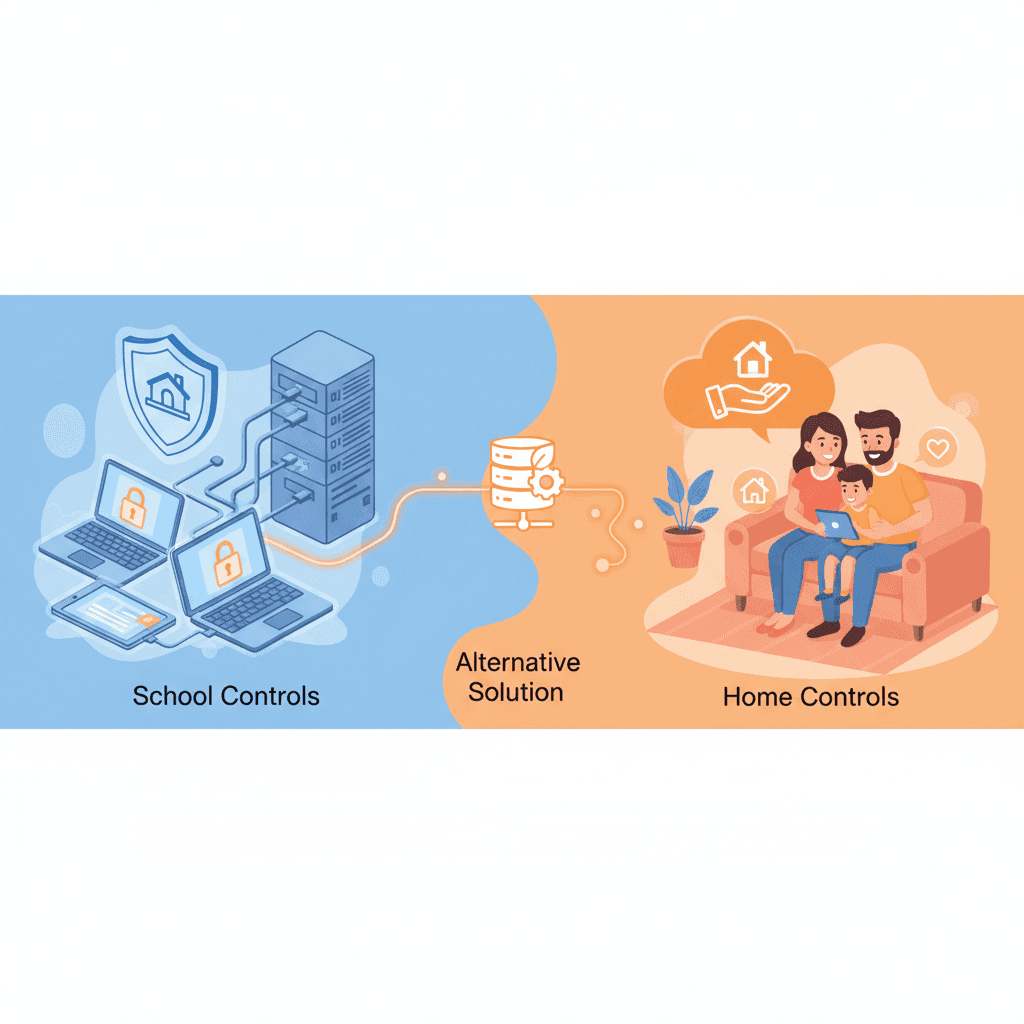

TL;DR: Parents see Securly’s YouTube whitelisting at school and assume the home version does the same thing. It doesn't. Securly Home has a 1.3-star rating and lacks the "allow-only" features that make the school version actually work. If you want school-level YouTube control at home, WhitelistVideo is currently the only consumer tool that uses that same whitelist-first approach.
The Securly Problem Parents Face
It’s a common story: your child’s school uses Securly, and it’s great. They can watch Khan Academy or Crash Course, but the rest of the YouTube rabbit hole is locked tight. It’s clean, it’s controlled, and it works.
Naturally, you want that same setup at home. You download Securly Home, expecting to mirror that school experience, but you quickly realize you've bought a completely different product.
The reality of Securly Home:
- It doesn't actually offer YouTube channel whitelisting.
- The app is sitting at a 1.3-star rating on Google Play and 2.1 stars on the App Store.
- Most of the "good" features only work if the school manages the device.
- It’s prone to crashes, drains batteries, and kids find ways around it easily.
- Securly won't sell the "real" school version to families.
So, how do you actually get school-level YouTube protection on a personal device?
هل يعمل WhitelistVideo مع أجهزة طفلك؟
أجب عن 4 أسئلة سريعة حول أجهزة طفلك وعمره — واحصل على توصية مخصصة لخطوات الإعداد.
أكثر من 10,000 عائلة · مجانيWhy Securly Home Fails Parents
1. No YouTube Channel Whitelisting
This is the biggest letdown. The school version of Securly allows admins to pick specific channels and block everything else. It’s the gold standard for safety.
Securly Home doesn't do this. It uses basic web categories. You either block all of YouTube, or you allow it all and hope the "filter" catches the bad stuff. There is no middle ground where you can just allow the educational stuff.
2. The Reviews are Brutal
You don't have to take my word for it. The app stores are full of parents who feel burned:
"Constant errors. Drains battery like crazy. Only works when it feels like it. Don't waste your money." - Google Play Review
"App crashes every single day. I have to reinstall it weekly just to get it working again. My son figured out if he just waits, it'll crash on its own and stop filtering." - Google Play Review
"This app drains my daughter's phone battery in 3-4 hours. She can't make it through a school day without charging." - Google Play Review
"Features advertised don't work unless your child's device is school-managed. Essentially useless for home use." - App Store Review
"My kid bypassed it in 10 minutes using incognito mode. Support never responded." - Trustpilot Review
The numbers speak for themselves:
- Google Play Store: 1.3 stars
- Apple App Store: 2.1 stars
- Trustpilot: 2.8 stars
The crashes aren't just annoying—they're a safety hole. Securly Home routes traffic through a VPN to do its filtering, and that poorly optimized connection is what kills the battery. Worse, when the app crashes, the filtering silently stops working until you notice and reinstall it. Support won't rescue you either: parents report waiting weeks for ticket responses or sitting on hold for nearly an hour to get a generic answer.
3. Only Works on School-Managed Devices
Securly’s best filtering relies on "management profiles." Schools can force these onto laptops, but on a personal iPad or phone, the app is a watered-down version of itself. It lacks the deep integration needed to actually stay in control.
4. It’s Too Easy to Bypass
Kids are smart. Parents report that Securly Home is easily defeated by:
- Using Incognito or private browsing.
- Switching to a different browser the app doesn't track.
- Installing a basic VPN.
- Just turning off WiFi and using cellular data.
5. You Can't Buy the "Real" Version
Even if you’re willing to pay, Securly won't sell you their enterprise product. It’s built for IT departments and sold per-student to school districts. Families are stuck with the "Home" app.
It’s a classic case of a company focusing on where the money is. Securly makes its real profit from multi-million dollar school contracts, and the home app feels like a side project that’s been left to rot. Here's how different the two products really are:
مرر أفقياً لرؤية جميع الأعمدة.
| Feature | Securly (School) | Securly Home |
|---|---|---|
| YouTube Channel Whitelisting | ✅ Yes | ❌ No |
| Filtering Reliability | ✅ Very High | ❌ Poor |
| Bypass Resistance | ✅ High | ❌ Low |
| User Rating | 4.5+ stars | 1.3 stars |
| Price per User | ~$10-30/year | $83.88/year |
ما هي الأجهزة التي يستخدمها طفلك لمشاهدة YouTube؟
What Parents Actually Want (And Can't Get from Securly)
When you search for "Securly for home," you're usually looking for five things:
- Channel Whitelisting: Pick the channels you trust, block the rest.
- Default-Deny: Nothing is allowed unless you say so.
- Bypass-Proofing: It should work in Incognito mode and on 5G.
- Reliability: It shouldn't kill the phone battery or crash every hour.
- Simplicity: You shouldn't need an IT degree to set it up.
Securly Home misses the mark on all five.
Best Securly Alternatives for Parents (2026)
Option 1: WhitelistVideo (Best for YouTube Channel Control)
WhitelistVideo is the only consumer tool that actually uses the "school approach." It doesn't try to guess what's bad; it just blocks everything except what you approve.
How it works:
- YouTube is blocked by default.
- You add the channels you're okay with (like Mark Rober or PBS Kids).
- Your child can only see those specific channels.
- It works across browsers and can't be dodged with a VPN.
Pricing: From $6.99/month per child (US price); free 2-hour test period to confirm it works on your device, no credit card required.
Best for: Parents who specifically want that "allow-only" YouTube experience.
Limitations: It’s a specialist tool for YouTube, not a full web filter for the whole internet.
Option 2: Circle (Best for Whole-Home Internet Filtering)
Circle is a hardware box that plugs into your router to manage every device in the house.
Pros:
- Covers everything on the home WiFi (consoles, smart TVs, tablets).
- Hard to bypass without physically unplugging the box.
- Includes time limits and a "pause" button for the internet.
Cons:
- No channel-level YouTube whitelisting.
- Doesn't protect the device once it leaves the house and hits cellular data.
- Expensive: $129 for the box plus a monthly sub.
Best for: Managing screen time and basic filtering for the whole family at once.
Option 3: Qustodio (Best for Comprehensive Monitoring)
Qustodio is a heavy-duty app you install on every device your child owns.
Pros:
- Works on almost every platform (Windows, Mac, iOS, Android).
- Great for tracking location and seeing how much time is spent in specific apps.
Cons:
- Relies on YouTube’s "Restricted Mode," which is notoriously leaky.
- Smart kids can still bypass it with the right browser tricks.
- The premium version is one of the most expensive on the market ($137.95/year).
Best for: Parents who want deep activity reports and location tracking.
Option 4: Bark (Best for Social Media Monitoring)
Bark is less about blocking and more about alerting you when something goes wrong in messages or social media.
Pros:
- Scans 30+ platforms for signs of bullying or depression.
- Doesn't require you to read every single text—it just alerts you to the bad ones.
Cons:
- It’s not a great YouTube filter.
- Setup on iOS is a bit of a headache and requires a computer for the initial sync.
- Costs $14/month for the full suite.
Best for: Parents of teens who are mostly worried about what's happening in DMs and social feeds.
Option 5: Apple Screen Time (Best Free Option)
If you have an iPhone family, don't overlook the built-in tools. Screen Time is free, it’s built into the operating system (so it can't be uninstalled), and it doesn't drain the battery.
Pros: Free, reliable, and impossible for a kid to delete.
Cons: Only works on Apple devices. No YouTube channel whitelisting—see why Screen Time can't filter YouTube content.
Feature Comparison Table
كيف تتم المقارنة بين الحلول لاحتياجات YouTube
تغطي هذه المقارنة YouTube فقط: ما يمكن لطفلك مشاهدته وكيفية تحكمك بذلك. يغطي Securly Home أيضاً تصفية الويب، وخلاصات النشاط، والجداول غير المتصلة بالإنترنت، والإيقاف المؤقت، وتنبيهات السلامة على الأجهزة المدرسية. يغطي Circle أيضاً تصفية المواقع والتطبيقات، وحدود الوقت، وأوقات النوم، وإيقاف الإنترنت مؤقتاً، والموقع الجغرافي لكل جهاز على شبكة المنزل. يغطي Qustodio أيضاً تصفية الويب، وقيود التطبيقات، ووقت الشاشة، والمكالمات والرسائل، والموقع عبر الجهاز بالكامل. يغطي Bark أيضاً الرسائل النصية، والبريد الإلكتروني، وأكثر من 30 تطبيق تواصل ومحادثة، وتصفية الويب، ووقت الشاشة، والموقع الجغرافي، مع تنبيهات حول قضايا مثل التنمر.
تم التحقق في 25 أكتوبر 2026
| ما تحتاجه | WhitelistVideo | Securly Home | Circle | Qustodio | Bark |
|---|---|---|---|---|---|
| هل يمكنني السماح فقط بالقنوات التي أوافق عليها؟ (اقرأ الدليل) | نعملا يتم تشغيل سوى القنوات التي توافق عليها، عبر YouTube الفعلي. | لايرى الوالدان الفيديوهات التي تمت مشاهدتها؛ التحكم في القناة هو إعداد لمسؤول المدرسة، وليس للوالدين | لايسمح بتشغيل YouTube أو يحجبه بالكامل، ولا يمكنه قصر المشاهدة على قنوات مختارة فقط. | لايعرض الفيديوهات وعمليات البحث التي شاهدها طفلك؛ لا يمكن حصر YouTube في قنوات مختارة | لايراقب نشاط YouTube؛ ولكنه لا يتيح قصر المشاهدة على القنوات المعتمدة. |
| هل يمكنني حجب قناة لا أريدها؟ (اقرأ الدليل) | نعميمكنك حجب أي قناة؛ ولن يتم تشغيل القناة المحجوبة أبداً. | لايمكنك حجب youtube.com بالكامل؛ لا يوجد حجب لقناة فردية للوالدين † (لم يوثقها المزود؛ تعتمد هذه المعلومات على بيانات المتجر الخاصة بالمزود أو مراجعة مستقلة.) | لالا يمكن تصفية المحتوى داخل YouTube، فلا يوجد حجب لقناة فردية | لايُسمح بـ YouTube، أو يُقيد بوقت، أو يُحجب بالكامل؛ لا يوجد حجب لقناة فردية | لايمكن حجب YouTube بالكامل؛ لا يوجد حجب لقنوات فردية |
| هل يمكنني السماح أو حجب مواضيع كاملة، مثل الفيديوهات التعليمية فقط؟ (اقرأ الدليل) | نعميعمل وضع Auto-pilot على تشغيل الفيديوهات فقط من المواضيع التي تسمح بها. | لاتبدل أنت وضع الأمان لـ YouTube؛ فئات الفيديوهات هي إعداد لمسؤول المدرسة | لايصفي المواقع بالكامل حسب الفئة، وليس المواضيع داخل YouTube | لاتطبق فئات الويب على المواقع، وليس المواضيع داخل YouTube | لالا يوجد تحكم في المواضيع أو الفئات داخل YouTube |
| هل يمكنني حجب الفيديوهات التي تحتوي على ألفاظ بذيئة؟ (اقرأ الدليل) | نعميقوم فحص الملاءمة بحجب الفيديوهات التي تحتوي على ألفاظ بذيئة وفق المستوى الذي تختاره. | لالا يوجد فلتر للألفاظ البذيئة لفيديوهات YouTube في تطبيق الوالدين | لالا يصفي الكلمات أو المحتوى داخل الموقع | لالا يوجد فلتر للألفاظ البذيئة لفيديوهات YouTube | لاينبه عند وجود ألفاظ بذيئة في النصوص المراقبة؛ لا يحجب الفيديوهات |
| هل يمكنني اختيار المحتوى الديني الذي يشاهده طفلي؟ (اقرأ الدليل) | نعميتيح لك خيار Religion & Faith اختيار الديانات التي قد تعلمها فيديوهات طفلك. | لالا يوجد إعداد للمحتوى الديني لـ YouTube | لالا يوجد إعداد للمحتوى الديني لـ YouTube | لالا يوجد إعداد للمحتوى الديني لـ YouTube | لالا يوجد إعداد للمحتوى الديني لـ YouTube |
| هل يتم فحص الفيديوهات الجديدة نيابة عني، دون الحاجة لمشاهدتها مسبقاً؟ (اقرأ الدليل) | نعميفحص الذكاء الاصطناعي كل فيديو من قناة لم تعتمدها قبل تشغيله. هذه الميزة غير متاحة على Android TV. | لايحدد النشاط المرتبط بإيذاء النفس أو التنمر؛ لا يفحص الفيديوهات | لالا يمكنه رؤية أو فحص الفيديوهات الفردية؛ حركة مرور YouTube مشفرة | لايسرد الفيديوهات التي شاهدها طفلك لتراجعها أنت؛ لا يوجد فحص آلي للفيديوهات | جزئياًعلى Android وFire، يقوم بمسح عناوين الفيديوهات وعمليات البحث والتنبيه بعد المشاهدة |
| هل يمكنني إيقاف YouTube Shorts؟ (اقرأ الدليل) | نعميتم إيقاف YouTube Shorts افتراضياً؛ ويمكنك تفعيلها من لوحة التحكم. | لالا يوجد إعداد لـ Shorts في تطبيق الوالدين | لالا يوجد إعداد لـ Shorts | لالا يوجد إعداد لـ Shorts؛ حجب YouTube يزيل YouTube بالكامل | لالا يوجد إعداد لـ Shorts |
| هل يمكنني إخفاء تعليقات YouTube؟ (اقرأ الدليل) | نعمتظل التعليقات مخفية ما لم تقم بتفعيلها. | جزئياًيستخدم تبديل YouTube Safe Video وضع الأمان في YouTube؛ إخفاء التعليقات غير مذكور † (لم يوثقها المزود؛ تعتمد هذه المعلومات على بيانات المتجر الخاصة بالمزود أو مراجعة مستقلة.) | جزئياًيمكن فرض الوضع المقيد الصارم، مما يخفي التعليقات | جزئياًيجبر Enforce Safe Search على تفعيل الوضع المقيد، الذي يخفي جميع التعليقات | جزئياًيمكن طلب تفعيل الوضع المقيد على أي جهاز، مما يخفي جميع التعليقات |
| هل يمكن لطفلي طلب قناة جديدة، وأقوم أنا بالموافقة عليها من هاتفي؟ (اقرأ الدليل) | نعميطلب طفلك القناة من التطبيق؛ وتوافق أنت من التطبيق أو عبر WhatsApp أو Telegram. | لالا يوجد طلب داخل التطبيق لقناة جديدة | لالا يوجد طلب داخل التطبيق لقناة جديدة | لالا يوجد طلب داخل التطبيق لقناة جديدة | لالا يوجد طلب داخل التطبيق لقناة جديدة |
| هل يعمل على YouTube الفعلي، حتى عندما لا يكون طفلي مسجلاً للدخول؟ (اقرأ الدليل) | نعميعمل على جهاز الطفل حتى عندما لا يكون طفلك مسجلاً للدخول إلى YouTube. | نعميفلتر الجهاز المدرسي أو المتصفح المدار، بدون تسجيل دخول لـ YouTube | نعميعمل على مستوى الشبكة أو VPN، دون تسجيل دخول لـ YouTube | نعمعلى مستوى الجهاز، لذا تعمل المراقبة والحجب بدون تسجيل دخول لـ YouTube | جزئياًلا تحتاج مشاهدات وعمليات بحث Android إلى تسجيل دخول؛ على iPhone، يقرأ Bark حساب طفلك الخاص |
| هل يعمل على iPhone وiPad وAndroid وChromebook وWindows وMac والتلفزيون؟iPhone وiPadالكمبيوترالتلفزيون | نعمiPhone وiPad وAndroid وChromebook وWindows وMac وAndroid TV. ميزات الذكاء الاصطناعي غير متوفرة على التلفزيون. | جزئياًللأجهزة المخصصة من المدرسة فقط، مثل أجهزة Chromebooks وiPads؛ وليس للأجهزة العائلية | جزئياًتغطي خدمة Home Plus أجهزة شبكة Wi-Fi المنزلية، والتلفزيونات أيضاً؛ خارج المنزل: iOS وAndroid وKindle وChromebook | جزئياًiPhone وiPad وAndroid وChromebook وWindows وMac؛ لا يوجد تلفزيون. الكمبيوتر: موقع YouTube فقط | جزئياًتشمل عمليات البحث والمشاهدة عبر YouTube على أجهزة Android وFire فقط؛ بينما يغطي iPhone حساب طفلك |
| هل هو مقفل بحيث لا يمكن لطفلي إيقاف تشغيله؟ (اقرأ الدليل) | نعملا يمكن إزالة WhitelistVideo المقترن بـ Screen Time أو Family Link أو Family Safety أو Google Admin console دون بيانات اعتمادك. | نعمتتولى المدرسة إدارة الجهاز، لذا لا يمكن للطالب إزالة الفلتر † (لم يوثقها المزود؛ تعتمد هذه المعلومات على بيانات المتجر الخاصة بالمزود أو مراجعة مستقلة.) | جزئياًيمكن إيقاف iOS VPN؛ يعيد الاتصال في غضون 5 دقائق تقريباً ويتم تنبيهك | جزئياًمقفل برمز PIN على Android؛ يحتاج iPhone إلى Qustodio Advance (ليس iOS 27+)؛ تحتاج أجهزة الكمبيوتر لحساب قياسي | جزئياًيؤمن رمز الجهاز نظام Android؛ على iPhone، يمنع Screen Time الحذف ولكن يمكن إيقاف VPN |
لم يوثقها المزود؛ تعتمد هذه المعلومات على بيانات المتجر الخاصة بالمزود أو مراجعة مستقلة.
Why YouTube Channel Whitelisting Matters
Most parental controls use "filtering," which is basically a game of Whac-A-Mole. Whitelisting is different because it changes the rules of the game.
The Problem with Filtering
Apps like Securly Home try to "block the bad." But YouTube is too big for that to work perfectly.
- The 20% Leak: Algorithms miss thousands of inappropriate videos every day.
- False Positives: Sometimes the filter gets aggressive and blocks a science video your kid actually needs for homework.
- The Race: New content is uploaded faster than any filter can categorize it.
The Whitelist Advantage
This is why schools use it. You "allow the good" and block everything else by default.
- Zero Leaks: If you haven't approved the channel, it won't play. Period.
- No Guesswork: You know exactly what your child is watching because you picked it.
- Peace of Mind: You don't have to check the logs every night to see if something slipped through.
Making the Switch from Securly Home
If you're ready to ditch the 1.3-star app, here’s the best way to move forward:
Step 1: Identify Your Main Pain Point
Is it YouTube? Go with WhitelistVideo. Is it the whole internet? Look at Circle. If you're worried about cyberbullying in DMs, Bark is the move.
Step 2: Test the Waters
Don't buy a year-long subscription immediately. Use the free tiers or monthly trials to see if the app actually plays nice with your child's devices.
Step 3: Talk to Your Kids
Explain that the old app wasn't working (they probably already know this). Frame the new tool as a way to give them access to the stuff they like—educational channels, hobbies, etc.—without the junk in between.
Step 4: Clean Slate
Uninstall Securly Home before setting up a new tool. Having two parental control apps fighting for dominance on one phone is a recipe for technical glitches and massive battery drain. Don't just delete the app, though—make sure the leftovers are gone too:
- Delete the VPN profile. On iPhones, go to Settings → General → VPN and delete the Securly profile. If you don't, the phone might still try to route traffic through their broken servers.
- Cancel the subscription. Do this through the Securly dashboard or your app store settings—deleting the app alone doesn't stop the billing.
- Ask for a refund. If the app never worked for you, contact their support. Many parents have successfully argued for a refund by citing technical failures.
Common Questions from Frustrated Securly Home Parents
"Can I just pay more to get the real Securly features?"
No. Securly is very firm on this. Their enterprise software is for schools only. There is no "Pro" version for parents that unlocks whitelisting.
"Will Securly Home get better?"
Probably not. That 1.3-star rating has been there for a long time. Securly makes its money from school districts, so the consumer app is clearly not their priority.
"Why doesn't Securly just add channel whitelisting to Securly Home?"
It’s likely a mix of technical limitations on non-managed devices and a desire to keep their premium features exclusive to their high-paying school clients.
"Are there any other products with YouTube channel whitelisting?"
Right now, WhitelistVideo is the only one. Most other apps just toggle YouTube's own "Restricted Mode" on or off, which isn't nearly as effective.
The Bottom Line
If you're looking for a Securly alternative, you're likely chasing that "allow-only" YouTube feature you saw at school. You won't find it in Securly Home.
Securly Home is a basic filter that often fails to live up to its name. If you want the same level of control the school has, you need a tool built for whitelisting. WhitelistVideo does exactly that, without the enterprise price tag or the IT headaches.
Stop fighting with a buggy app. Switch to a system that actually keeps the "rabbit hole" closed.
Looking for Better YouTube Control?
Purpose-built for YouTube protection with channel whitelisting.
الأسئلة الشائعة
No. Securly's YouTube channel whitelisting feature is only available in their enterprise school product, not in Securly Home. Securly Home has a 1.3-star rating and relies on basic web filtering without granular YouTube channel control. WhitelistVideo is the only consumer alternative offering true YouTube channel whitelisting.
Securly Home has a 1.3-star rating on Google Play and 2.1 stars on the App Store due to constant technical issues, device compatibility problems, excessive battery drain, and features that only work on school-managed devices. Parents report that it's buggy, intrusive, and doesn't deliver on its promises for home use.
Securly for schools (enterprise product) offers advanced features like YouTube channel whitelisting, sophisticated filtering, and reliable monitoring. Securly Home is a stripped-down consumer app with basic web filtering, no channel-level YouTube control, and significantly worse reliability. They are essentially different products with the same name.
WhitelistVideo is the best alternative for parents specifically wanting YouTube channel whitelisting at home. It's the only consumer product offering the whitelist approach (default-deny, explicit-allow) that schools like Securly use. Other alternatives like Qustodio and Bark rely on less effective filtering methods.









نُشر في 15 ديسمبر 2025 · تم التحديث 6 فبراير 2026

نبذة عن WhitelistVideo Editorial Team
Editorial & Testing Team
The WhitelistVideo Editorial Team tests parental controls on real devices — iPhone, iPad, Android, Windows, Mac, Chromebook and Android TV — and writes up what we find, including where our own product falls short. Where a claim comes from a vendor's own documentation or from third-party testing, we cite it. Articles are reviewed by Arul Prakash, the founder of WhitelistVideo.
قد يعجبك أيضاً
GoGuardian for Home Use: Why It Doesn't Exist (And What to Use Instead)
GoGuardian is school-only with no home product. Parents want the same YouTube channel whitelisting they see at school but can't buy it. Here's the best alternative.

Securly Class Action Lawsuit: Data Privacy Concerns and Why Parents Are Switching
Securly faces data privacy controversy and class action concerns. Learn about the issues and why families are switching to privacy-first alternatives.

Securly Home App Not Working? Here's Why (And What Actually Works)
Securly Home has a 1.3-star rating and only works on school-issued devices. Learn why it fails at home and discover the parental control solution actually designed for families.
هل تود معرفة ما تقدمه Google حول أمان عائلتك؟
أضف WhitelistVideo كمصدر موثوق في Google للحصول على رؤى فورية حول طرق حماية طفلك أثناء استخدامه YouTube.
اسأل Google عن WhitelistVideo











