


TL;DR
Securly Home app not working? You aren't the only one. With a 1.3-star rating, Securly Home fails for one simple reason: you aren't the customer. Schools are. The app is built to work on school-issued, IT-managed devices. For personal use at home, it’s a mess of compatibility bugs and limited features. If you want parental controls that actually function—especially for YouTube—you need something built for families, not school districts. WhitelistVideo is the only consumer app that offers real YouTube channel whitelisting on any device.
Why Securly Home App Isn't Working: The Core Problem
The "Parents Aren't Customers" Problem
Here is the reality: Securly doesn't really care if their home app works for you.
That sounds harsh, but look at their business model. Schools pay for Securly, not parents. Their entire company is built around selling to school districts. Securly Home is just a free add-on schools can give to parents—it's a marketing checkbox, not a standalone product they depend on for revenue.
This creates a massive gap between what you need and what they build:
- Schools want: Network filtering, compliance reports, and liability protection.
- Parents want: Easy setup, YouTube control, and content filtering that actually works.
- Securly builds for: The schools (the ones signing the checks).
The result is an app that works fine in a classroom but falls apart the moment you try to use it on a personal device.
Common Securly Home Problems (And Why They Happen)
1. "Securly Home Only Works on School Devices"
The Problem: You download Securly Home expecting to monitor your kid's personal iPad or Android phone. Instead, you get error messages or a screen that does nothing.
Why It Happens: Securly Home relies on Mobile Device Management (MDM). This is a deep-level setting school IT departments install on district devices. Your personal devices don't have this, and you can't just add it yourself.
The Reality: Securly's filtering is a network proxy on school devices. Since your home devices don't route through Securly's servers, the "Home" app is just a window into school filtering, not a tool that can control a personal phone.
2. Limited or No YouTube Filtering
The Problem: Even if you get it running, the YouTube filtering is useless. Most parents find they can only block YouTube entirely or leave it wide open. There’s no way to pick safe channels, and kids still see weird recommendations.
Why It Happens: Filtering YouTube content is hard. Securly is built for web filtering (blocking URLs), not managing what happens inside an app. They use broad category blocks that are easy to bypass and don't allow for nuance.
What Parents Actually Need: You should be able to say "my kid can watch Mark Rober and Crash Course, but nothing else." That’s called whitelisting, and Securly Home just doesn't do it.
3. Constant Compatibility Issues
The Problem: Every time iOS or Android updates, Securly Home seems to break. Features vanish or settings reset without warning.
Why It Happens: Keeping an app updated for every new phone version takes a lot of work. Since parents aren't paying for the app, Securly puts their resources elsewhere—like Chromebook management or school compliance features. Home app compatibility is at the bottom of their to-do list.
4. Zero Customer Support for Parents
The Problem: When the app breaks, you’re stuck. Support tickets go ignored, or you get a canned response telling you to contact your school's IT department. The school IT then tells you they only support school-owned devices.
Why It Happens: Support staff costs money. Schools pay for support contracts; parents don't. It’s a simple budget decision for them.
The 1.3-Star Rating: What Parents Are Saying
The reviews on the App Store and Google Play tell the story:
"Downloaded this app thinking it would help monitor my son's phone. It does absolutely nothing. Waste of time." — App Store Review
"Only works with school-issued devices. Why is this even in the app store? Completely useless for personal phones." — Google Play Review
"Bought a new iPhone for my daughter. Securly Home stopped working after iOS update. No response from support. Switched to something else." — App Store Review
Parents expect a home parental control app, but they’re getting a broken extension of a school IT system.
Securly Home vs. Purpose-Built Family Solutions
Here is how Securly Home compares to apps actually designed for parents:
كيف تتم المقارنة بين الحلول لاحتياجات YouTube
تغطي هذه المقارنة YouTube فقط: ما يمكن لطفلك مشاهدته وكيفية تحكمك بذلك. يغطي Securly Home أيضاً تصفية الويب، وخلاصات النشاط، والجداول غير المتصلة بالإنترنت، والإيقاف المؤقت، وتنبيهات السلامة على الأجهزة المدرسية. يغطي Qustodio أيضاً تصفية الويب، وقيود التطبيقات، ووقت الشاشة، والمكالمات والرسائل، والموقع عبر الجهاز بالكامل. يغطي Bark أيضاً الرسائل النصية، والبريد الإلكتروني، وأكثر من 30 تطبيق تواصل ومحادثة، وتصفية الويب، ووقت الشاشة، والموقع الجغرافي، مع تنبيهات حول قضايا مثل التنمر.
تم التحقق في 25 أكتوبر 2026
| ما تحتاجه | WhitelistVideo | Securly Home | Qustodio | Bark |
|---|---|---|---|---|
| هل يمكنني السماح فقط بالقنوات التي أوافق عليها؟ (اقرأ الدليل) | نعملا يتم تشغيل سوى القنوات التي توافق عليها، عبر YouTube الفعلي. | لايرى الوالدان الفيديوهات التي تمت مشاهدتها؛ التحكم في القناة هو إعداد لمسؤول المدرسة، وليس للوالدين | لايعرض الفيديوهات وعمليات البحث التي شاهدها طفلك؛ لا يمكن حصر YouTube في قنوات مختارة | لايراقب نشاط YouTube؛ ولكنه لا يتيح قصر المشاهدة على القنوات المعتمدة. |
| هل يمكنني حجب قناة لا أريدها؟ (اقرأ الدليل) | نعميمكنك حجب أي قناة؛ ولن يتم تشغيل القناة المحجوبة أبداً. | لايمكنك حجب youtube.com بالكامل؛ لا يوجد حجب لقناة فردية للوالدين † (لم يوثقها المزود؛ تعتمد هذه المعلومات على بيانات المتجر الخاصة بالمزود أو مراجعة مستقلة.) | لايُسمح بـ YouTube، أو يُقيد بوقت، أو يُحجب بالكامل؛ لا يوجد حجب لقناة فردية | لايمكن حجب YouTube بالكامل؛ لا يوجد حجب لقنوات فردية |
| هل يمكنني السماح أو حجب مواضيع كاملة، مثل الفيديوهات التعليمية فقط؟ (اقرأ الدليل) | نعميعمل وضع Auto-pilot على تشغيل الفيديوهات فقط من المواضيع التي تسمح بها. | لاتبدل أنت وضع الأمان لـ YouTube؛ فئات الفيديوهات هي إعداد لمسؤول المدرسة | لاتطبق فئات الويب على المواقع، وليس المواضيع داخل YouTube | لالا يوجد تحكم في المواضيع أو الفئات داخل YouTube |
| هل يمكنني حجب الفيديوهات التي تحتوي على ألفاظ بذيئة؟ (اقرأ الدليل) | نعميقوم فحص الملاءمة بحجب الفيديوهات التي تحتوي على ألفاظ بذيئة وفق المستوى الذي تختاره. | لالا يوجد فلتر للألفاظ البذيئة لفيديوهات YouTube في تطبيق الوالدين | لالا يوجد فلتر للألفاظ البذيئة لفيديوهات YouTube | لاينبه عند وجود ألفاظ بذيئة في النصوص المراقبة؛ لا يحجب الفيديوهات |
| هل يمكنني اختيار المحتوى الديني الذي يشاهده طفلي؟ (اقرأ الدليل) | نعميتيح لك خيار Religion & Faith اختيار الديانات التي قد تعلمها فيديوهات طفلك. | لالا يوجد إعداد للمحتوى الديني لـ YouTube | لالا يوجد إعداد للمحتوى الديني لـ YouTube | لالا يوجد إعداد للمحتوى الديني لـ YouTube |
| هل يتم فحص الفيديوهات الجديدة نيابة عني، دون الحاجة لمشاهدتها مسبقاً؟ (اقرأ الدليل) | نعميفحص الذكاء الاصطناعي كل فيديو من قناة لم تعتمدها قبل تشغيله. هذه الميزة غير متاحة على Android TV. | لايحدد النشاط المرتبط بإيذاء النفس أو التنمر؛ لا يفحص الفيديوهات | لايسرد الفيديوهات التي شاهدها طفلك لتراجعها أنت؛ لا يوجد فحص آلي للفيديوهات | جزئياًعلى Android وFire، يقوم بمسح عناوين الفيديوهات وعمليات البحث والتنبيه بعد المشاهدة |
| هل يمكنني إيقاف YouTube Shorts؟ (اقرأ الدليل) | نعميتم إيقاف YouTube Shorts افتراضياً؛ ويمكنك تفعيلها من لوحة التحكم. | لالا يوجد إعداد لـ Shorts في تطبيق الوالدين | لالا يوجد إعداد لـ Shorts؛ حجب YouTube يزيل YouTube بالكامل | لالا يوجد إعداد لـ Shorts |
| هل يمكنني إخفاء تعليقات YouTube؟ (اقرأ الدليل) | نعمتظل التعليقات مخفية ما لم تقم بتفعيلها. | جزئياًيستخدم تبديل YouTube Safe Video وضع الأمان في YouTube؛ إخفاء التعليقات غير مذكور † (لم يوثقها المزود؛ تعتمد هذه المعلومات على بيانات المتجر الخاصة بالمزود أو مراجعة مستقلة.) | جزئياًيجبر Enforce Safe Search على تفعيل الوضع المقيد، الذي يخفي جميع التعليقات | جزئياًيمكن طلب تفعيل الوضع المقيد على أي جهاز، مما يخفي جميع التعليقات |
| هل يمكن لطفلي طلب قناة جديدة، وأقوم أنا بالموافقة عليها من هاتفي؟ (اقرأ الدليل) | نعميطلب طفلك القناة من التطبيق؛ وتوافق أنت من التطبيق أو عبر WhatsApp أو Telegram. | لالا يوجد طلب داخل التطبيق لقناة جديدة | لالا يوجد طلب داخل التطبيق لقناة جديدة | لالا يوجد طلب داخل التطبيق لقناة جديدة |
| هل يعمل على YouTube الفعلي، حتى عندما لا يكون طفلي مسجلاً للدخول؟ (اقرأ الدليل) | نعميعمل على جهاز الطفل حتى عندما لا يكون طفلك مسجلاً للدخول إلى YouTube. | نعميفلتر الجهاز المدرسي أو المتصفح المدار، بدون تسجيل دخول لـ YouTube | نعمعلى مستوى الجهاز، لذا تعمل المراقبة والحجب بدون تسجيل دخول لـ YouTube | جزئياًلا تحتاج مشاهدات وعمليات بحث Android إلى تسجيل دخول؛ على iPhone، يقرأ Bark حساب طفلك الخاص |
| هل يعمل على iPhone وiPad وAndroid وChromebook وWindows وMac والتلفزيون؟iPhone وiPadالكمبيوترالتلفزيون | نعمiPhone وiPad وAndroid وChromebook وWindows وMac وAndroid TV. ميزات الذكاء الاصطناعي غير متوفرة على التلفزيون. | جزئياًللأجهزة المخصصة من المدرسة فقط، مثل أجهزة Chromebooks وiPads؛ وليس للأجهزة العائلية | جزئياًiPhone وiPad وAndroid وChromebook وWindows وMac؛ لا يوجد تلفزيون. الكمبيوتر: موقع YouTube فقط | جزئياًتشمل عمليات البحث والمشاهدة عبر YouTube على أجهزة Android وFire فقط؛ بينما يغطي iPhone حساب طفلك |
| هل هو مقفل بحيث لا يمكن لطفلي إيقاف تشغيله؟ (اقرأ الدليل) | نعملا يمكن إزالة WhitelistVideo المقترن بـ Screen Time أو Family Link أو Family Safety أو Google Admin console دون بيانات اعتمادك. | نعمتتولى المدرسة إدارة الجهاز، لذا لا يمكن للطالب إزالة الفلتر † (لم يوثقها المزود؛ تعتمد هذه المعلومات على بيانات المتجر الخاصة بالمزود أو مراجعة مستقلة.) | جزئياًمقفل برمز PIN على Android؛ يحتاج iPhone إلى Qustodio Advance (ليس iOS 27+)؛ تحتاج أجهزة الكمبيوتر لحساب قياسي | جزئياًيؤمن رمز الجهاز نظام Android؛ على iPhone، يمنع Screen Time الحذف ولكن يمكن إيقاف VPN |
لم يوثقها المزود؛ تعتمد هذه المعلومات على بيانات المتجر الخاصة بالمزود أو مراجعة مستقلة.
The Verdict: Securly Home is free because you aren't the priority. You get what you pay for.
Why Whitelisting Is the Only Real Solution for YouTube
Most apps, including Securly, use a "blacklist" approach. They try to block the bad stuff and let everything else through. It doesn't work.
The Blacklist Problem:
- It relies on AI to catch bad videos, and it misses things constantly.
- Kids find loopholes in minutes.
- New junk content is uploaded faster than any filter can block it.
The Whitelist Solution:
- You choose exactly which channels are allowed.
- If it’s not on your list, it doesn't play. Period.
- No algorithm can sneak a weird video into the feed.
- There are no bypasses.
WhitelistVideo is the only app that actually uses this whitelist-first approach for YouTube. Securly, Qustodio, and Bark all use blacklists that kids eventually figure out how to get around.
What Actually Works: WhitelistVideo
If you’re done fighting with Securly Home, here is what a real family solution looks like:
✅ Built for You, Not a School District
- You are the customer, so the support team actually answers your emails.
- It works on any phone, tablet, or computer you own.
- No school IT involvement required.
✅ Real YouTube Channel Whitelisting
- You pick the channels. Everything else is blocked.
- Kids can ask to add a channel, and you can approve it from your phone.
- No more worrying about the "Up Next" sidebar.
✅ No Easy Bypasses
- It doesn't rely on a VPN that kids can just toggle off.
- It works at the browser level, so incognito mode won't save them.
✅ 5-Minute Setup
- You don't need a degree in IT to get it running.
- It works immediately.
Try WhitelistVideo free: whitelist.video
Securly Home Alternatives: Quick Comparison
For YouTube Control:
WhitelistVideo is the best choice if your main goal is making YouTube safe. It’s the only one that lets you pick specific channels.
For General Monitoring:
Qustodio is good for seeing how much time kids spend on apps. For YouTube it records the videos your child watches and their searches, sets time limits, can block YouTube and forces Restricted Mode, but it has no channel allow list, no single-channel block and no Shorts setting.
Bark is good for alerts on social media messages. On Android and Amazon Fire it reads the titles of watched YouTube videos and searches; on iPhone it covers only the child's own YouTube account activity. It can block YouTube or require Restricted Mode, but you can't control specific channels.
Google Family Link is a free starting point, but it’s basic. Once kids hit 13, they can opt out, and YouTube Kids content is chosen by an algorithm unless you turn on “Approve content yourself”, which plays only the channels and videos you pick, inside the YouTube Kids app only.
Should You Keep Trying to Fix Securly Home?
In a word: No.
If it isn't working on your personal devices now, it probably never will. The app is fundamentally a school tool.
What to do instead:
- Stop expecting Securly to work on non-school devices.
- Get a parental control app designed for home use.
- Use WhitelistVideo for YouTube (it’s the only way to be sure they’re safe).
- Use Bark or Qustodio if you need to monitor text messages or general screen time.
The Future of Home Parental Controls
The failure of Securly Home shows a bigger issue: school software doesn't belong in your living room.
Parents need tools that are simple to set up and offer actual content curation. Schools need network-wide filters and liability protection. These are two different worlds. Trying to use a school filter at home is why Securly Home has such a bad reputation among parents.
The best strategy?
- Let the school manage the school Chromebook.
- Use WhitelistVideo at home for YouTube.
- Use a dedicated home app for everything else.
Final Thoughts: You Deserve Tools That Work
If Securly Home is giving you a headache, it’s not your fault. You aren't "bad at tech." The app just wasn't built for you.
You deserve tools where you are the customer. For YouTube—which is usually the biggest concern for parents—WhitelistVideo is the only thing that gives you total control. No more playing cat-and-mouse with algorithms or school IT settings.
Ready for a parental control that actually works?
👉 Start your free 2-hour test period at whitelist.video
Related Reading:
Looking for Better YouTube Control?
Purpose-built for YouTube protection with channel whitelisting.
الأسئلة الشائعة
Securly Home is designed as an extension of school IT systems. It requires device management enrollment (MDM) that schools set up, which isn't available for personal family devices. This is why the app has limited functionality at home.
Securly's customers are schools, not parents. This means the app is optimized for institutional needs, not family needs. Parents can't customize settings, get limited support, and face constant compatibility issues because they're not the paying customer.
No. Securly Home requires your school to have a Securly subscription and your child's device to be enrolled in their system. If your school doesn't use Securly, or if you're trying to monitor a personal device, Securly Home won't work.
WhitelistVideo is purpose-built for families to control YouTube access. Unlike Securly Home, it works on any device, offers true channel whitelisting (not just category blocking), and puts parents in complete control without needing school IT support.









نُشر في 15 ديسمبر 2025 · تم التحديث 7 سبتمبر 2026

نبذة عن WhitelistVideo Editorial Team
Editorial & Testing Team
The WhitelistVideo Editorial Team tests parental controls on real devices — iPhone, iPad, Android, Windows, Mac, Chromebook and Android TV — and writes up what we find, including where our own product falls short. Where a claim comes from a vendor's own documentation or from third-party testing, we cite it. Articles are reviewed by Arul Prakash, the founder of WhitelistVideo.
قد يعجبك أيضاً

Can Kids Bypass Qustodio? 7 Methods Explained + The Bypass-Proof Solution
Yes, kids can bypass Qustodio using VPNs, factory resets, and 5 other methods. Here's why all blacklist-based controls are vulnerable—and how whitelist filtering solves the problem permanently (5-minute setup).

Bark vs Qustodio vs WhitelistVideo: 2026 Comparison
Compare Bark, Qustodio, and WhitelistVideo. See which parental control protects kids on YouTube, which can be bypassed, and which offers best value.
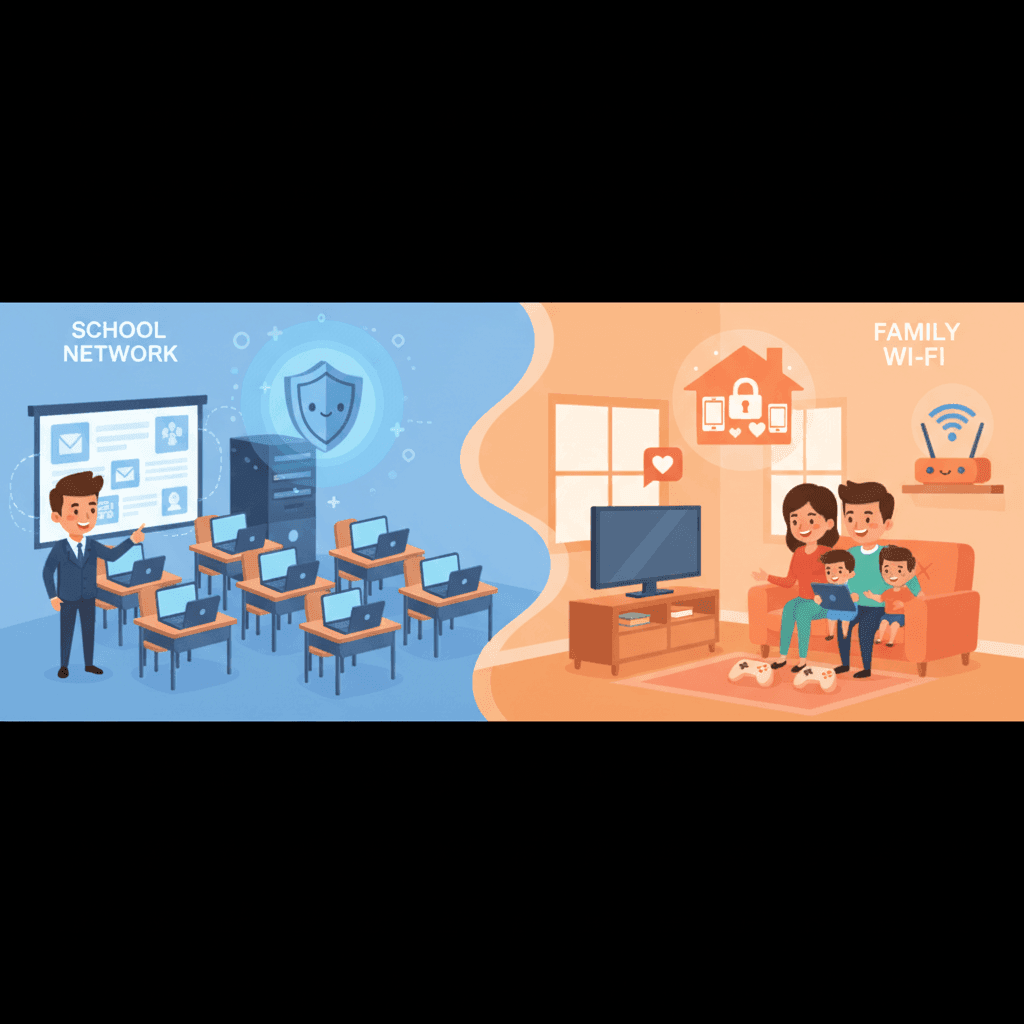
School vs Home Parental Controls: What Actually Works
School controls like Securly work great at school but fail at home. Learn why institutional tools don't work for families and what to use instead.
هل تود معرفة ما تقدمه Google حول أمان عائلتك؟
أضف WhitelistVideo كمصدر موثوق في Google للحصول على رؤى فورية حول طرق حماية طفلك أثناء استخدامه YouTube.
اسأل Google عن WhitelistVideo











