Community consensus · Updated July 2026

YouTube Supervised Accounts: What Parents Really Say on Reddit, Quora & LinkedIn

Three tiers, no approved-channel list — and the communities have noticed.

Google pitches supervised accounts as the graduation path from YouTube Kids. Search Reddit and Quora, though, and you'll find parents describing the same pattern: pick a tier, watch the algorithm serve things you'd never have chosen, block channels one by one after the fact. Here's what each community says — and the alternative they recommend.

Consensus across 4 communities
Channel-level control, not tiers
Works alongside supervision
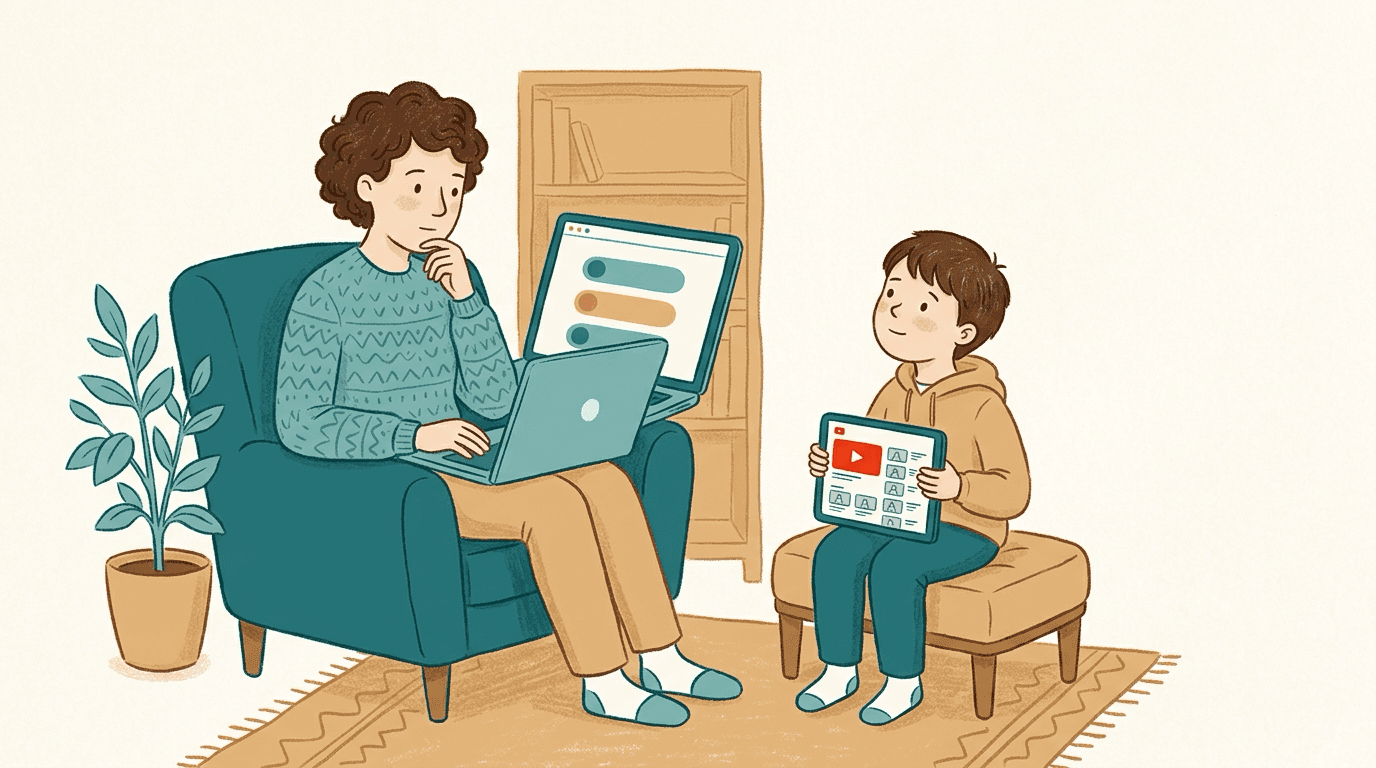
A parent looking at YouTube's three supervised account content tiers on a laptop while their child waits to watch, illustrating the gap between category filters and channel-level control

Parents on Reddit, Quora and LinkedIn agree that YouTube supervised accounts are better than nothing but don't deliver real control. The recurring complaints: the three content tiers (Older kids, Teens, Older teens; formerly Explore, Explore More, Most of YouTube) are too coarse, the algorithm still picks what appears within each tier, the Shorts limit follows only the signed-in account, and blocking channels is reactive whack-a-mole. WhitelistVideo takes a different approach: it blocks content by default and only plays channels a parent has approved in its supported app or browser experience. Many families run both: a supervised account at the Google-account level and WhitelistVideo for channel-level rules.

When kids outgrow YouTube Kids around age 8, Google's suggested next step is a supervised account: the main YouTube app with one of three content settings — Older kids (generally 9+), Teens (generally 13+), or Older teens (generally 16+). On paper it's the middle ground every parent wants.

In practice, parenting communities tell a different story. Within whichever tier you pick, YouTube's algorithm still decides what your child sees across millions of channels — channels are blocked one at a time, often after your child has already found them, and the Shorts limit (which can be set to zero) applies only while your child is signed in to the supervised account. Here's the community-by-community breakdown, and the channel-whitelist approach parents recommend instead.

The Reddit consensus

On r/Parenting, r/GoogleFamilyLink and r/youtube, supervised-account threads follow a familiar arc: relief at escaping YouTube Kids, then frustration within weeks.

  • Parents report the 'Older kids' tier letting through gaming drama, brain-rot compilations and borderline content that is 'technically fine for 9+' but nothing they'd have picked — the tier is a fence around millions of videos, not a curated list.
  • The block-a-channel feature gets described as whack-a-mole: you can only block after your child has already watched, and the algorithm keeps serving new channels from the same pool.
  • A recurring complaint is about Shorts: the daily Shorts feed limit can be set to zero, but it follows the signed-in supervised account, so a signed-out browser, another profile or another account still shows Shorts.
  • The most-upvoted alternative in these threads: a whitelist on the regular YouTube app, so the child keeps 'real' YouTube but only sees channels a parent approved in advance.

Reddit's takeaway: supervised accounts filter by category when parents want to choose by channel. A whitelist on the real app — which is what WhitelistVideo provides — closes that gap.

What parents ask (and answer) on Quora

Quora questions like 'Are YouTube supervised accounts safe?' and 'Can I choose which channels my child watches on YouTube?' draw detailed answers from parents who've tried the tiers.

  • The direct answer to the channel question is no — supervised accounts offer three tiers, and no tier lets a parent pre-approve specific channels.
  • Experienced parents point out that tier jumps are cliffs: loosening from 'Older kids' to 'Teens' unlocks millions of videos at once, with nothing in between.
  • Answers recommending a layered setup are common: keep the supervised account for age-appropriate ads and account-level signals, add a whitelist tool to control what actually plays.

Quora's takeaway: supervised accounts are worth having at the account level, but channel-level control requires a whitelist on top.

Is a whitelist right for your child's age?

Answer 4 quick questions about your child and devices, and get a personalised recommendation for a safer YouTube — in under a minute.

Find your fit

The expert view on LinkedIn

Digital-wellbeing and child-development voices on LinkedIn critique the tier model itself, not just its execution.

  • Experts argue that category-based filtering still leaves an engagement-optimised algorithm in charge of a child's attention — the tier changes the pool, not the incentive.
  • The favoured model is 'intentional viewing': a known, parent-chosen set of quality channels rather than an algorithmic feed of any size.
  • Practitioners also flag transparency: with tiers, parents can't see or edit the actual list of what's allowed — with a whitelist, the list is the setting.

LinkedIn's takeaway: swap tier-plus-algorithm for a transparent, parent-curated channel list — the core idea behind WhitelistVideo.

What the review sites say (Common Sense Media, G2, Trustpilot)

The structured reviews reach the same verdict the communities do, with data attached.

  • Common Sense Media notes that YouTube's automated classifiers are imperfect and that supervised tiers still require active parental involvement — 46% of kids encounter inappropriate content through YouTube's recommendations.
  • Reviewers consistently list the lack of channel-level approval as the biggest gap in supervised accounts, and note that the Shorts limit applies only to the signed-in supervised account.
  • Whitelist-based tools are praised for being preventive rather than reactive: the channel a child hasn't discovered yet is already blocked, because everything is.

Review-site takeaway: supervised accounts reduce risk but keep parents in cleanup mode. A whitelist moves them from reacting to deciding.

Supervised accounts vs a channel whitelist

Three broad tiers vs. parent-approved channels

左右滚动以查看所有列。

功能Supervised AccountWhitelistVideo
Content chosen byAlgorithm, within your tier
You — channel by channel
Approve specific channels in advanceNo
Yes
Turn off YouTube ShortsShorts feed limit can be zero, while signed in
Blocked by default
Uses the familiar YouTube experienceYes
On supported browsers
Blocking isReactive (after viewing)
Preventive (default-deny)
Loosening controlWhole-tier jumps
One channel at a time

YouTube 需求对比

此对比仅涵盖 YouTube:包含孩子可观看的内容及您的控制方式。Family Link 还涵盖了 Android 和 Chromebook 上的应用审批、屏幕时间限制、设备定位和网页过滤。

已检查 2026年10月25日

YouTube 需求对比
您的需求WhitelistVideoYouTube 受监督账号 (Family Link)
我可以仅允许观看我批准的频道吗? (阅读指南)
是仅播放您批准的频道,在真实的 YouTube 上运行。
否Google 内容设置加上频道屏蔽;无批准频道列表
我可以屏蔽我不想要的频道吗? (阅读指南)
是屏蔽任何频道;被屏蔽的频道绝不会播放。
是从关联的家长账号屏蔽特定频道
我可以允许或屏蔽特定主题(例如仅教育类视频)吗? (阅读指南)
是Auto-pilot 仅播放您允许的主题视频。
部分支持选择内容设置(9+、13+ 或 16+);由 Google 决定适用主题
我可以屏蔽包含脏话的视频吗? (阅读指南)
是“内容适宜度检查”功能可根据您选择的级别,自动拦截包含脏话的 WhitelistVideo 视频。
否无词汇过滤器;内容设置是 Google 设置的年龄分级
我可以选择孩子观看的宗教内容吗? (阅读指南)
是Religion & Faith 功能让您选择孩子观看的宗教视频类型。
否无宗教设置;逐一屏蔽频道是最近似的方案
是否有无需我亲自观看就能自动筛选新视频的功能? (阅读指南)
是AI 会为您未批准的频道中的每个视频进行检查。Android TV 除外。
部分支持YouTube 的系统根据内容设置而非您自己的规则过滤视频
我可以关闭 YouTube Shorts 吗? (阅读指南)
是Shorts 默认关闭;您可以从控制面板中开启。
部分支持在 Family Center 中可将 Shorts 信息流限制为零;已记录适用于 YouTube 应用
我可以隐藏 YouTube 评论吗? (阅读指南)
是除非您开启,否则评论保持隐藏。
部分支持孩子无法发布评论;“年龄较大的孩子”设置中仅关闭阅读功能
孩子可以请求添加新频道吗,并由我通过手机审批? (阅读指南)
是孩子在应用中发起请求;您通过应用、WhatsApp 或 Telegram 进行审批。
否Family Link 审批应用申请,而非 YouTube 频道
在孩子未登录 YouTube 时,它在真实的 YouTube 上有效吗? (阅读指南)
是适用于孩子的设备,即使孩子未登录 YouTube 账号也有效。
否控制仅在孩子登录受监督账号时有效
它适用于 iPhone、iPad、Android、Chromebook、Windows、Mac 和电视吗?iPhone 和 iPad电脑电视
是支持 iPhone、iPad、Android、Chromebook、Windows、Mac 和 Android TV。AI 功能不支持电视。
是无论孩子在哪里登录:YouTube 应用和网站、智能电视及游戏主机
它会被锁定吗,这样我的孩子就无法将其关闭? (阅读指南)
是若配合 Screen Time、Family Link、Family Safety 或 Google Admin 控制台使用,非经您的凭据无法卸载 WhitelistVideo。
部分支持13 岁及以上的青少年可停止监督;在浏览器中登出可绕过设置

The verdict: supervision for the account, WhitelistVideo for the content

Supervised accounts aren't a bad idea — they keep ads age-appropriate, tie protection to your child's supervised account, and beat Restricted Mode comfortably. The communities' complaint is structural: no tier, however tuned, can answer the question parents are actually asking — 'can my kid watch only the channels I trust?'

That's the question WhitelistVideo answers. It blocks content by default and only plays channels you've approved in its supported app or browser experience. On Windows and Mac, administrator-protected browser policies enforce Chrome and Edge. On iPhone and iPad, approve WhitelistVideo's Screen Time access, block the YouTube app (the app's picker in 1.4.8; newer versions ask you to delete it) and set the parent PIN; never block youtube.com in Screen Time, there is no need to block Safari, and Deleting Apps set to Don't Allow is recommended. Your child gets an age-appropriate viewing experience while you set the channel rules and remove Shorts.

The setup most recommended in the threads is both together: the supervised account handling the Google-account layer, WhitelistVideo deciding what actually plays.

Frequently asked questions

The consensus is 'better than nothing, but not control.' Parents describe the three content tiers as too coarse, the algorithm still choosing what appears within each tier, the Shorts limit applying only while signed in, and channel-blocking being reactive whack-a-mole. The most-recommended fix is a channel whitelist on the regular YouTube app.

No. Supervised accounts only offer three broad tiers — Older kids, Teens, and Older teens. You can block a channel after your child encounters it, but you can't build an approved-channels-only experience. That requires a whitelist tool like WhitelistVideo, which blocks everything by default and only plays channels you've approved.

Yes, while your child is signed in. Parents can set the daily Shorts feed limit to zero minutes in Family Link or YouTube's Family Center, which turns the Shorts feed off. The limit follows the signed-in supervised account, so it does not apply when your child is signed out, in another browser profile, or on another account. WhitelistVideo blocks Shorts by default on every platform it supports.

Yes — they stack well, and it's the setup parents in the threads most often recommend. The supervised account keeps your child's supervised account age-appropriate (ads, account-level signals), while WhitelistVideo enforces channel-level approval and Shorts blocking at the device level, so switching accounts doesn't bypass it.

You can start free with no credit card. It works across Windows, Mac, Chromebook, iOS, Android and Android TV, controlled from a single parent dashboard.

More than three sizes

Supervised accounts give you tiers. WhitelistVideo gives you the actual list across its supported app and browser experiences — approve the channels you trust.

No credit card required to start.

使用 AI 获取即时答案

向任何 AI 助手询问有关 YouTube 家长控制、设置指南或故障排除的问题。

ChatGPT

Perplexity

Claude

Gemini

点击“提问”即可打开 AI 并预填您的问题。若使用 Gemini,请先复制问题。