YouTubeで子どもへの「おすすめ」アルゴリズムを停止する方法
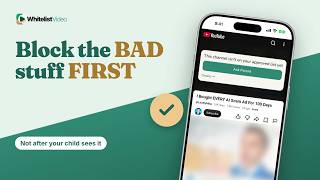
「チャンネルをおすすめに表示しない」設定は提案を変えるだけです。WhitelistVideoなら承認チャンネルのみが再生され、Androidの厳選フィードではおすすめ自体が表示されません。
1:28投稿日: 2026年10月30日英語音声
無料テストを開始その意味するところ
おすすめを停止するとは、YouTubeのアルゴリズムが、ある動画から次のおすすめ動画へと誘導できなくすることです。
親御さんがそうする理由
無害な1つの動画が、YouTubeが選んだ動画によって1時間の視聴に変わってしまうのを防ぐためです。
必要なもの
- 子どものデバイスのYouTubeアプリ
- YouTubeにログインした子どものアカウント
- 各チャンネルをマークする時間
YouTubeでの設定方法
動画の「その他」から「チャンネルをおすすめに表示しない」を選びます。設定で視聴履歴をオフにすれば、YouTubeが子どもの視聴から学習する機会を減らせます。
- 動画のその他 ⋮
- チャンネルをおすすめに表示しない
- 設定 → すべての履歴を管理
- 視聴履歴をオフ
「おすすめに表示しない」の限界
ここがポイントです。この設定はおすすめに影響するだけです。そのチャンネルは検索結果には表示され、再生もできます。また、新しいチャンネルを出すたびにマークし直す必要があります。
| 機能 | 「おすすめに表示しない」 | WhitelistVideo |
|---|---|---|
| 非表示チャンネル | 検索からは再生可能 | 承認するまでブロック |
| 新しいチャンネル | マークするまでおすすめに表示 | デフォルトでブロック |
| 再生可能内容 | YouTube全体 | 承認済みチャンネルのみ |
より良い方法:WhitelistVideo
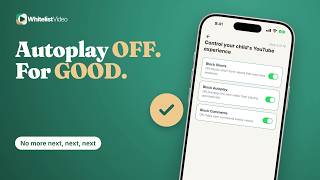
AndroidデバイスやAndroid TVでは「厳選フィード」に切り替え可能です。これは検索やおすすめ機能のない、承認済み動画の固定グリッド画面です。
iPhone、iPad、PCでは本物のYouTubeを使いますが、承認チャンネルしか再生されません。他のチャンネルからの提案はすべてブロックされます。
書き起こし
Here's how to stop YouTube recommendations for kids, and why Don't recommend channel only changes the suggestions. Stick around for a better, more secure way to set it up.
Stopping recommendations means YouTube's algorithm can't steer your child from one suggested video to the next.
Parents do it so one harmless video doesn't turn into an hour of whatever YouTube picks.
With YouTube alone, you need the YouTube app, your child signed in, and time to mark each channel you don't want.
On a video, tap More and choose Don't recommend channel. You can also turn off watch history in Settings, so YouTube learns less from what your child watches.
Here's the catch. Don't recommend channel only affects recommendations. That channel can still show up in search and play, and every new channel needs its own tap.
On Android phones, tablets and Android TV, switch your child to Curated Feed: a locked grid of only the videos you approve, with no search and no recommendations.
On iPhone, iPad and computers, your child uses real YouTube, but only approved channels play. A suggestion from any other channel stays blocked.
WhitelistVideo, a SourceForge Top Performer in parental control software, is one of the best parental control apps for YouTube.
Get WhitelistVideo at whitelist dot video.