How to activate WhitelistVideo YouTube protection
Turn on YouTube protection for your child's device. This is the final step to start filtering videos.
Activating on a mobile device or TV? Activation steps vary by device. See the device-specific guides for iOS, Android, and Android TV. The instructions below are for the Chrome/Edge browser extension.
What do I need to activate protection?
- Your phone with the Parents' App
- Access to your child's computer
- The child profile you created in Step 3
How to get the WhitelistVideo activation code
On your phone
-
Open the Parents' App and select your child's profile
-
On the dashboard, tap Connect Device
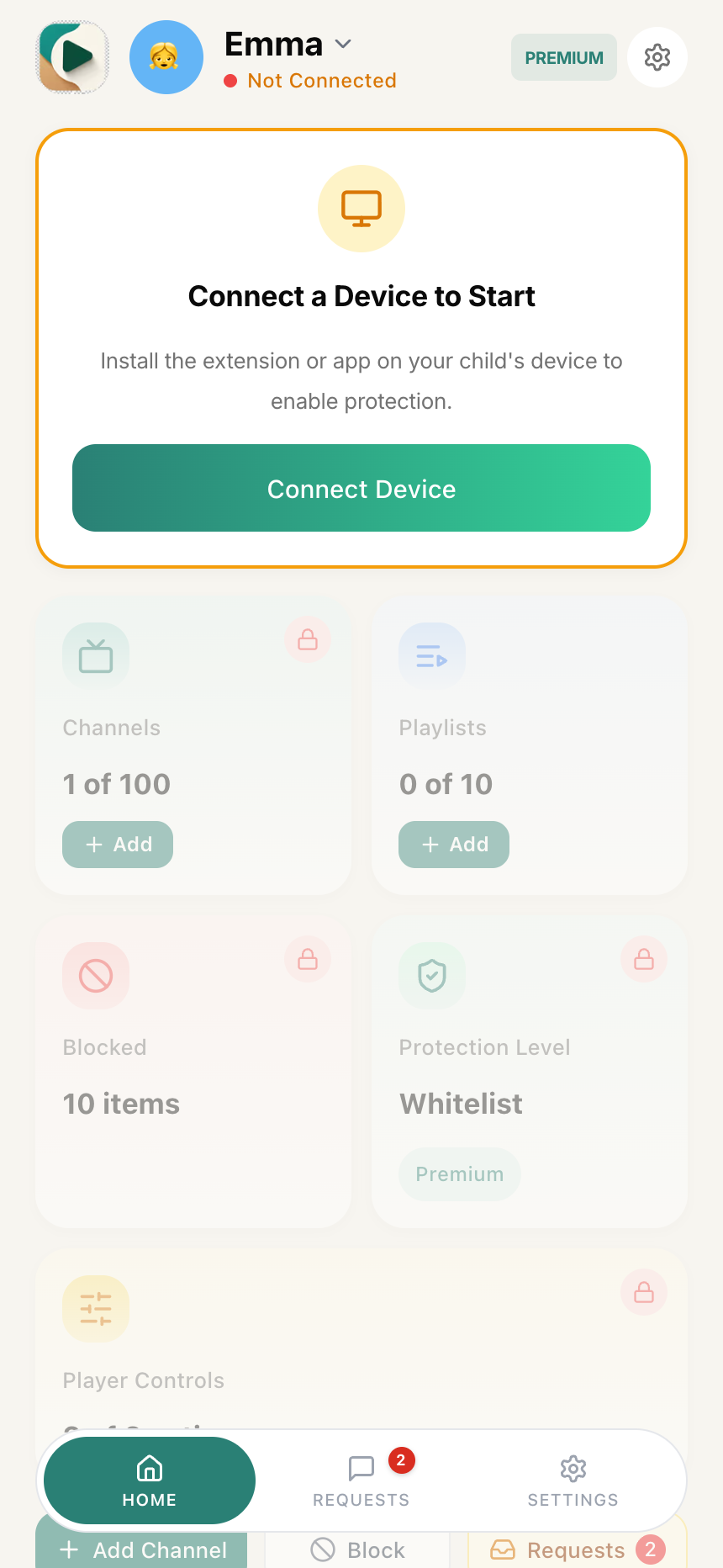
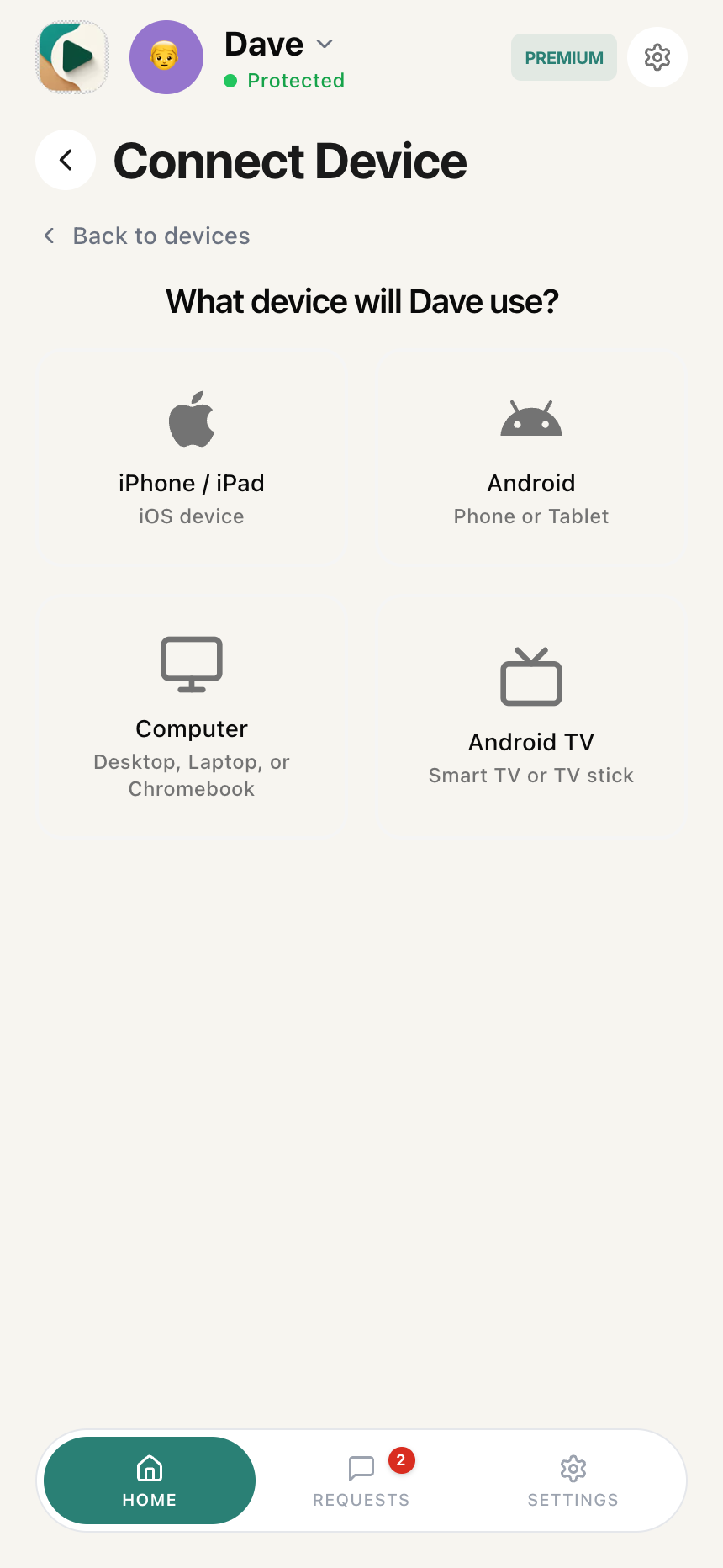
- Tap Connect New Device, then select your child's device platform: iPhone / iPad, Android, Computer, or Android TV
- A 6-digit activation code is generated under "Enter This Code"
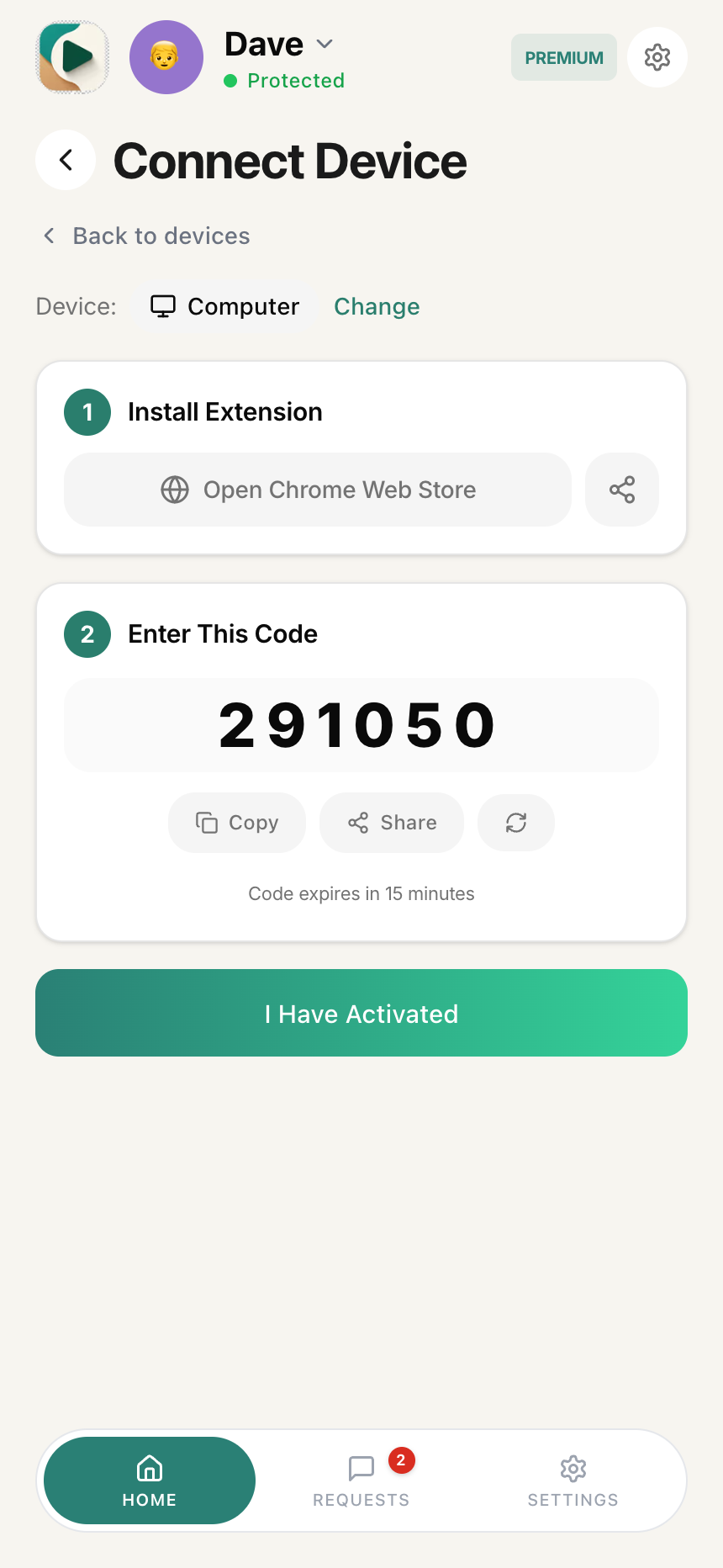
- Tap Copy to copy it to your clipboard (or Share to send it to another device)
Important: This code expires in 15 minutes. If it expires, tap the refresh icon next to the code or reopen the Connect Device view to generate a new one.
How to enter the activation code
On your child's computer
-
Click the WhitelistVideo icon in Chrome's toolbar
-
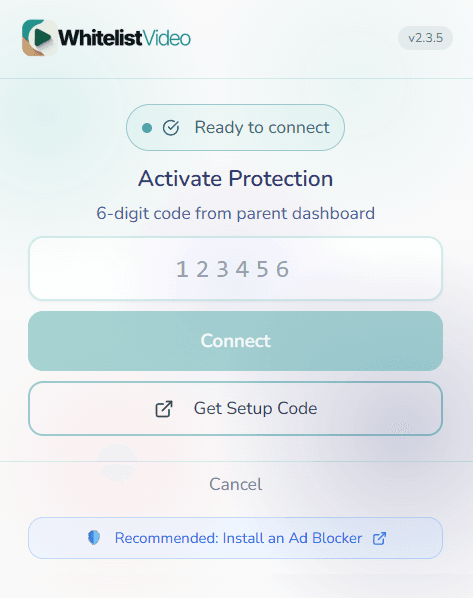
You'll see the Connect Device screen with a Setup Code field
-
Enter the 6-digit code from your phone in the Setup Code field
-
Click the Connect button

Tip: If you need the code again, click "Get code from parent dashboard" at the bottom of the extension popup.
How do I know WhitelistVideo is working?
After activation, you'll see:
- On the computer: The extension shows "Protection Active" with your child's name
- On your phone: The device appears under your child's profile
Test the protection
-
Go to YouTube on your child's computer
-
Search for any video
-
Try playing a video from a channel you haven't whitelisted
-
The video should be blocked with a message: "This channel isn't on your approved list yet"
Your child will see:
- Approved channel suggestions - Cards showing approved channels they can watch instead
- Request counter - Shows remaining requests (e.g., "10 left, Resets 6:30 PM")
- "Ask Parent" button - Lets them request approval for this channel
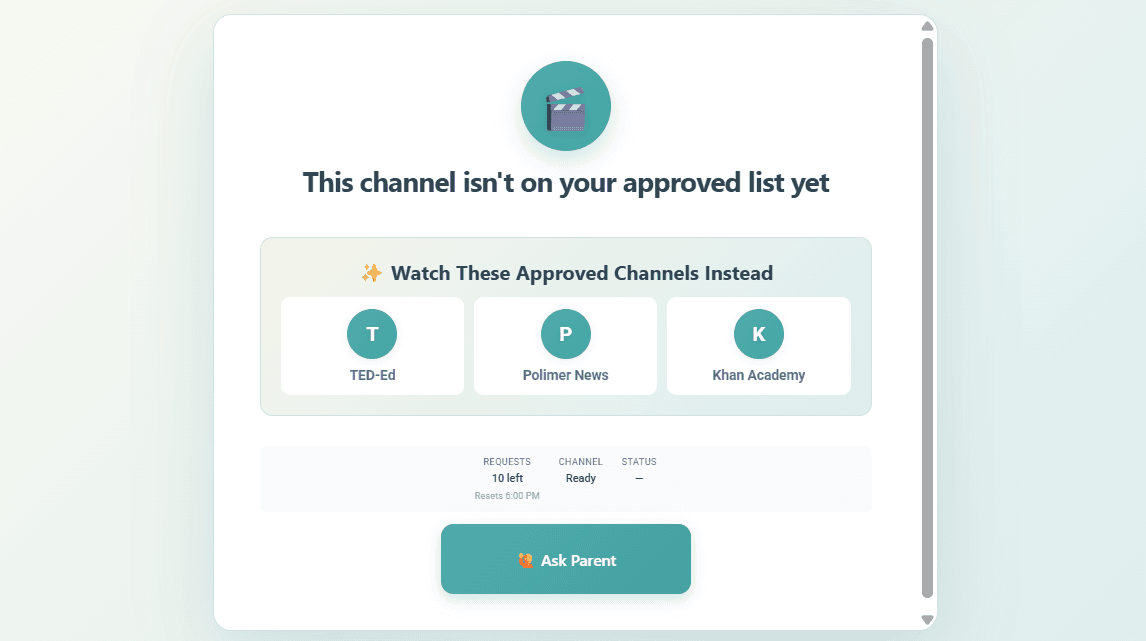
WhitelistVideo setup complete
YouTube is now protected on your child's Chrome browser. They can only watch videos from channels you've approved.
What can I configure after activation?
You can now:
How do I make WhitelistVideo protection stronger?
Right now, your child could turn off the extension or use a different browser. To prevent this:
We strongly recommend Advanced Protection. Without it, tech-savvy children can easily bypass the extension.
WhitelistVideo activation troubleshooting
The code didn't work
- Make sure you typed it exactly as shown
- Check if the code has expired (more than 15 minutes old)
- Generate a new code and try again
Videos aren't being blocked
- Make sure you see "Protection Active" in the extension
- Try refreshing the YouTube page
- Check that the video's channel isn't on your approved list
I see "Not Activated" in the extension
- The activation may have failed
- Try entering the code again
- Make sure your internet connection is stable