How to install WhitelistVideo on iPhone or iPad
Download the WhitelistVideo app from the App Store onto your child's iOS device. Installation takes about 2 minutes.
What do I need to install WhitelistVideo?
- Your child's iPhone or iPad
- iOS 16 or later
- Apple ID signed in to the App Store
- Internet connection
How to download WhitelistVideo from the App Store
On your child's iPhone or iPad
-
Leave the regular YouTube app for now: setup blocks it later (the app's picker in 1.4.8; newer versions ask you to delete it)
-
Open the App Store
-
Tap the Search tab at the bottom
-
Search for "WhitelistVideo" or "WhitelistVideo Safe Videos"
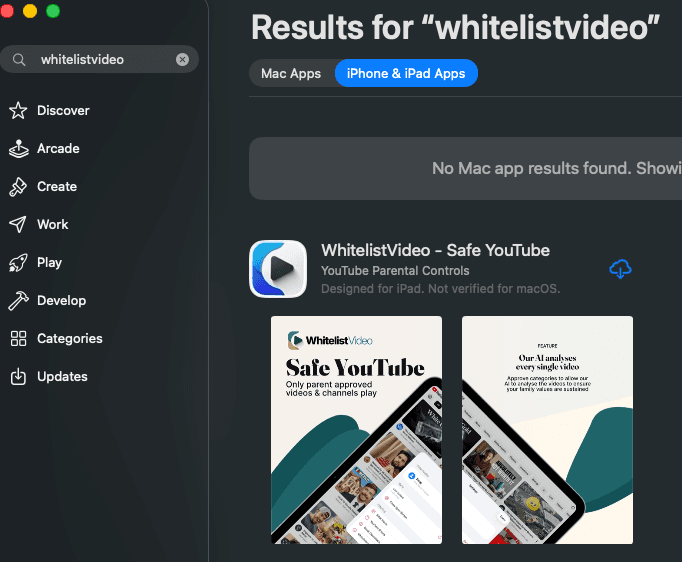
- Find the app with the WhitelistVideo logo and tap on it
Direct link: You can also open this link on your child's device: WhitelistVideo on App Store (opens in a new tab)
- Tap the Get button (or the cloud download icon if previously installed)
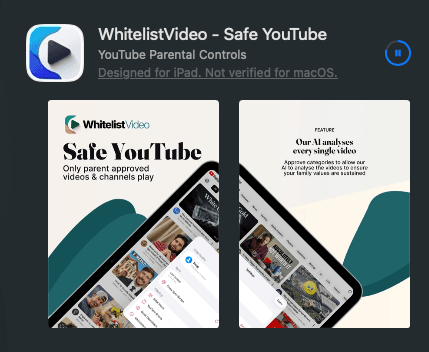
-
Authenticate with Face ID, Touch ID, or your Apple ID password
-
Wait for the app to download and install
How to open WhitelistVideo for the first time
-
Once installed, tap Open in the App Store
OR find the WhitelistVideo app icon on your home screen and tap it
-
The app opens to the activation screen
-
You'll see a field to enter your 6-digit activation code

Don't close the app yet! Keep it open while you get the activation code from your Parents' App.
WhitelistVideo installation complete
WhitelistVideo is installed but not yet activated. Your child can't watch videos until you complete activation, approve Screen Time access, block the YouTube app and set the parent PIN.
WhitelistVideo iOS installation troubleshooting
I can't find WhitelistVideo in the App Store
- Search for "WhitelistVideo Safe Videos"
- Make sure you're searching in the App Store, not Safari
- Try the direct App Store link (opens in a new tab)
The download won't start
- Check your internet connection
- Make sure you have enough storage space
- Try signing out of the App Store and back in
Face ID or Touch ID isn't working
- Use your Apple ID password instead
- Check that Face ID/Touch ID is enabled in Settings
I see "Not Available in Your Region"
- WhitelistVideo is available worldwide
- Try changing your App Store region temporarily
- Contact support at support@whitelist.video
The app crashes on launch
- Make sure you're running iOS 16 or later
- Try deleting and reinstalling the app
- Restart your device and try again